iPhone Control Center iOS 16
อัปเดตเมื่อ
เวอร์ชันปัจจุบัน
1.6
ให้บริการโดย

เมื่อใช้ iPhone Control Center iOS 16 บนโทรศัพท์ของคุณไม่ต้องกังวลกับการชาร์จไฟมากเกินไปปลดปล่อยตัวคุณเองจากหน้าจอขนาดเล็กและสนุกกับการใช้แอพนี้บนหน้าจอขนาดใหญ่ จากนี้ไปรับประสบการณ์เต็มหน้าจอของแอปพลิเคชันของคุณด้วยคีย์บอร์ดและเมาส์ MEmu มีคุณสมบัติที่น่าแปลกใจที่คุณคาดหวัง: การติดตั้งที่รวดเร็วและการตั้งค่าที่ง่ายควบคุมได้ง่ายไม่ จำกัด แบตเตอรี่ข้อมูลมือถือและการโทรที่รบกวน MEmu 9 ใหม่ล่าสุดเป็นตัวเลือกที่ดีที่สุดสำหรับการใช้ Meitu – โปรแกรมแก้ไขภาพแนวธรรมชาติ บนคอมพิวเตอร์ของคุณ ด้วยรหัสการดูดซึมของเราผู้จัดการหลายอินสแตนซ์ทำให้สามารถเปิดบัญชี 2 บัญชีขึ้นไปในเวลาเดียวกันได้ และที่สำคัญที่สุดเอ็นจิ้นจำลองพิเศษของเราสามารถปลดปล่อยศักยภาพของPCของคุณและทำให้ทุกอย่างราบรื่นและสนุกสนาน
แสดงเพิ่มเติม
ดาวน์โหลด iPhone Control Center iOS 16 บน PC ด้วย MEmu Android Emulator สนุกกับการเล่นบนหน้าจอขนาดใหญ่ Control Center IOS 16 Style:-.
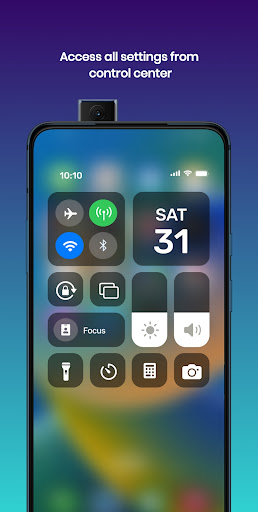
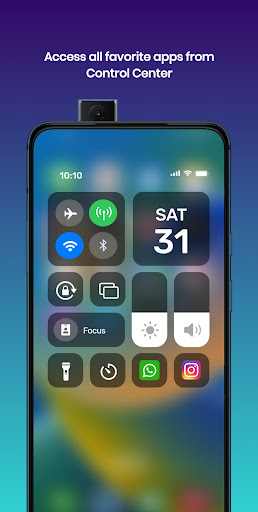
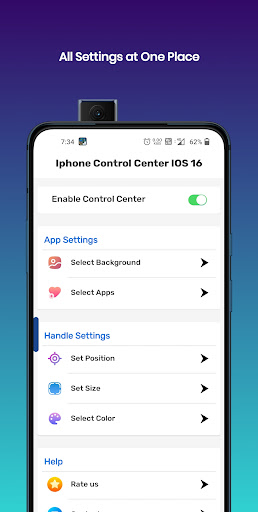
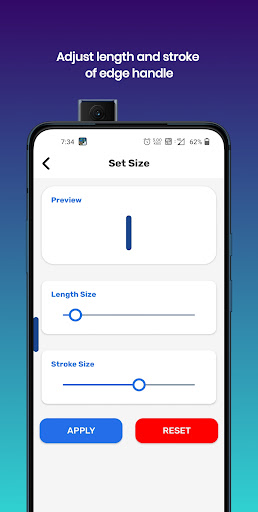
Control Center IOS 16 Style:-
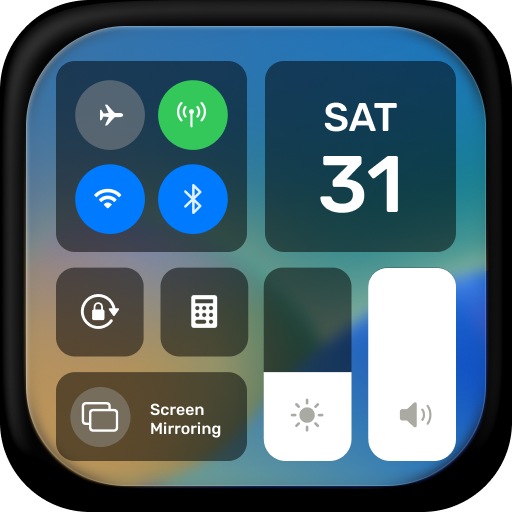
The Iphone Control Center IOS 16 has an easy-to-use, speedy and more customizable menus. You can have an experience of IOS 16 style in your Android Device. It also has wonderful Iphone 14 max style wallpapers.
Experience Iphone Control Center in the style of iOS 16. You can use Control Center IOS 16 in your device from swiping from Edge which are situated at top, right, bottom and left. You can have the experience of the IOS 16 Style Control Center with this Control Center IOS 16.
Main Features:-
- You can set different IOS 16 Style Wallpaper with this Iphone Control Center IOS 16.
- Iphone Control Center IOS 16 allows you to Modify Settings on your fingertips.
- Toggle Wifi, Bluetooth, Airplane mode from anywhere with an IOS 16 Control Center.
- Iphone Control Center IOS 16 provides to toggle or set Screen rotation, Location, Flashlight, and Volume controls.
- Add Favorite Apps in Iphone Control Center IOS 16.
- Choose your wallpaper from a large list of IOS 16 Wallpapers, Transparent or even your Default Home wallpaper.
- You can have an access to quick apps like calculator, camera, Alarm & Time from Iphone Control Center.
- Iphone Control Center provides feature to adjust Brightness and Volume Slider.
- You can open Battery Optimizations from IOS 16 Control Center.
Customize Edge Features:-
- Modify Edge Size and Stroke.
- Customize Position of Edge like top, right, bottom or left.
- Change color and alpha of Edge in Iphone Control Center IOS 16.
- Open Settings from Iphone Control Center.
- Organize Apps list in Iphone Control Center IOS 16.
Permissions:-
- We don't collect your personal data. We need some permission to do some actions. We don't collect your data with these permissions.
- We need ACCESSIBILITY_SERVICE permission is necessary and used only to perform global actions like Screenshots, Display app over Home Screen and etc. You need to grant this permission to use that action. The application commits not to collect or share any user information about this accessibility right.
- We need QUERY_ALL_PACKAGES permission to let you select your favorite apps to add in Control Center.
- We need OVERLAY permission to allow this app to show over other apps, change position, drag and drop.
Disclaimer:-
All company, service and product names used in this app are for identification purposes only. Use of these names, brands and trademarks does not imply endorsement.
All product names, brands, logos, trademarks and registered trademarks, which are not owned by us, are property of their respective owners.
The Iphone Control Center IOS 16 application is owned by us and is not an official Apple, iOS or iPhone application. We are not authorized, affiliated, associated, endorsed by, or in any way officially connected with Apple, iOS and iPhone.
This Control Center app is a very feature-rich, easy and fast to use.
แสดงเพิ่มเติม

1. ดาวน์โหลดตัวติดตั้ง MEmu และสิ้นสุดการติดตั้ง

2. เริ่ม MEmu จากนั้นเปิด Google Play บนหน้าแรก

3. ค้นหา iPhone Control Center iOS 16 ใน Google Play
Install
4. ดาวน์โหลดและติดตั้ง iPhone Control Center iOS 16
5. เมื่อติดตั้งเสร็จให้คลิกที่ไอคอนเพื่อเริ่มใช้งาน

6. ใช้ MEmu เพื่อสัมผัสประสบการณ์ iPhone Control Center iOS 16 บนคอมพิวเตอร์ของคุณ
MEmu Play คือโปรแกรมจำลอง Android ที่ดีที่สุด มีผู้ใช้มากกว่า 50 ล้านคน มอบประสบการณ์การใช้งานแอป Android ขั้นสุดยอดให้กับคุณ เทคโนโลยีจำลองเสมือนของ MEmu ช่วยให้คุณรันแอป Android หลายพันแอปบนคอมพิวเตอร์ได้อย่างราบรื่น แม้แอปที่กินทรัพยากรเครื่องสูงที่สุด
จอใหญ่และกราฟฟิกสวยกว่า; เล่นได้นาน, ไม่ต้องใช้แบตเตอรี่โทรศัพท์หรือเน็ตโทรศัพท์.
ระบบปรับแต่งปุ่มคีย์บอร์ดและเม้าส์ตามที่คุณเลือก
เล่นมากกว่าหนึ่งเกมบน PC ในเวลาเดียวกันด้วยระบบหลายจอหรือ Multi-Instance manager.
Use iPhone Control Center iOS 16 on PC by following steps: