Nothing Icon Pack (Adaptive)
อัปเดตเมื่อ
เวอร์ชันปัจจุบัน
1.3.1
ให้บริการโดย

เมื่อใช้ Nothing Icon Pack (Adaptive) บนโทรศัพท์ของคุณไม่ต้องกังวลกับการชาร์จไฟมากเกินไปปลดปล่อยตัวคุณเองจากหน้าจอขนาดเล็กและสนุกกับการใช้แอพนี้บนหน้าจอขนาดใหญ่ จากนี้ไปรับประสบการณ์เต็มหน้าจอของแอปพลิเคชันของคุณด้วยคีย์บอร์ดและเมาส์ MEmu มีคุณสมบัติที่น่าแปลกใจที่คุณคาดหวัง: การติดตั้งที่รวดเร็วและการตั้งค่าที่ง่ายควบคุมได้ง่ายไม่ จำกัด แบตเตอรี่ข้อมูลมือถือและการโทรที่รบกวน MEmu 9 ใหม่ล่าสุดเป็นตัวเลือกที่ดีที่สุดสำหรับการใช้ Meitu – โปรแกรมแก้ไขภาพแนวธรรมชาติ บนคอมพิวเตอร์ของคุณ ด้วยรหัสการดูดซึมของเราผู้จัดการหลายอินสแตนซ์ทำให้สามารถเปิดบัญชี 2 บัญชีขึ้นไปในเวลาเดียวกันได้ และที่สำคัญที่สุดเอ็นจิ้นจำลองพิเศษของเราสามารถปลดปล่อยศักยภาพของPCของคุณและทำให้ทุกอย่างราบรื่นและสนุกสนาน
แสดงเพิ่มเติม
ดาวน์โหลด Nothing Icon Pack (Adaptive) บน PC ด้วย MEmu Android Emulator สนุกกับการเล่นบนหน้าจอขนาดใหญ่ Nothing Icon Pack: Colors Inspired by Nothing Brand.
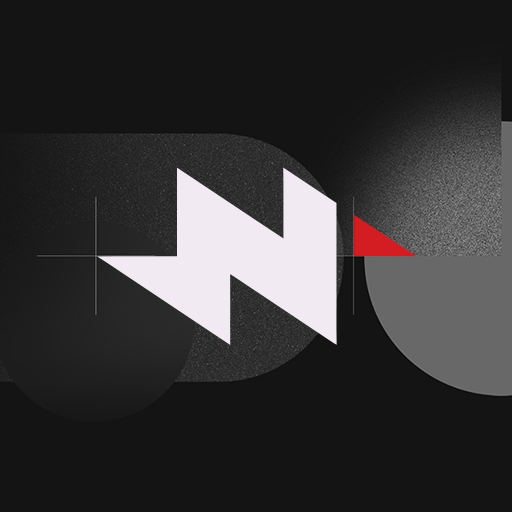
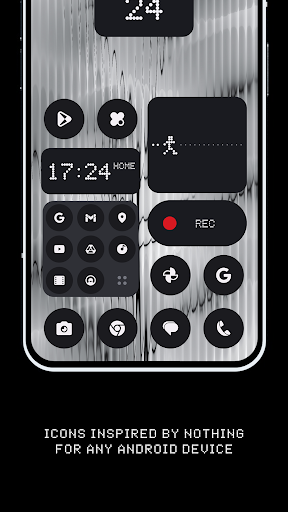
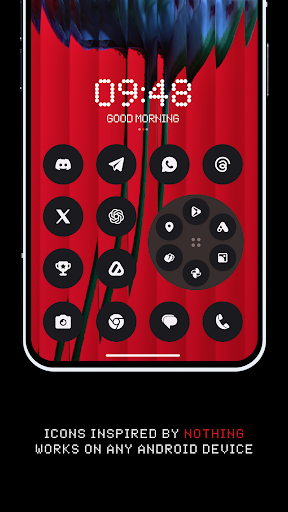
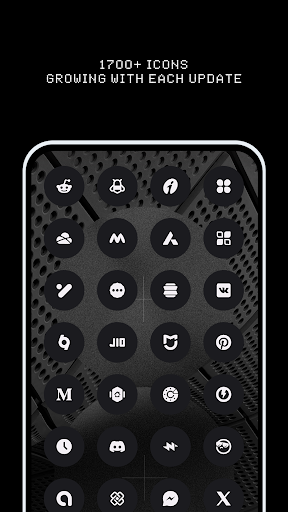
Nothing Icon Pack: Colors Inspired by Nothing Brand. Now Achieve a Monochromatic Look on Any Android Device.
One of the easiest ways to refresh your phone's interface is by giving it a new look with an amazing icon pack. While there are already thousands of icon packs on the market, Nothing Icon Pack stands out. It will transform your device's appearance from the mundane stock look to something truly awesome.
Nothing Icon Pack is relatively new, featuring 1710+ icons and 100+ exclusive wallpapers. I assure you that more icons will be added in every update.
Why Choose Nothing Icon Pack over Others?
• 1710+ ICONS OF TOP NOTCH QUALITY.
• Icon Masking for Unthemed Icons.
• Frequent Updates with new icons and updated activities.
• Alternative Icons for popular apps and system apps.
• Matching Wallpaper Collection.
• KWGT Widgets (Coming Soon).
• Server-Based Icon Request System.
• Custom folder icons and app drawer icons.
• Icon preview and search.
• Dynamic Calendar support.
• Slick Material Dashboard.
How to Use This Icon Pack?
Step 1: Install a supported theme launcher (Recommended: NOVA LAUNCHER or Lawnchair).
Step 2: Open Icon Pack and click on Apply.
Nothing Icon Pack is a very minimal, colorful linear icon pack that includes 1710+ icons and numerous cloud-based wallpapers. In this icon pack, we adhere to Google's Material Design guidelines for size and dimensions, adding our own creative touch! Each icon is a masterpiece crafted with great attention to the smallest details.
Download our Nothing Icon Pack in our monochrome color scheme. Match app icons to your Nothing widgets for a look that's unmistakably Nothing. Designed to reduce distractions and make interactions with your smartphone more intentional.
Extra Notes:
The icon pack requires a launcher to work. (Some devices support icon packs with their stock launcher like Oxygen OS, Mi Poco, etc.)
Google Now Launcher and ONE UI do not support any icon packs.
Missing an Icon? Feel free to send an icon request from the request section in the app. I will do my best to include it in the next updates.
Contact Me:
Twitter: https://twitter.com/justnewdesigns
Email: justnewdesigns@gmail.com
Website: JustNewDesigns.bio.link
แสดงเพิ่มเติม

1. ดาวน์โหลดตัวติดตั้ง MEmu และสิ้นสุดการติดตั้ง

2. เริ่ม MEmu จากนั้นเปิด Google Play บนหน้าแรก

3. ค้นหา Nothing Icon Pack (Adaptive) ใน Google Play
Install
4. ดาวน์โหลดและติดตั้ง Nothing Icon Pack (Adaptive)
5. เมื่อติดตั้งเสร็จให้คลิกที่ไอคอนเพื่อเริ่มใช้งาน

6. ใช้ MEmu เพื่อสัมผัสประสบการณ์ Nothing Icon Pack (Adaptive) บนคอมพิวเตอร์ของคุณ
MEmu Play คือโปรแกรมจำลอง Android ที่ดีที่สุด มีผู้ใช้มากกว่า 50 ล้านคน มอบประสบการณ์การใช้งานแอป Android ขั้นสุดยอดให้กับคุณ เทคโนโลยีจำลองเสมือนของ MEmu ช่วยให้คุณรันแอป Android หลายพันแอปบนคอมพิวเตอร์ได้อย่างราบรื่น แม้แอปที่กินทรัพยากรเครื่องสูงที่สุด
จอใหญ่และกราฟฟิกสวยกว่า; เล่นได้นาน, ไม่ต้องใช้แบตเตอรี่โทรศัพท์หรือเน็ตโทรศัพท์.
ระบบปรับแต่งปุ่มคีย์บอร์ดและเม้าส์ตามที่คุณเลือก
เล่นมากกว่าหนึ่งเกมบน PC ในเวลาเดียวกันด้วยระบบหลายจอหรือ Multi-Instance manager.
Use Nothing Icon Pack (Adaptive) on PC by following steps: