Aniimo
Оновлено
Поточна версія
Постачальник

Перестаньте турбуватися про надмірні витрати, використовуючи ххх на своєму мобільному телефоні, звільніться від крихітного екрану і насолоджуйтеся використанням програми на набагато більшому дисплеї. Відтепер отримуйте повний екран свого додатка за допомогою клавіатури та миші. MEmu пропонує вам усі дивовижні функції, які ви очікували: швидка установка та просте налаштування, інтуїтивно зрозумілі елементи керування, більше обмежень від акумулятора, мобільних даних та тривожних дзвінків. Новий MEmu 9 - найкращий вибір використання Aniimo на вашому комп’ютері. За допомогою нашого поглинання менеджер із кількома примірниками одночасно дозволяє відкрити 2 або більше рахунків. І найголовніше, наш ексклюзивний емуляційний двигун може вивільнити весь потенціал вашого ПК, зробити все гладким і приємним.
Show more
Насолоджуйтесь чудовим досвідом Aniimo гри на ПК за допомогою програми MEMU App Player. Це потужний безкоштовний емулятор Android, який дозволяє вам грати в тисячі ігор Android. Aniimo is a free-to-play, next-gen creature-catching open-world RPG.

Aniimo is a free-to-play, next-gen creature-catching open-world RPG. On the vast continent of Idyll, you'll encounter countless unique creatures known as Aniimo. Twine with them and experience the beauty of this world from a completely new perspective and with new abilities.
You can also travel to a metropolis floating in the sky, where you'll meet other Pathfinders, share stories, and engage in thrilling competitive battles. Choose your Aniimo and embark on an epic journey - one full of exploration, discovery, and adventure!
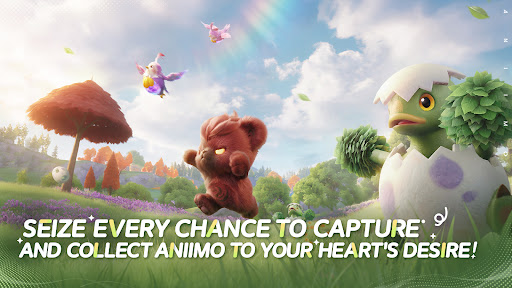
Seize every chance to capture and collect Aniimo to your heart's desire!
When embarking on an adventure on Idyll, anyone you meet can become a companion! Catch Aniimo using Aniipods, set traps and time your catch perfectly - enjoy the thrill and uncertainty of every moment! Unique Aniimo will appear according to the environment, weather, phenomena and time of day. Most Aniimo can evolve, making collecting and discovering Aniimo even more exciting.
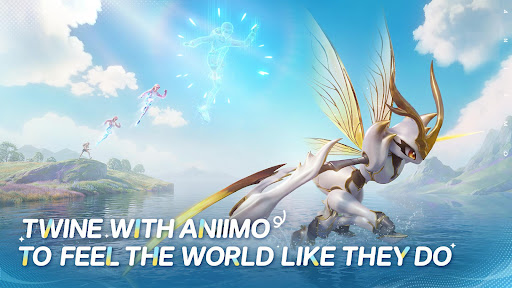
Twine with Aniimo to feel the world like they do
On your journey of adventure you can Twine with Aniimo and essentially become any Aniimo that you collect. Use the Aniimo’s skills to solve puzzles, win battles and overcome challenges! Twine with Aniimo, to see the world from a brand new perspective.
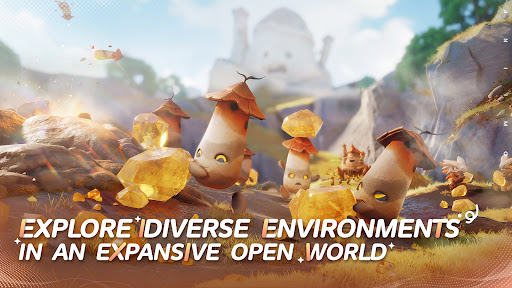
Jump into the adventure and enjoy exploring an expansive open world
The continent of Idyll is expansive and alive with beauty and the perfect setting to capture, to Twine, to find answers and for the Aniimo to reach their full potential. Challenge, race, discover... immersive exploration ensures every step of the journey is engaging. Whether you're gliding, diving, burrowing... you can step foot anywhere.
Join exciting real-time challenges with Aniimo
In the vast world of Aniimo, every real-time challenge is full of unknowns and surprises. The PVEVP mode "Egg Heist" allows you to join a 3-player team anytime to engage in real-time searches and battles in the Lost Isles.
Whether you're solo, multiplayer, adventuring, battling, or simply looking to quickly become stronger, here, every challenge is real and instantaneous!
Enjoying camping and roadtrips with your friends
Each Pathfinder now owns a personal RV on the vast continent of Idyll, parked at a campsite in this open world, where they can meet and interact with other players. When you return to Homeland with your RV, you can plant crops, build decorations, and freely arrange your space with Aniimo to transform the entire Homeland into a warm, fun, and interactive immersive paradise.
Show more

1. Download MEmu installer and finish the setup

2. Start MEmu then open Google Play on the desktop

3. Search Aniimo in Google Play
Install
4. Download and Install Aniimo
5. On install completion click the icon to start

6. Enjoy playing Aniimo on PC with MEmu
MEmu App Player є кращим безкоштовним емулятором Android, і 50 мільйонів людей вже користуються його чудовим ігровим досвідом Android. Технологія віртуалізації MEmu дає вам змогу відтворювати тисячі ігор Android на вашому комп'ютері, навіть найбільш насичених графікою.
Bigger screen with better graphics; Long duration, without limitation of battery or mobile data.
Full Keymapping support for precise control of keyboard and mouse or gamepad.
Multiple game accounts or tasks on single PC at one time with Multi-Instance manager.
Play Aniimo on PC by following steps: