Aniimo
Ενημερώθηκε
Τρέχουσα έκδοση
Προσφέρεται από

Με όλο το πάθος σας για το παιχνίδι Aniimo, τα χέρια σας δεν πρέπει να περιορίζονται σε μια μικροσκοπική οθόνη του τηλεφώνου σας. Παίξτε σαν επαγγελματίας και αποκτήστε τον πλήρη έλεγχο του παιχνιδιού σας με πληκτρολόγιο και ποντίκι. Το MEmu σας προσφέρει όλα όσα περιμένετε. Κατεβάστε και παίξτε Aniimo σε υπολογιστή. Παίξτε όσο θέλετε, χωρίς άλλους περιορισμούς μπαταρίας, δεδομένων κινητής τηλεφωνίας και ενοχλητικών κλήσεων. Το ολοκαίνουργιο MEmu 9 είναι η καλύτερη επιλογή για να παίξετε Aniimo σε υπολογιστή. Ετοιμασμένο με την εμπειρία μας, το εξαιρετικό σύστημα προκαθορισμένης αντιστοίχισης πλήκτρων καθιστά το Aniimo ένα πραγματικό παιχνίδι υπολογιστή. Ο διαχειριστής πολλαπλών περιπτώσεων MEmu καθιστά δυνατό το παιχνίδι με 2 ή περισσότερους λογαριασμούς στην ίδια συσκευή. Και το πιο σημαντικό, η αποκλειστική μηχανή εξομοίωσης μας μπορεί να απελευθερώσει πλήρως τις δυνατότητες του υπολογιστή σας, κάνοντας τα πάντα ομαλά.
Show more
Απολαύστε την υπέροχη εμπειρία αναπαραγωγής του Aniimo σε υπολογιστή με το MEMU App Player. Πρόκειται για έναν ισχυρό δωρεάν εξομοιωτή Android που σας επιτρέπει να παίζετε χιλιάδες παιχνίδια Android. Aniimo is a free-to-play, next-gen creature-catching open-world RPG.

Aniimo is a free-to-play, next-gen creature-catching open-world RPG. On the vast continent of Idyll, you'll encounter countless unique creatures known as Aniimo. Twine with them and experience the beauty of this world from a completely new perspective and with new abilities.
You can also travel to a metropolis floating in the sky, where you'll meet other Pathfinders, share stories, and engage in thrilling competitive battles. Choose your Aniimo and embark on an epic journey - one full of exploration, discovery, and adventure!
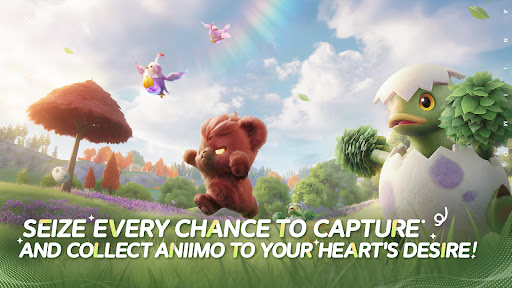
Seize every chance to capture and collect Aniimo to your heart's desire!
When embarking on an adventure on Idyll, anyone you meet can become a companion! Catch Aniimo using Aniipods, set traps and time your catch perfectly - enjoy the thrill and uncertainty of every moment! Unique Aniimo will appear according to the environment, weather, phenomena and time of day. Most Aniimo can evolve, making collecting and discovering Aniimo even more exciting.
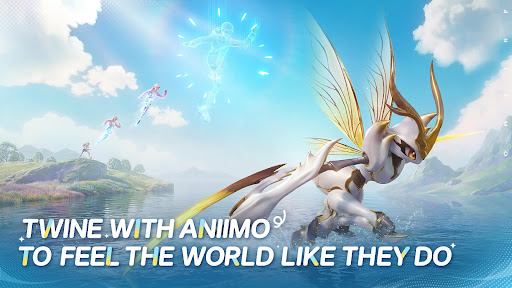
Twine with Aniimo to feel the world like they do
On your journey of adventure you can Twine with Aniimo and essentially become any Aniimo that you collect. Use the Aniimo’s skills to solve puzzles, win battles and overcome challenges! Twine with Aniimo, to see the world from a brand new perspective.
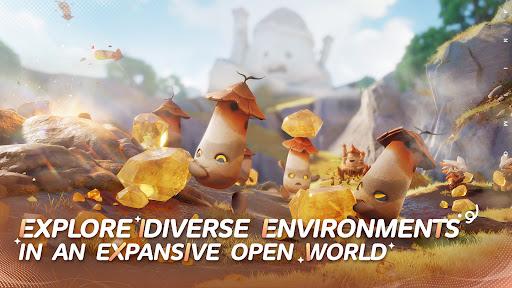
Jump into the adventure and enjoy exploring an expansive open world
The continent of Idyll is expansive and alive with beauty and the perfect setting to capture, to Twine, to find answers and for the Aniimo to reach their full potential. Challenge, race, discover... immersive exploration ensures every step of the journey is engaging. Whether you're gliding, diving, burrowing... you can step foot anywhere.
Join exciting real-time challenges with Aniimo
In the vast world of Aniimo, every real-time challenge is full of unknowns and surprises. The PVEVP mode "Egg Heist" allows you to join a 3-player team anytime to engage in real-time searches and battles in the Lost Isles.
Whether you're solo, multiplayer, adventuring, battling, or simply looking to quickly become stronger, here, every challenge is real and instantaneous!
Enjoying camping and roadtrips with your friends
Each Pathfinder now owns a personal RV on the vast continent of Idyll, parked at a campsite in this open world, where they can meet and interact with other players. When you return to Homeland with your RV, you can plant crops, build decorations, and freely arrange your space with Aniimo to transform the entire Homeland into a warm, fun, and interactive immersive paradise.
Show more

1. Κατεβάστε το πρόγραμμα εγκατάστασης MEmu και ολοκληρώστε την εγκατάσταση

2. Ξεκινήστε το MEmu και στη συνέχεια ανοίξτε το Google Play στην επιφάνεια εργασίας

3. Αναζητήστε τον Aniimo στο Google Play
Install
4. Λήψη και εγκατάσταση του Aniimo
5. Μόλις ολοκληρωθεί η εγκατάσταση, κάντε κλικ στο εικονίδιο για να ξεκινήσετε

6. Enjoy playing Aniimo on PC with MEmu
Το MEmu Play, αποτελεί την ιδανικότερη δωρεάν λύση για την εξομοίωση του λειτουργικού Android, και χρησιμοποιείται ήδη από περισσότερους από 50 εκατομμύρια χρήστες, ο οποίοι απολαμβάνουν, την καταπληκτική εμπειρία παιχνιδιού που προσφέρεται μέσω της εφαρμογής. Με τη χρήση του MEmu Virtualization, είναι δυνατή η αναπαραγωγή παιχνιδιών Android στον υπολογιστή, ακόμη και εκείνων που απαιτούν μεγάλη επεξεργαστική ισχύ γραφικών, δίχως συμβιβασμούς στην ποιότητα και στην εμπειρία χρήσης, ακριβώς όπως ένα τελευταίας γενιάς κινητό τηλέφωνο.
Μεγαλύτερη οθόνη με καλύτερα γραφικά. Μεγάλη διάρκεια ζωής, χωρίς περιορισμό μπαταρίας ή δεδομένων κινητής τηλεφωνίας.
Πλήρης υποστήριξη αντιστοίχισης πλήκτρων για ακριβή έλεγχο του πληκτρολογίου και του ποντικιού ή του gamepad.
Πολλαπλοί λογαριασμοί παιχνιδιών ή εργασίες σε έναν υπολογιστή ταυτόχρονα με τον διαχειριστή πολλαπλών περιπτώσεων.
Play Aniimo on PC by following steps: