Aniimo
Đã cập nhật
Phiên bản hiện tại
Cung cấp bởi

Với tất cả niềm đam mê chơi Aniimo, đôi tay của bạn sẽ không còn bị giới hạn trên một màn hình nhỏ của điện thoại. Trải nghiệm chơi như một người chuyên nghiệp và kiểm soát hoàn toàn trò chơi của bạn bằng bàn phím và chuột. MEmu cung cấp cho bạn tất cả những điều mà bạn đang mong đợi. Tải xuống và chơi Aniimo trên PC. Miễn là bạn muốn chơi, bởi nó không còn giới hạn về pin, dữ liệu di động và các cuộc gọi làm phiền. MEmu 9 hoàn toàn là sự lựa chọn tốt nhất để chơi Aniimo trên PC. Với sự chuẩn bị về chuyên môn của chúng tôi, hệ thống sơ đồ bàn phím tinh tế làm cho Aniimo trở thành một trò chơi thực sự trên PC. Trình Quản lý đa năng, đã được chăm chút bởi sự tiếp thu của chúng tôi, có thể phát 2 hoặc nhiều tài khoản trên cùng một thiết bị. Và điều quan trọng nhất, công cụ mô phỏng độc quyền của chúng tôi có thể phát huy toàn bộ tiềm năng PC của bạn, giúp mọi thứ hoạt động trơn tru nhất có thể. Chúng tôi biết rằng quá trình tận hưởng hạnh phúc ở mỗi trò chơi cũng là mong muốn của mỗi game thủ, vì vậy các bạn chỉ cần chơi thôi hãy để chúng tôi quan tâm đến tất cả trải nghiệm đó.
Nhiều hơn
Tải Aniimo trên PC với Trình giả lập Android MEmu. Tận hưởng trải nghiệm chơi game trên màn hình lớn Aniimo is a free-to-play, next-gen creature-catching open-world RPG.
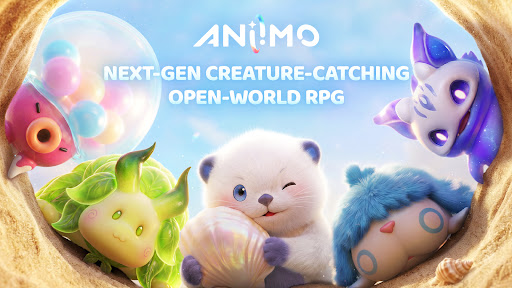
Aniimo is a free-to-play, next-gen creature-catching open-world RPG. On the vast continent of Idyll, you'll encounter countless unique creatures known as Aniimo. Twine with them and experience the beauty of this world from a completely new perspective and with new abilities.
You can also travel to a metropolis floating in the sky, where you'll meet other Pathfinders, share stories, and engage in thrilling competitive battles. Choose your Aniimo and embark on an epic journey - one full of exploration, discovery, and adventure!
Seize every chance to capture and collect Aniimo to your heart's desire!
When embarking on an adventure on Idyll, anyone you meet can become a companion! Catch Aniimo using Aniipods, set traps and time your catch perfectly - enjoy the thrill and uncertainty of every moment! Unique Aniimo will appear according to the environment, weather, phenomena and time of day. Most Aniimo can evolve, making collecting and discovering Aniimo even more exciting.
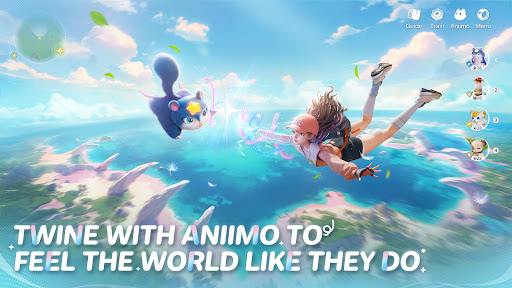
Twine with Aniimo to feel the world like they do
On your journey of adventure you can Twine with Aniimo and essentially become any Aniimo that you collect. Use the Aniimo’s skills to solve puzzles, win battles and overcome challenges! Twine with Aniimo, to see the world from a brand new perspective.
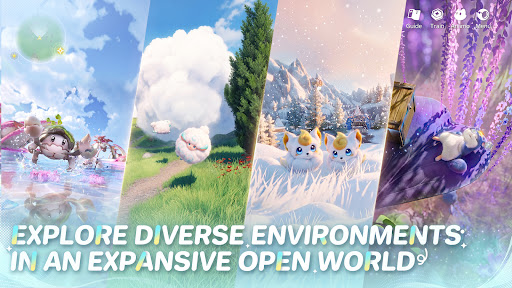
Jump into the adventure and enjoy exploring an expansive open world
The continent of Idyll is expansive and alive with beauty and the perfect setting to capture, to Twine, to find answers and for the Aniimo to reach their full potential. Challenge, race, discover... immersive exploration ensures every step of the journey is engaging. Whether you're gliding, diving, burrowing... you can step foot anywhere.
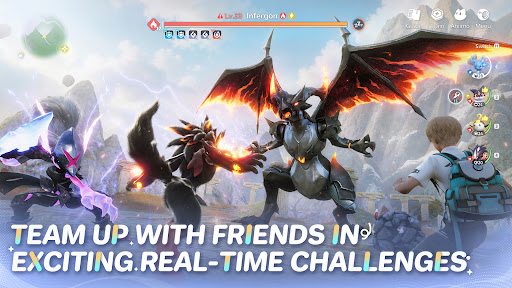
Join exciting real-time challenges with Aniimo
In the vast world of Aniimo, every real-time challenge is full of unknowns and surprises. The PVEVP mode "Egg Heist" allows you to join a 3-player team anytime to engage in real-time searches and battles in the Lost Isles.
Whether you're solo, multiplayer, adventuring, battling, or simply looking to quickly become stronger, here, every challenge is real and instantaneous!
Enjoying camping and roadtrips with your friends
Each Pathfinder now owns a personal RV on the vast continent of Idyll, parked at a campsite in this open world, where they can meet and interact with other players. When you return to Homeland with your RV, you can plant crops, build decorations, and freely arrange your space with Aniimo to transform the entire Homeland into a warm, fun, and interactive immersive paradise.
Nhiều hơn

1. Tải trình cài đặt MEmu và hoàn tất cài đặt

2. Khởi động MEmu, sau đó mở Google Play trên trang chủ

3. Tìm kiếm Aniimo trong Google Play
Install
4. Tải và Cài Đặt Aniimo
5. Khi cài đặt hoàn tất, nhấp vào biểu tượng để bắt đầu

6. Tận hưởng chơi Aniimo trên PC với MEmu
MEmu App Player là trình mô phỏng Android miễn phí tốt nhất và 50 triệu người đã tận hưởng trải nghiệm chơi trò chơi tuyệt vời trên Android của mình. Công nghệ ảo hóa MEmu trao quyền cho bạn để chơi hàng ngàn trò chơi Android mượt mà trên PC của bạn, ngay cả những trò chơi chuyên sâu nhất.
Màn hình lớn hơn cùng với đồ hoạ tốt hơn; thời lượng dài, không giới hạn về pin hoặc dữ liệu di động
Hỗ trợ đầy đủ Keymapping cho việc kiểm soát chính xác bàn phím và chuột hoặc gamepad
Nhiều tài khoản trò chơi hoặc tác vụ cùng lúc trên một PC với Quản lý Đa năng
Play Aniimo on PC by following steps: