Best Graphics Settings for MEmu Emulator
 |
|
Best Graphics Settings for MEmu Emulator
Get the best balance of visual quality + smooth FPS with these optimized graphics settings:
🎮 Engine Graphics Settings
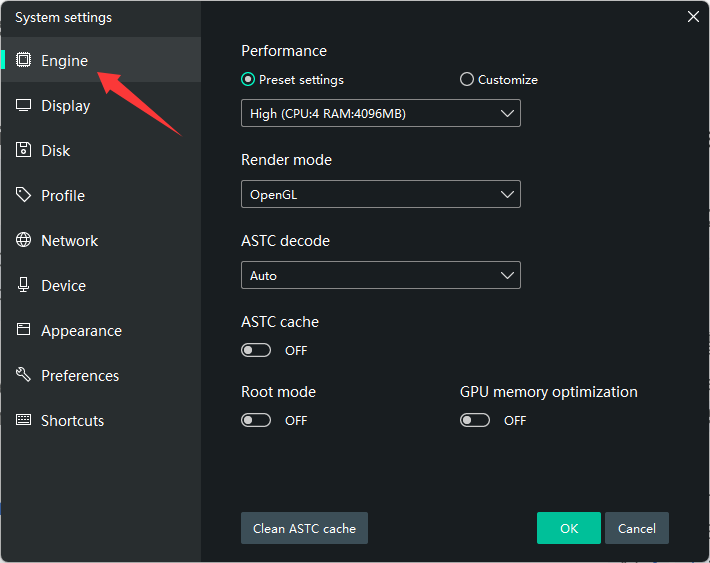
Go to Settings → Engine:
- Rendering Mode:
- DirectX → Best for stability (recommended)
- OpenGL → Better FPS on some GPUs (test both)
- Vulkan → More compatible
- ASTC Cache Mode: Enable (if available)
🖥️ Display Settings
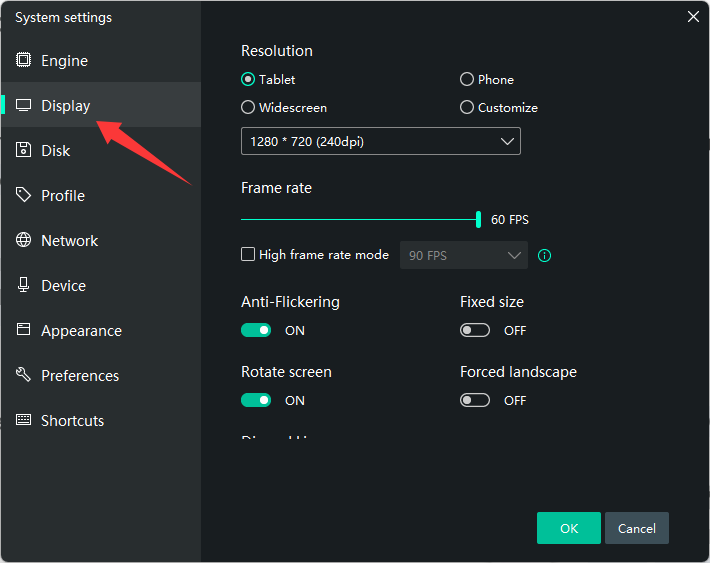
- Resolution:
- 1280×720 → Best performance
- 1920×1080 → Better visuals (if your PC can handle it)
- DPI: 160–240
- FPS:
- 60 (stable)
- 90/120 (only if your PC is powerful)
⚙️ Performance Balance (Recommended)
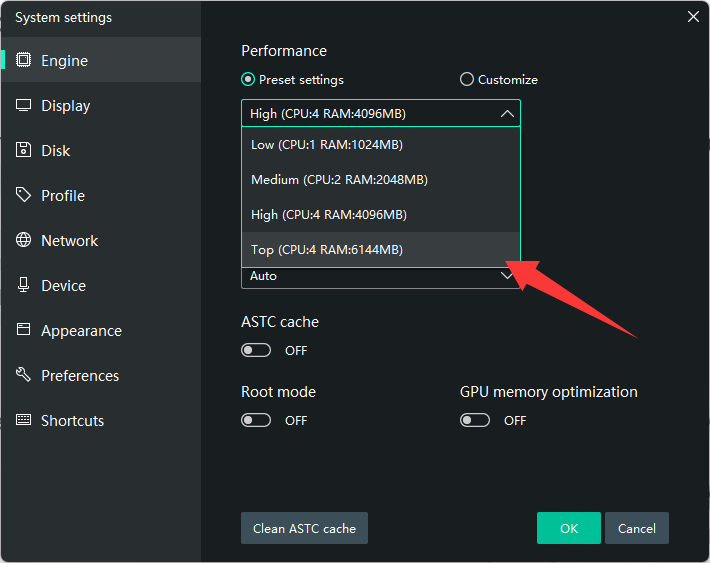
- CPU: 4 cores
- RAM: 4–8 GB
- Performance Mode: High
🧠 GPU Optimization
- Set MEmu to High Performance GPU in NVIDIA/AMD control panel
- Keep graphics drivers updated
🎯 In-Game Graphics Tips
- Set graphics to Medium–High (adjust based on FPS)
- Turn off shadows / motion blur if lag occurs
- Enable high FPS mode if available
⚠️ Pro Tips
- Use DirectX + 720p + 60 FPS for best stability
- Switch to OpenGL if you want higher FPS
- Install on SSD for smoother performance
- Disable Hyper-V to avoid conflicts