How to get rid of mouse issues in Free Fire
 |
|
Versión española(Spanish version):
https://www.memuplay.com/blog/es/index.php/2019/03/01/como-eliminar-los-errores-de-mouse-en-free-fire/
Follow these steps and play Free Fire without problems!
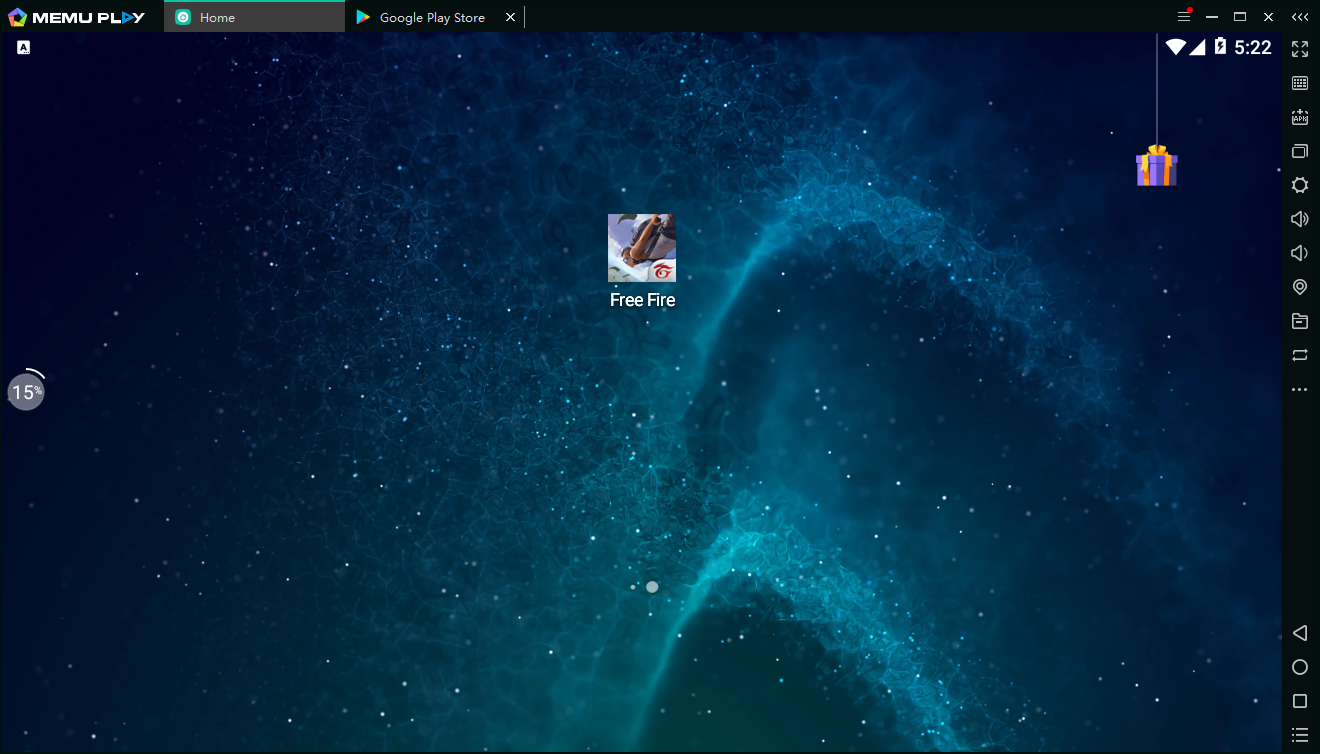
1.Go to the in-game settings
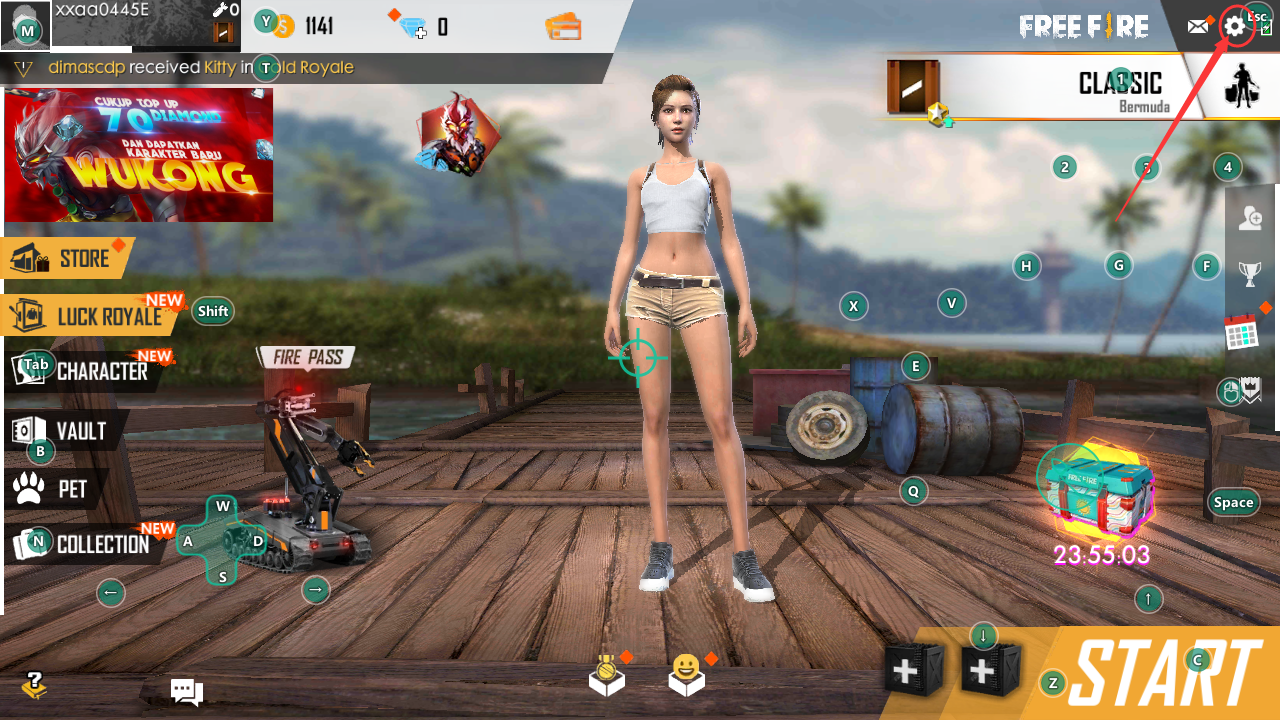
2.Go to Controls setting, Change "Left Fire Button" to "Always"
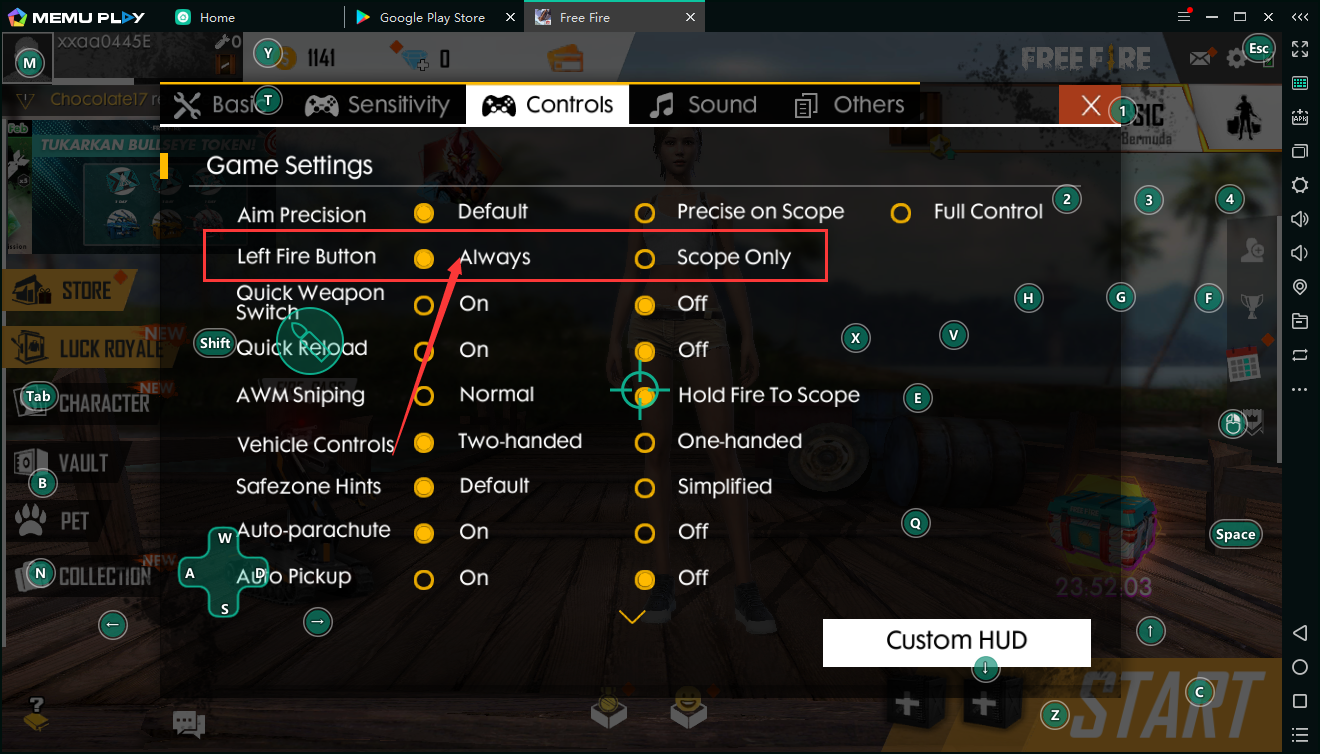
3.Enter Custom HUD and then turn on keymapping setting of MEmu
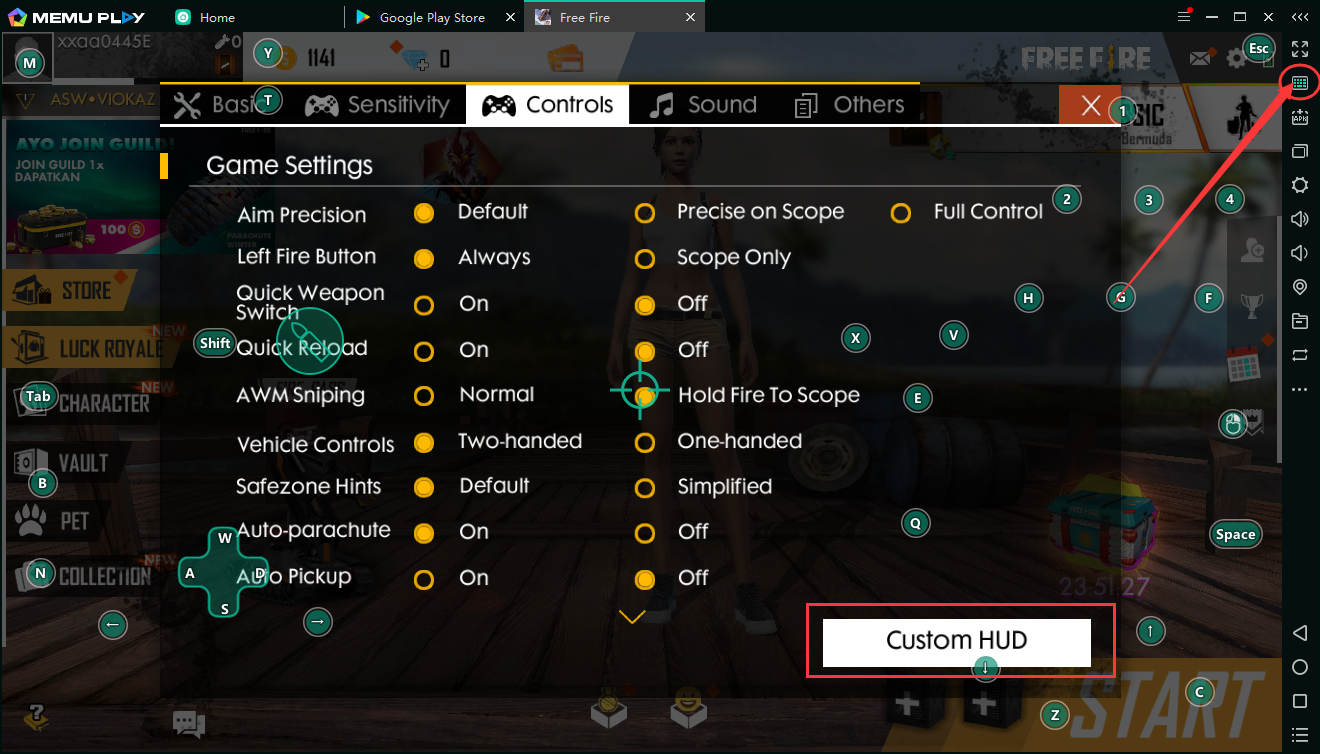
4.En keymapping setting, move the "Left Shoot" button to the "Left Fire Button"
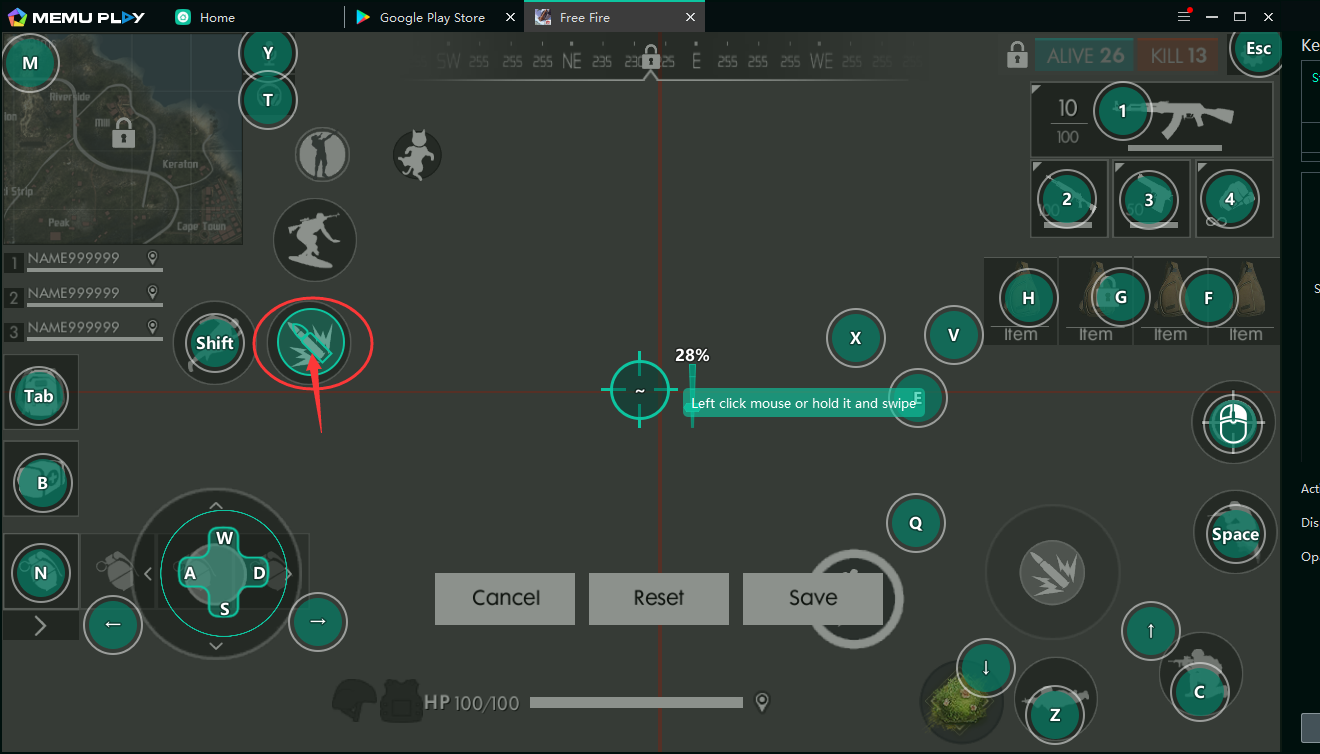
Save the setting and just enter the game! Your BOOYAHH is waiting for you!
Download now!