Two Steps Online Update to 2.6.6
 |
|
Two steps are required for online update to 2.6.6 because MEmuUpdate.exe needs refresh.
#Manual Online Update#
- Close MEmu.exe if it's running
- Run "MEmuUpdate.exe -test" as Admin in D:\Program Files\Microvirt\MEmu

- Click "Updating" (Step one: refresh MEmuUpdate.exe)
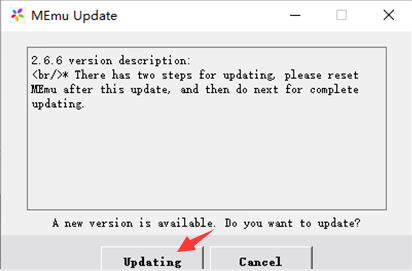
- Close "MEmu Update" window
- Run "MEmuUpdate.exe -test" as Admin in D:\Program Files\Microvirt\MEmu again
- Click "Updating" (Step two: upgrade 2.6.6)
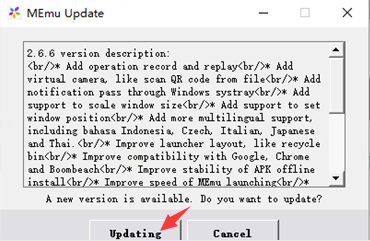
- Start MEmu
Note: Online update will keep your original app and data.
>> Back to MEmu 101, everything you need to know about MEmu <<
Official Website: https://www.memuplay.com
Online Support: https://www.facebook.com/memuplayer
User Group: https://www.facebook.com/groups/memuplayer