Null's Brawl
Updated
Current Version
65.165
Offered By

With your passion for Null's Brawl, you shouldn’t have to limit yourself to the small screen of a phone. Play like a pro and take full control of the game using a keyboard and mouse. MEmu gives you everything you’re looking for. Download and play Null's Brawl on PC. Play as long as you want — no more worries about battery life, mobile data, or unexpected calls. The all-new MEmu 9 is the best way to play Null's Brawl on PC. With our expertly designed keymapping system, Null's Brawl feels just like a real PC game. The MEmu multi-instance manager lets you run two or more accounts on the same device at the same time. Most importantly, our exclusive emulation engine unlocks your PC’s full potential, delivering smooth and seamless performance.
Show more
Download Null's Brawl on PC with MEmu Android Emulator. Enjoy playing on big screen. Null's Brawl is a Brawl Stars private server designed for fast experimentation and multiplayer battles without grinding.
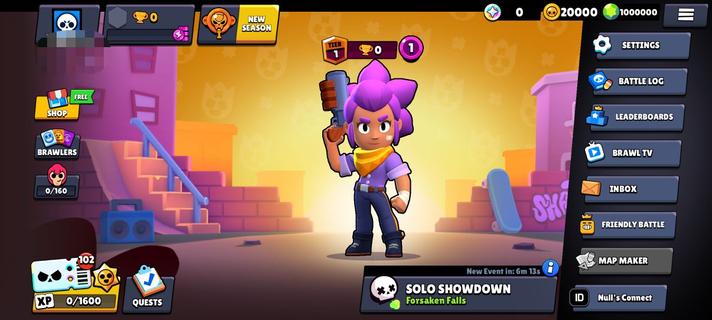
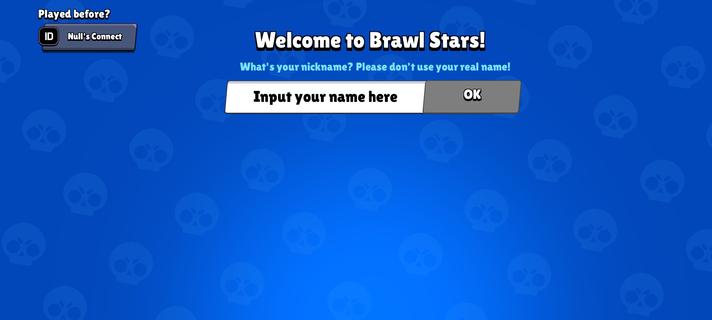
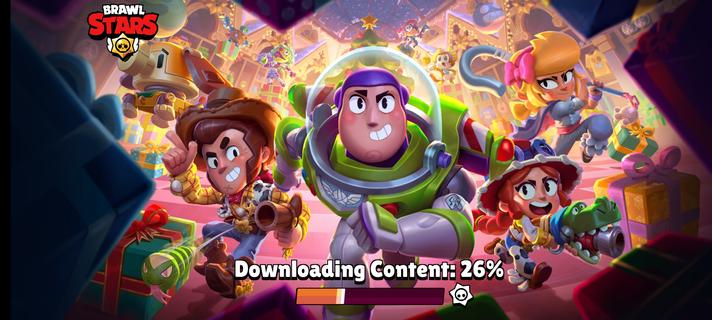
Null's Brawl is a Brawl Stars private server designed for fast experimentation and multiplayer battles without grinding. It runs on Null's servers and focuses on quick access to content, flexible battle settings, and social play. You can download Null's Brawl APK latest version on APKPure to try new content sooner. The game aims to remove barriers so you can test lineups, play with friends, and explore modes at your own pace. Therefore, it is useful for players who want to practice, create content, or enjoy custom match rules. Features of Null's BrawlUnlimited resources for instant setupNull's Brawl gives you gems, gold, boxes, and star drops from the start. You can boost your account quickly through the in-game shop and skip long upgrade paths. This helps you focus on matches and testing.All brawlers and skins unlockedYou can select any brawler or skin immediately for play, practice, or screenshots. This makes it easy to compare builds and learn matchups. It also supports quick team planning with friends.Real multiplayer with trophiesNull's Brawl matches you with real global players on Null's servers. You can earn trophies for wins and track progress within this server. As a result, you can measure performance while trying new strategies.Friendly battle sandbox optionsYou can set custom rules for friendly battles. Options include infinite super, higher speed, and mini-game modes. This creates a safe space to learn mechanics and host community events.Friends and clubs to play togetherNull's Brawl supports a friends list and club system. You can form teams, chat, and schedule matches easily. This keeps your group organized for ranked or custom play.Fast updates with new contentNull's Brawl adds new brawlers and features quickly, often within days. Therefore, you can test new releases soon after they appear. Important notes about Null's BrawlNull's Brawl is a separate private server and does not connect to the original Brawl Stars servers. Your progress, currency, and trophies stay within Null's Brawl only. That way, you can experiment freely without affecting any other account.Disclaimer: Null's Brawl is not affiliated, endorsed, sponsored, or approved by Supercell. It follows the Supercell Fan Content Policy guidelines. How to install and play Null's BrawlUse this quick guide to start playing on the private server. The steps cover download, installation, and your first match.1) Download Null's Brawl APK from APKPure, then wait for the file to complete.2) Open the APK, allow Install unknown apps when prompted, and confirm installation.After that, launch Null's Brawl and create your nickname to enter the lobby.3) Let the initial resources load, then open the shop if you want instant boosts.4) Pick a brawler, select a mode, and join a match to start earning trophies.Then you can invite friends or join a club for team play.5) Open Friendly Battle to set custom rules like infinite super or speed, so you can practice moves or host mini-games. Download Null's Brawl APK on AndroidDownload Null's Brawl APK latest version on APKPure for quick access to a private server with fast updates and flexible battles. Download Null's Brawl to play with friends, test any brawler, and enjoy sandbox options. FAQsIs Null's Brawl safe?Yes, Null's Brawl APK on APKPure has passed VirusTotal scans for safety. You can download it confidently to access all developer updates and play new content for free.Does Null's Brawl progress sync with the original game?No, progress in Null's Brawl does not sync with the original Brawl Stars servers. The game uses separate servers and an independent economy, so trophies and items remain inside Null's Brawl.
Show more

1. Download MEmu installer and finish the setup

2. Start MEmu then open Google Play on the desktop

3. Search Null's Brawl in Google Play
Install
4. Download and Install Null's Brawl
5. On install completion click the icon to start

6. Enjoy playing Null's Brawl on PC with MEmu
MEmu Play is the best Android emulator and 100 million people already enjoy its superb Android gaming experience. The MEmu virtualization technology empowers you to play thousands of Android games smoothly on your PC, even the most graphic-intensive ones.
Bigger screen with better graphics; Long duration, without limitation of battery or mobile data.
Full Keymapping support for precise control of keyboard and mouse or gamepad.
Multiple game accounts or tasks on single PC at one time with Multi-Instance manager.
Play Null's Brawl on PC by following steps: