Arrow Maze - Escape Puzzle
Updated
Current Version
1.11.1
Offered By

With your passion for Arrow Maze - Escape Puzzle, you shouldn’t have to limit yourself to the small screen of a phone. Play like a pro and take full control of the game using a keyboard and mouse. MEmu gives you everything you’re looking for. Download and play Arrow Maze - Escape Puzzle on PC. Play as long as you want — no more worries about battery life, mobile data, or unexpected calls. The all-new MEmu 9 is the best way to play Arrow Maze - Escape Puzzle on PC. With our expertly designed keymapping system, Arrow Maze - Escape Puzzle feels just like a real PC game. The MEmu multi-instance manager lets you run two or more accounts on the same device at the same time. Most importantly, our exclusive emulation engine unlocks your PC’s full potential, delivering smooth and seamless performance.
Show more
Download Arrow Maze - Escape Puzzle on PC with MEmu Android Emulator. Enjoy playing on big screen. FOLLOW THAT ARROW .
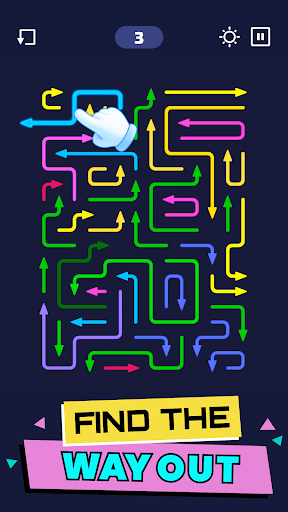
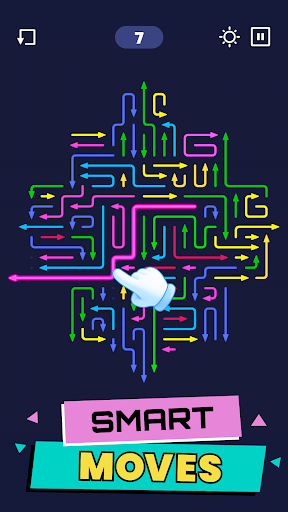
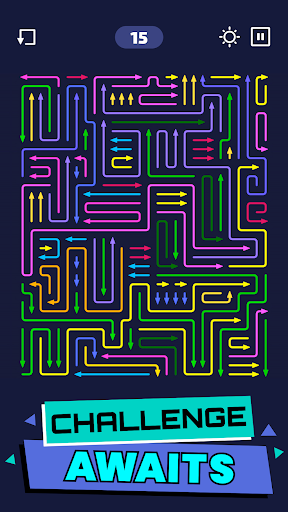
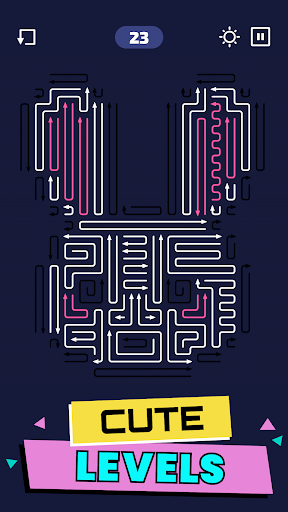
FOLLOW THAT ARROW
Get your mind and fingers set to untangle mazes of arrows in the fun take on a traditional maze escape game. Each level you’ll square off against an increasingly tangled knot of arrows, and you’ll need to put all of your logic skills to the test as you figure out which order to remove them, thus clearing the way for the rest. Fear not though, this puzzle is minimalistic and relaxing, not cluttered and stressful.
MASTER THE MAZE
Colorful arrows twist and turn around each other, and it’s up to you to figure out which way they’re headed and help them escape from the puzzle grid, making way for others to be moved as well. Levels start off with just a few arrows, and quickly work up to more and more, keeping things interesting. While the puzzle required you to use your logic skills and brain, it still manages to be relaxing and just the perfect level of challenging.
You’ll love:
The minimalistic design – Black background, colorful arrows, and no crazy animations or over-the-top graphics – focus on the puzzle without worrying about what might pop up next. The bright arrows stand out well from the background making it easier to see how the maze all fits together, and adding a touch of whimsy to the game. Easily toggle the music and haptic on or off depending on your mood, and don’t worry about tons of popups and events cluttering your game.
The relaxing gameplay – Each level is short and sweet, meaning you can easily squeeze one in whenever you need a distraction. Plus there’s no countdown clock to put pressure on you, so if you get stuck you can easily step away and come back to finish later when you’ve got the time and energy. Last but not least boosters are available in case you can’t quite get past a tricky level.
The mental stimulation – While the puzzles might seem simple at first, you’ll find that they start getting challenging fast! More arrows, more twists, and more fun await as you graduate from levels with just a handful of arrows to those with dozens. All those extra colors and crazy shapes and patterns will really stimulate your brain to start looking for patterns, which can be super helpful in real life.
A CHALLENGING ESCAPE
Ready to take on an a-maze-ing arrow puzzle that will both relax and challenge your brain? With its simple design and fun graphics you won’t feel a lick of stress as you take on this logic puzzle and help the arrows escape.
Download Arrows Escape today and see how many levels of twisty, knotted up arrows you can detangle before getting stuck.
Privacy Policy: https://say.games/privacy-policy
Terms of Use: https://say.games/terms-of-use
Show more

1. Download MEmu installer and finish the setup

2. Start MEmu then open Google Play on the desktop

3. Search Arrow Maze - Escape Puzzle in Google Play
Install
4. Download and Install Arrow Maze - Escape Puzzle
5. On install completion click the icon to start

6. Enjoy playing Arrow Maze - Escape Puzzle on PC with MEmu
MEmu Play is the best Android emulator and 100 million people already enjoy its superb Android gaming experience. The MEmu virtualization technology empowers you to play thousands of Android games smoothly on your PC, even the most graphic-intensive ones.
Bigger screen with better graphics; Long duration, without limitation of battery or mobile data.
Full Keymapping support for precise control of keyboard and mouse or gamepad.
Multiple game accounts or tasks on single PC at one time with Multi-Instance manager.
Play Arrow Maze - Escape Puzzle on PC by following steps: