
Arrow To Rich
Updated
Current Version
1.0.1
Offered By

With your passion for Arrow To Rich, you shouldn’t have to limit yourself to the small screen of a phone. Play like a pro and take full control of the game using a keyboard and mouse. MEmu gives you everything you’re looking for. Download and play Arrow To Rich on PC. Play as long as you want — no more worries about battery life, mobile data, or unexpected calls. The all-new MEmu 9 is the best way to play Arrow To Rich on PC. With our expertly designed keymapping system, Arrow To Rich feels just like a real PC game. The MEmu multi-instance manager lets you run two or more accounts on the same device at the same time. Most importantly, our exclusive emulation engine unlocks your PC’s full potential, delivering smooth and seamless performance.
Show more
Download Arrow To Rich on PC with MEmu Android Emulator. Enjoy playing on big screen. Arrow To Rich is a serene minimalist puzzle game that challenges you to remove arrows from a grid in the perfect sequence without any collisions.
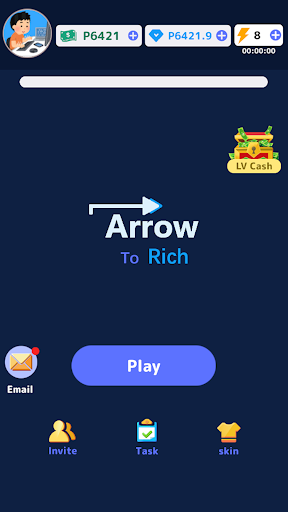



Arrow To Rich is a serene minimalist puzzle game that challenges you to remove arrows from a grid in the perfect sequence without any collisions. With clean visuals and pure logic, it offers a calm yet deeply satisfying brain workout for players who enjoy strategic thinking.
Core Gameplay
Each level presents a grid filled with arrows pointing in different directions. Your task is simple but elegant: tap an arrow to slide it out along its path — but only if the entire route is clear. One wrong order and a path becomes blocked. You must carefully plan ahead, visualize movements, and find the exact sequence that empties the board safely.
As you progress, puzzles grow more complex with tighter clusters and overlapping paths, training your spatial reasoning and foresight. There are no timers, no lives, and no pressure — just peaceful, rewarding logic.
Key Features
Hundreds of handcrafted levels with smoothly increasing difficulty
Beautiful minimalist design with soft colors and clean interface
Unlimited retries and pause anytime for stress-free play
Smart hint system to gently guide you when stuck
Offline mode, perfect for travel or quiet moments
Satisfying “perfect clear” achievements for mastering levels without mistakes
Who Is It For?
Arrow To Rich is ideal for fans of Flow Free, sliding block puzzles, or any game that rewards patience and pattern recognition. Whether you’re a student sharpening focus, a professional needing a mental break, or a casual player seeking relaxing “aha!” moments, this game delivers quiet satisfaction.
No flashy stories or distractions — just pure puzzle joy. Every cleared grid brings a peaceful sense of accomplishment as the last arrow slides away, leaving a perfectly empty board.
Start with simple levels to learn the flow, then tackle advanced grids that demand deeper planning. With practice, you’ll spot elegant solutions faster and feel your logical skills improve.
Arrow To Rich proves that great puzzles don’t need complexity — just clever design and your own thoughtful mind. Ready to turn arrows into rich logical victories? Download and begin your calm journey today.
Show more

1. Download MEmu installer and finish the setup

2. Start MEmu then open Google Play on the desktop

3. Search Arrow To Rich in Google Play
Install
4. Download and Install Arrow To Rich
5. On install completion click the icon to start

6. Enjoy playing Arrow To Rich on PC with MEmu
MEmu Play is the best Android emulator and 100 million people already enjoy its superb Android gaming experience. The MEmu virtualization technology empowers you to play thousands of Android games smoothly on your PC, even the most graphic-intensive ones.
Bigger screen with better graphics; Long duration, without limitation of battery or mobile data.
Full Keymapping support for precise control of keyboard and mouse or gamepad.
Multiple game accounts or tasks on single PC at one time with Multi-Instance manager.
Play Arrow To Rich on PC by following steps: