
Bloodstained: The Scarlet Engagement
Updated
Current Version
Offered By

With your passion for Bloodstained: The Scarlet Engagement, you shouldn’t have to limit yourself to the small screen of a phone. Play like a pro and take full control of the game using a keyboard and mouse. MEmu gives you everything you’re looking for. Download and play Bloodstained: The Scarlet Engagement on PC. Play as long as you want — no more worries about battery life, mobile data, or unexpected calls. The all-new MEmu 9 is the best way to play Bloodstained: The Scarlet Engagement on PC. With our expertly designed keymapping system, Bloodstained: The Scarlet Engagement feels just like a real PC game. The MEmu multi-instance manager lets you run two or more accounts on the same device at the same time. Most importantly, our exclusive emulation engine unlocks your PC’s full potential, delivering smooth and seamless performance.
Show more
Download Bloodstained: The Scarlet Engagement on PC with MEmu Android Emulator. Enjoy playing on big screen. Unravel the dark history of the Bloodstained universe and explore a hauntingly immersive 16th-century England steeped in a 2.
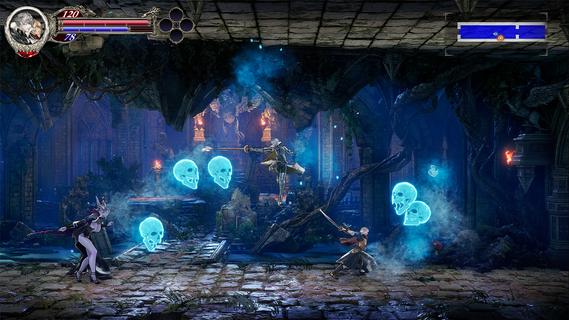
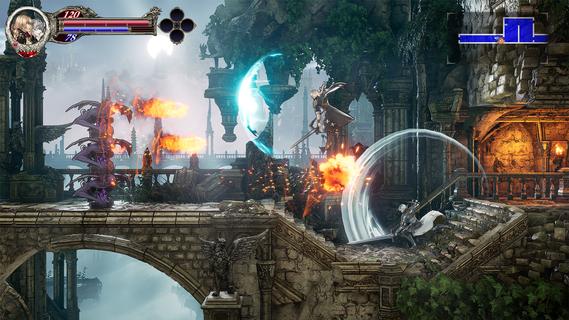
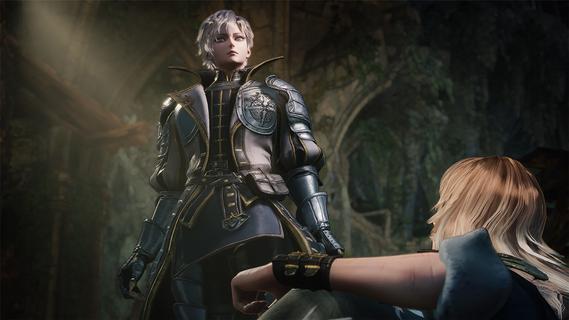

Unravel the dark history of the Bloodstained universe and explore a hauntingly immersive 16th-century England steeped in a 2.5D gothic atmosphere, enthralling players in strategic battles, crafting, and exploration across a sprawling, cursed land. The story unfolds as a mysterious ethereal castle, under the control of "Demon Lord Elias," casts a shadow over the land, terrorizing citizens with its demonic forces. Time and again, the Kingdom and the Church have deployed strike forcesâ each effort ending in failure. As another opportunity arises, two heroes are brought together by fate. Leonard Brandon, a young fighter with the Church's Black Wolves clan and Alexander Kyteler, a knight of the Kingdom's White Stags and lone survivor of an initial, unsuccessful expedition. Join Leo and Alex as they rise together to defeat Demon Lord Eliasâs reign of terror and shatter the chains of a kingdom tormented by evil forces. Dive Deeper into the Bloodstained World Experience an early chapter of the Bloodstained universe filled with a fresh cast of allies and foes. New players can jump in without prior knowledge, while long-time fans will uncover deep connections. New Buddy System This journey will not be carried out alone! Play simultaneously as both Leo and Alex to defeat enemies, break through traps, and push toward victory. Navigate an Expansive World Traverse Bloodstainedâs largest map yet. Experience dawn, day, dusk, and night, including shifting light and darkness as time passes. Transforming not only the gameplay, but also the way you interact with the world. Experience The Epiphany Combat System Discover new moves as you battle. Unleash unique attacks and uncover powerful abilities that allow players to master combat in innovative ways. Craft, Cook, and Customize Experience personalization with a wide range of visually impactful armor changes, along with expanded character appearance options, crafting, and cooking side quests to strengthen your player.
Show more

1. Download MEmu installer and finish the setup

2. Start MEmu then open Google Play on the desktop

3. Search Bloodstained: The Scarlet Engagement in Google Play
Install
4. Download and Install Bloodstained: The Scarlet Engagement
5. On install completion click the icon to start

6. Enjoy playing Bloodstained: The Scarlet Engagement on PC with MEmu
MEmu Play is the best Android emulator and 100 million people already enjoy its superb Android gaming experience. The MEmu virtualization technology empowers you to play thousands of Android games smoothly on your PC, even the most graphic-intensive ones.
Bigger screen with better graphics; Long duration, without limitation of battery or mobile data.
Full Keymapping support for precise control of keyboard and mouse or gamepad.
Multiple game accounts or tasks on single PC at one time with Multi-Instance manager.
Play Bloodstained: The Scarlet Engagement on PC by following steps: