
Bloodstained: The Scarlet Engagement
อัปเดตเมื่อ
เวอร์ชันปัจจุบัน
ให้บริการโดย

เวลาคุณเล่น Bloodstained: The Scarlet Engagement, คุณอาจรู้สึกว่ามือคุณอาจบังจอแล้วทำให้ไม่ได้เล่นแบบเต็มที่. เล่นแบบไร้ขีดจำกัดด้วยเม้าส์และคีย์บอร์ด. MEmu มีตัวเลือกหลายอย่างให้คุณใช้งานเกมที่คุณเล่นแบบที่คุณต้องการ. ดาวน์โหลดและเล่น Bloodstained: The Scarlet Engagement บน PC. เล่นนานแค่ไหนก็ได้, ไม่ต้องชาร์จแบตเตอรี่, หรือเจอคนโทรเข้ามาระหว่างเล่น. MEmu 9 เป็นตัวเลือกสำหรับการเล่น Bloodstained: The Scarlet Engagement บน PC. ทางทีมงานเราได้ปรับแต่งเกม, ปรับให้เล่นเกมบางเกมได้เหมือนเล่น Bloodstained: The Scarlet Engagement เป็นเกม PC เช่นเล็งด้วยเม้าส์หรือใช้คีย์บอร์ด. ระบบของเรายังทำให้คุณสามารถเปิดเล่นได้มากกว่า 2 เกมพร้อมๆกันในคอมของคุณ. และที่สำคัญที่สุด, ระบบโปรแกรมของเราสามารถทำให้คุณใช้ระบบของ PC ทำให้เกมลื่นเหมือนกับใช้โทรศัพท์รุ่นล่าสุด. เราไม่ได้ดูแลเรื่องการเล่นเกม, แต่เราดูแลถึงความสนุกสนานที่คุณได้จากการเล่นด้วย.
แสดงเพิ่มเติม
ดาวน์โหลด Bloodstained: The Scarlet Engagement บน PC ด้วย MEmu Android Emulator สนุกกับการเล่นบนหน้าจอขนาดใหญ่ Unravel the dark history of the Bloodstained universe and explore a hauntingly immersive 16th-century England steeped in a 2.
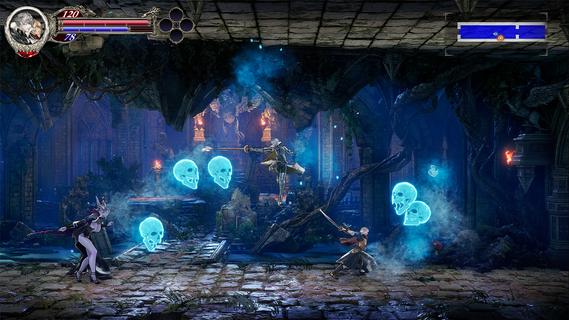
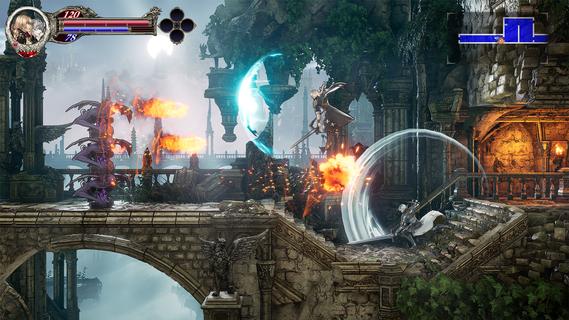
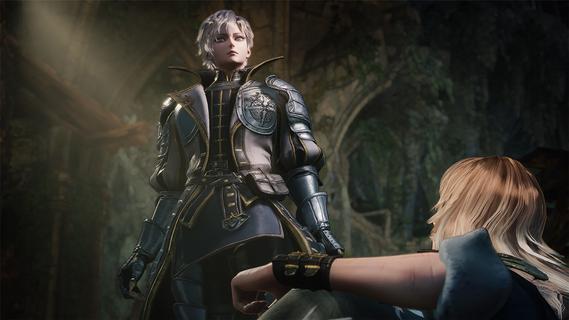
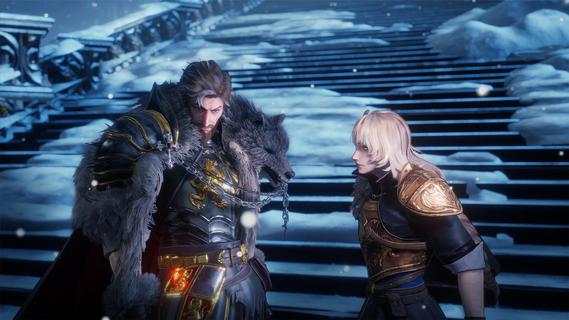
Unravel the dark history of the Bloodstained universe and explore a hauntingly immersive 16th-century England steeped in a 2.5D gothic atmosphere, enthralling players in strategic battles, crafting, and exploration across a sprawling, cursed land.The story unfolds as a mysterious ethereal castle, under the control of "Demon Lord Elias," casts a shadow over the land, terrorizing citizens with its demonic forces. Time and again, the Kingdom and the Church have deployed strike forces— each effort ending in failure. As another opportunity arises, two heroes are brought together by fate. Leonard Brandon, a young fighter with the Church's Black Wolves clan and Alexander Kyteler, a knight of the Kingdom's White Stags and lone survivor of an initial, unsuccessful expedition.Join Leo and Alex as they rise together to defeat Demon Lord Elias’s reign of terror and shatter the chains of a kingdom tormented by evil forces.Dive Deeper into the Bloodstained WorldExperience an early chapter of the Bloodstained universe filled with a fresh cast of allies and foes. New players can jump in without prior knowledge, while long-time fans will uncover deep connections.New Buddy SystemThis journey will not be carried out alone! Play simultaneously as both Leo and Alex to defeat enemies, break through traps, and push toward victory.Navigate an Expansive WorldTraverse Bloodstained’s largest map yet. Experience dawn, day, dusk, and night, including shifting light and darkness as time passes. Transforming not only the gameplay, but also the way you interact with the world.Experience The Epiphany Combat SystemDiscover new moves as you battle. Unleash unique attacks and uncover powerful abilities that allow players to master combat in innovative ways.Craft, Cook, and CustomizeExperience personalization with a wide range of visually impactful armor changes, along with expanded character appearance options, crafting, and cooking side quests to strengthen your player.
แสดงเพิ่มเติม

1. ดาวน์โหลดตัวติดตั้ง MEmu และสิ้นสุดการติดตั้ง

2. เริ่ม MEmu จากนั้นเปิด Google Play บนหน้าแรก

3. ค้นหา Bloodstained: The Scarlet Engagement ใน Google Play
Install
4. ดาวน์โหลดและติดตั้ง Bloodstained: The Scarlet Engagement
5. เมื่อติดตั้งเสร็จให้คลิกที่ไอคอนเพื่อเริ่มใช้งาน

6. สนุกกับการเล่น Bloodstained: The Scarlet Engagement บนพีซีด้วย MEmu
MEmu App Player เป็นอีมูเลเตอร์ Android ที่ดีที่สุดและผู้คนกว่า 50 ล้านคนเพลิดเพลินไปกับประสบการณ์การเล่นเกม Android ที่ยอดเยี่ยม เทคโนโลยีการจำลองเสมือนของ MEmu ช่วยให้คุณเล่นเกม Android หลายพันเกมได้อย่างราบรื่นบนพีซีของคุณแม้แต่เกมที่ต้องใช้กราฟิกมากที่สุด
จอใหญ่และกราฟฟิกสวยกว่า; เล่นได้นาน, ไม่ต้องใช้แบตเตอรี่โทรศัพท์หรือเน็ตโทรศัพท์.
ระบบปรับแต่งปุ่มคีย์บอร์ดและเม้าส์ตามที่คุณเลือก
เล่นมากกว่าหนึ่งเกมบน PC ในเวลาเดียวกันด้วยระบบหลายจอหรือ Multi-Instance manager.
Play Bloodstained: The Scarlet Engagement on PC by following steps: