
Bloodstained: The Scarlet Engagement
Atualizada
Versão atual
Oferecido por

Com toda a sua paixão por jogar Bloodstained: The Scarlet Engagement, não deixe os polegares te atrapalharem em uma pequena tela do seu celular. Jogue como um profissional e tenha controle total do seu jogo com teclado e mouse. O MEmu oferece todas as coisas que você está esperando. Baixe e jogue Bloodstained: The Scarlet Engagement no PC. Jogue o tempo que quiser, sem mais limitações de bateria, dados móveis e aquelas ligações enquanto estiver jogando. O novíssimo MEmu 9 é a melhor escolha de jogar Bloodstained: The Scarlet Engagement no PC. Com grandes novidades no sistema de mapeamento que faz Bloodstained: The Scarlet Engagement um jogo de PC real. Nossa equipe melhorou o gerenciamento de várias instâncias do Android, reduzindo tempo de reprodução de 2 ou mais contas no mesmo dispositivo. O mais importante, nosso mecanimos de emulação exclusivo pode liberar todo o potencial do seu PC sem travamentos, rodando tudo liso. Nós nos preocupamos não apenas com você joga, mas com todo o processo de desfrutar de 100% do seu jogo favorito.
Mostre mais
Download do Bloodstained: The Scarlet Engagement no PC com MEmu Android Emulador: Divirta-se jogando na tela grande. Unravel the dark history of the Bloodstained universe and explore a hauntingly immersive 16th-century England steeped in a 2.
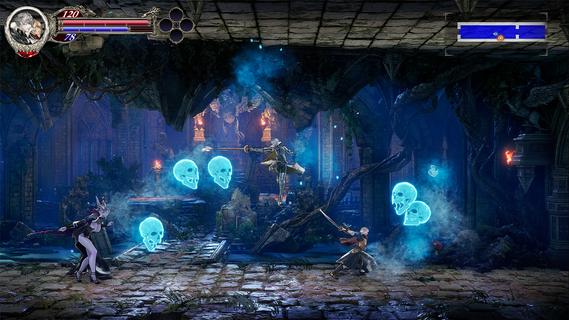
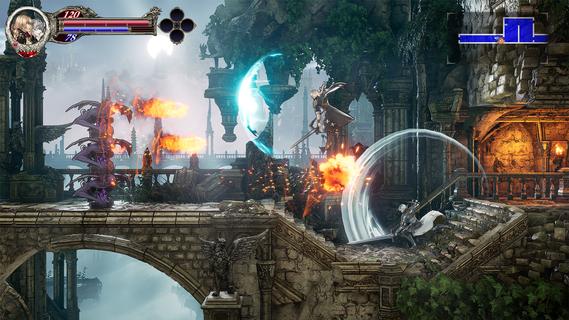
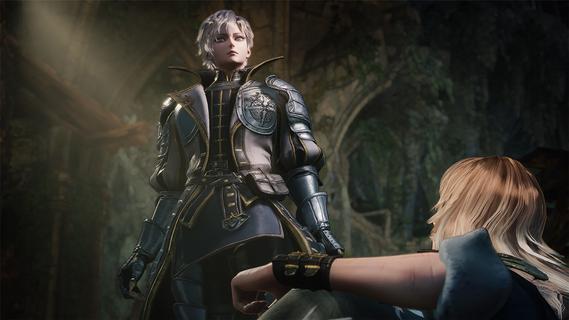

Unravel the dark history of the Bloodstained universe and explore a hauntingly immersive 16th-century England steeped in a 2.5D gothic atmosphere, enthralling players in strategic battles, crafting, and exploration across a sprawling, cursed land.The story unfolds as a mysterious ethereal castle, under the control of "Demon Lord Elias," casts a shadow over the land, terrorizing citizens with its demonic forces. Time and again, the Kingdom and the Church have deployed strike forcesâ each effort ending in failure. As another opportunity arises, two heroes are brought together by fate. Leonard Brandon, a young fighter with the Church's Black Wolves clan and Alexander Kyteler, a knight of the Kingdom's White Stags and lone survivor of an initial, unsuccessful expedition.Join Leo and Alex as they rise together to defeat Demon Lord Eliasâs reign of terror and shatter the chains of a kingdom tormented by evil forces.Dive Deeper into the Bloodstained WorldExperience an early chapter of the Bloodstained universe filled with a fresh cast of allies and foes. New players can jump in without prior knowledge, while long-time fans will uncover deep connections.New Buddy SystemThis journey will not be carried out alone! Play simultaneously as both Leo and Alex to defeat enemies, break through traps, and push toward victory.Navigate an Expansive WorldTraverse Bloodstainedâs largest map yet. Experience dawn, day, dusk, and night, including shifting light and darkness as time passes. Transforming not only the gameplay, but also the way you interact with the world.Experience The Epiphany Combat SystemDiscover new moves as you battle. Unleash unique attacks and uncover powerful abilities that allow players to master combat in innovative ways.Craft, Cook, and CustomizeExperience personalization with a wide range of visually impactful armor changes, along with expanded character appearance options, crafting, and cooking side quests to strengthen your player.
Mostre mais

1. Faça o download do instalador do MEmu e conclua a instalação

2. Inicie o MEmu e depois abra o Google Play na página inicial

3. Pesquise Bloodstained: The Scarlet Engagement no Google Play
Install
4. Baixe e Instale Bloodstained: The Scarlet Engagement
5. Na conclusão da instalação, clique no ícone para iniciar

6. Divirta-se jogando Bloodstained: The Scarlet Engagement no PC com MEmu
O MEmu App Player é o melhor emulador de Android grátis e 50 milhões de pessoas já desfrutam de sua excelente experiência de jogos no Android. A tecnologia de virtualização do MEmu permite que você jogue milhares de jogos do Android sem problemas no seu PC, mesmo os com gráficos mais intensivos.
Tela maior com gráficos melhores; Longa duração e sem limitação de bateria ou dados móveis.
Suporte completo ao Mapaeamento de Teclas para controle preciso do teclado e mouse ou gamepad.
Várias contas de jogos ou tarefas em um único PC de uma só vez com o Gerenciador de várias instâncias.
Play Bloodstained: The Scarlet Engagement on PC by following steps: