
少女喚靈
Updated
Current Version
1.18
Offered By

With your passion for 少女喚靈, you shouldn’t have to limit yourself to the small screen of a phone. Play like a pro and take full control of the game using a keyboard and mouse. MEmu gives you everything you’re looking for. Download and play 少女喚靈 on PC. Play as long as you want — no more worries about battery life, mobile data, or unexpected calls. The all-new MEmu 9 is the best way to play 少女喚靈 on PC. With our expertly designed keymapping system, 少女喚靈 feels just like a real PC game. The MEmu multi-instance manager lets you run two or more accounts on the same device at the same time. Most importantly, our exclusive emulation engine unlocks your PC’s full potential, delivering smooth and seamless performance.
Show more
Download 少女喚靈 on PC with MEmu Android Emulator. Enjoy playing on big screen. 在太古大陸與現實世界的夾縫中,歷史正以支離破碎的方式重演。

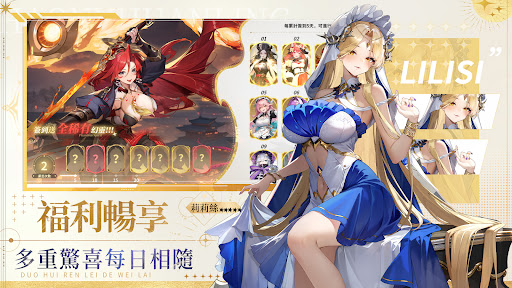

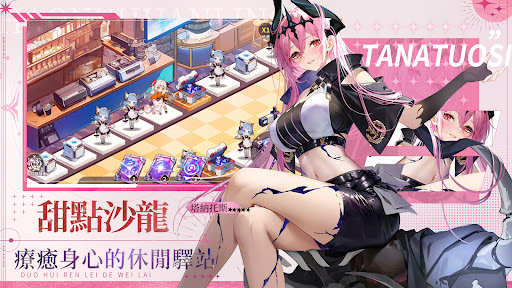
在太古大陸與現實世界的夾縫中,歷史正以支離破碎的方式重演。來自不同時代與神話譜系的「幻靈」於此顯現,而「破界教團」引發的「歸零災厄」正在撕裂兩個世界的平衡。
現實世界是人類生活的物質位面,物理規則穩固;太古大陸中的靈能富集區「神洲」,則唯有強大的心魂能夠存續。兩個世界本應互不干涉,但破界教團製造的裂縫卻讓兩個空間產生危險的交集——從失控的靈能實驗到深淵中那道撕裂空間的痕跡,無不是兩個世界碰撞的證明。
如今,你將作為守護者的後裔,與名叫蘇嬋的幻靈並肩同行。穿梭於現實與神洲之間,集結來自不同時空的幻靈,對抗破界教團的陰謀,修復逐漸崩壞的邊界,阻止歸零的命運——
太古的盟約正在呼喚,守護的意志是否已準備延續?
【遊戲特色】
細節滿載,靈魂躍動
以高精細動態立繪捕捉幻靈的每一次呼吸與轉瞬神態,從鎧甲的細密紋理到衣袂的輕盈飄動,從眼波的微動到靈能的流轉輝光,讓跨越時代的靈魂在您指尖重新甦醒。
自動推進,放置成長
隊伍將依照您的策略配置自主推進戰局,透過屬性搭配、站位調度與技能循環,在離線之際持續累積歷練與資源,讓「放置即成長」成為日常的從容節奏。
模式齊聚,戰略無限
以屬性克制為核心的放置對決,延伸至 roguelike 秘境探尋、歷戰尖塔的無盡攀升、組隊征討世界首領、公會聯合作戰與實時競技角逐,共同構成層次豐沛的戰略體驗。
光影流轉,絢麗演出
靈能於戰場綻放為流動的光影敘事,神話符紋與科技光軌在奧義中交織共鳴,每一次技能解放,都是跨越維度的沉浸演出。
命運交織,情感深鎖
您的每個抉擇,都將牽動幻靈的成長軌跡與情感歸途。這段超越時空的連結,究竟會化作並肩作戰的誓約,還是靈魂深處相契的永恆迴響?
=====================================================
※本遊戲內容涉及性、暴力(但無血腥畫面),依遊戲軟體分級管理辦法分類為輔導15級,十五歲以上之人始得使用。
※本遊戲為免費遊戲,但遊戲內另提供購買虛擬遊戲幣、物品等付費服務,請依個人興趣及能力進行適度消費。
※請注意遊戲時間,避免沉迷,長時間進行遊戲,容易影響作息,宜適度休息及運動。
※本遊戲由積木互動娛樂股份有限公司代理,如有疑問,請以本遊戲客服管道聯繫
Show more

1. Download MEmu installer and finish the setup

2. Start MEmu then open Google Play on the desktop

3. Search 少女喚靈 in Google Play
Install
4. Download and Install 少女喚靈
5. On install completion click the icon to start

6. Enjoy playing 少女喚靈 on PC with MEmu
MEmu Play is the best Android emulator and 100 million people already enjoy its superb Android gaming experience. The MEmu virtualization technology empowers you to play thousands of Android games smoothly on your PC, even the most graphic-intensive ones.
Bigger screen with better graphics; Long duration, without limitation of battery or mobile data.
Full Keymapping support for precise control of keyboard and mouse or gamepad.
Multiple game accounts or tasks on single PC at one time with Multi-Instance manager.
Play 少女喚靈 on PC by following steps:














































