Shooting Car 3D
Updated
Current Version
2.2.9
Offered By

With your passion for Shooting Car 3D, you shouldn’t have to limit yourself to the small screen of a phone. Play like a pro and take full control of the game using a keyboard and mouse. MEmu gives you everything you’re looking for. Download and play Shooting Car 3D on PC. Play as long as you want — no more worries about battery life, mobile data, or unexpected calls. The all-new MEmu 9 is the best way to play Shooting Car 3D on PC. With our expertly designed keymapping system, Shooting Car 3D feels just like a real PC game. The MEmu multi-instance manager lets you run two or more accounts on the same device at the same time. Most importantly, our exclusive emulation engine unlocks your PC’s full potential, delivering smooth and seamless performance.
Show more
Download Shooting Car 3D on PC with MEmu Android Emulator. Enjoy playing on big screen. Enemies are firing at you!
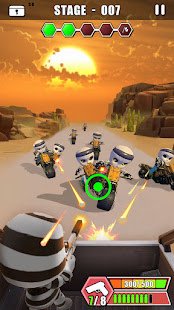
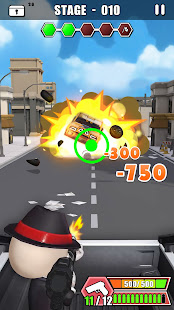
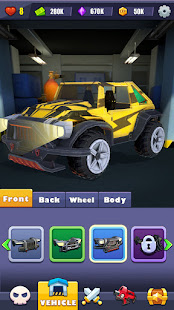
Enemies are firing at you! Uncover a gangster car racing game designed to give you an adrenaline rush! Pick up your gun, tap to aim, shoot them with your legendary gun skills! Rob the bank along the runaway adventure and loot cash, valuables as you want! Repel the enemies who come to chase! Upgrade your vehicle and do not let cops catch you! Real racing on a death road to escape will give you an exciting experience!
Drive deadly cars on endless roads and show the world what is call the art of the gunfight!
DOWNLOAD now and hit your rage road with the thrilling Shooting Car 3D!
HOW TO PLAY
- Tap to aim and shoot, lift to hide
- Swipe the screen to switch targets
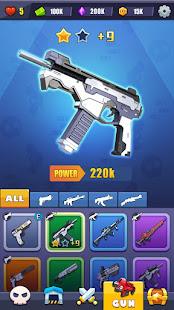
- Equip yourself with a variety of military weapons to strengthen your fighting ability in fierce battles!
- Level up your vehicles to run faster!
- Defeat waves of enemies with the skills you've learned to prove your prowess!
- Accurately attacking different parts of the enemy can bring unexpected effects!
KEY FEATURES
- Unique gameplay combining race and shooter elements for maximum action and thrills
- Easy to play, cool fighting with deadly super attacks and gun skills!
- 5 special characters to play: you can play a role as Mafia, Prisoner, Rabbit Bunny, Batman, Samurai, etc. Each has an iconic storyline and alive personality, which gives you an authentic role-playing experience!
- The battle is full of joy and randomness. Accurately attacking different parts of the enemy can bring unexpected effects!
- Exciting and thrilling map themes: Desperate Desert, Spaceport, Abandoned Factory, Crime Street, and more to discover!
- Upgrade and customize your armored vehicles: you can design the wheels, body, front and back parts of your car as you want!
- Highly detailed amazing 3D environment of gunbattles
- Huge variety of realistic weapons: guns, rifles, pistols, machine guns, sniper rifles, shotguns, and more! Mad firepower!
- Engaging gameplay with adventurous crime scenes
Shooting Car 3D is a thrilling car racing and battle game, where a lot of amazing car shooting and deadly car battle charisma are waiting for you. If you are looking for a free action game or furious racing game with a crime theme, it is definitely worth a try!
Show more

1. Download MEmu installer and finish the setup

2. Start MEmu then open Google Play on the desktop

3. Search Shooting Car 3D in Google Play
Install
4. Download and Install Shooting Car 3D
5. On install completion click the icon to start

6. Enjoy playing Shooting Car 3D on PC with MEmu
MEmu Play is the best Android emulator and 100 million people already enjoy its superb Android gaming experience. The MEmu virtualization technology empowers you to play thousands of Android games smoothly on your PC, even the most graphic-intensive ones.
Bigger screen with better graphics; Long duration, without limitation of battery or mobile data.
Full Keymapping support for precise control of keyboard and mouse or gamepad.
Multiple game accounts or tasks on single PC at one time with Multi-Instance manager.
Play Shooting Car 3D on PC by following steps: