遺忘之劍
Updated
Current Version
2.41.41
Offered By

With your passion for 遺忘之劍, you shouldn’t have to limit yourself to the small screen of a phone. Play like a pro and take full control of the game using a keyboard and mouse. MEmu gives you everything you’re looking for. Download and play 遺忘之劍 on PC. Play as long as you want — no more worries about battery life, mobile data, or unexpected calls. The all-new MEmu 9 is the best way to play 遺忘之劍 on PC. With our expertly designed keymapping system, 遺忘之劍 feels just like a real PC game. The MEmu multi-instance manager lets you run two or more accounts on the same device at the same time. Most importantly, our exclusive emulation engine unlocks your PC’s full potential, delivering smooth and seamless performance.
Show more
Download 遺忘之劍 on PC with MEmu Android Emulator. Enjoy playing on big screen. Join the Forgotten Sword now and embark on an adventure through another world with charming characters.
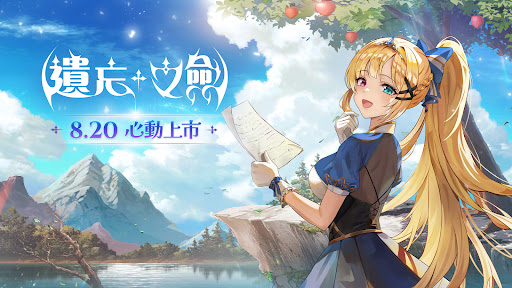
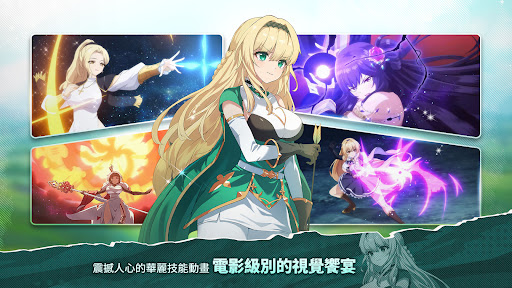
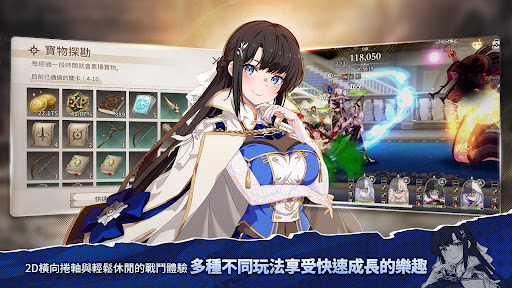
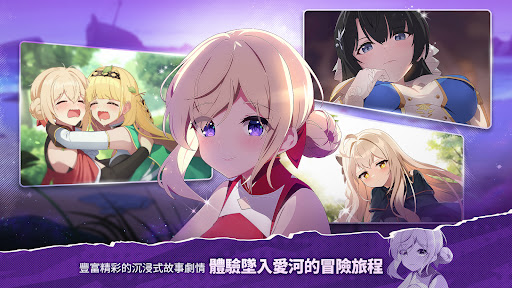
Join the Forgotten Sword now and embark on an adventure through another world with charming characters.
Immerse yourself in a 2D side-scrolling game with gorgeous character skill performances and a moving storyline.
Game Introduction
■ Adventure with beautiful girls with charming personalities in another world!
Morgana, an ancient elf whose birth year is unknown and who keeps reincarnating,
Princess Elizabeth hides a strong heart under her gentle smile,
Bettyville is a crybaby, but her loyalty to Elizabeth is unwavering,
Join them on an adventure to find the holy sword, Ethan!
Start the journey to find the holy sword with charming characters!
■ 2D side-scrolling real-time battle, easy placement RPG experience
Your own team will continue to grow with endless real-time battles!
Easy placement treasure exploration provides support props for daily combat growth!
There are also various levels, mazes, boss raids to exciting event copies.
Experience the fun of growth through diverse combat content!
■Pleasant high-quality plot drawings, gorgeous skill performances!
Detailed character movements, gorgeous skill performances, and pleasing battles!
The battle movements and skill cutscenes are like watching a movie.
Double the fun of collecting characters and the fun of fighting!
■Easily team up and enjoy the fun of cooperation and competition with other players!
Various challenges such as team raids, arenas, and guild sieges,
Make an appointment with players to enjoy the fun of cooperation and competition,
Make "Forgotten Sword" a part of life and enjoy the fun of playing more vividly.
[Forgotten Sword Official Website]: https://tw.ncsoft.com/lostsword
[Forgotten Sword Facebook Fan Group]: https://www.facebook.com/LostSwordOfficial.TW/
[Forgotten Sword Youtube]: https://www.youtube.com/@NCTaiwanOfficial
▣In order to improve the gaming experience of "Forgotten Sword", the following permission consent requirements will be required▣
After agreeing to the use of permissions, you can reset or withdraw the use of permissions
[Optional permissions]
▶[Select] Notification: Permission to receive informational notifications and advertising PUSH notifications sent within the game program
▶[Select] Microphone: Permission required for recording when shooting videos
※Android versions below 6.0 cannot revoke access permissions, so the only way to revoke access permissions is to delete the app.
[Android 6.0 and above]
▶[Settings>Applications>Forgotten Sword>Permissions>Agree or withdraw the permissions used]
[Warm reminder]
※"Forgotten Sword" is classified as auxiliary 15 according to the Republic of China Game Software Rating Management Method.
※The plot of this game involves characters wearing clothes that express slight sexual innuendo, violence, and horror.
※Some content or services of this game require additional payment, so avoid excessive consumption.
※Pay attention to the usage time and avoid being addicted to the game, which may affect your physical and mental health.
Show more

1. Download MEmu installer and finish the setup

2. Start MEmu then open Google Play on the desktop

3. Search 遺忘之劍 in Google Play
Install
4. Download and Install 遺忘之劍
5. On install completion click the icon to start

6. Enjoy playing 遺忘之劍 on PC with MEmu
MEmu Play is the best Android emulator and 100 million people already enjoy its superb Android gaming experience. The MEmu virtualization technology empowers you to play thousands of Android games smoothly on your PC, even the most graphic-intensive ones.
Bigger screen with better graphics; Long duration, without limitation of battery or mobile data.
Full Keymapping support for precise control of keyboard and mouse or gamepad.
Multiple game accounts or tasks on single PC at one time with Multi-Instance manager.
Play 遺忘之劍 on PC by following steps: