I am Not a Robot - Brain Test
Updated
Current Version
1.0.6
Offered By

With your passion for I am Not a Robot - Brain Test, you shouldn’t have to limit yourself to the small screen of a phone. Play like a pro and take full control of the game using a keyboard and mouse. MEmu gives you everything you’re looking for. Download and play I am Not a Robot - Brain Test on PC. Play as long as you want — no more worries about battery life, mobile data, or unexpected calls. The all-new MEmu 9 is the best way to play I am Not a Robot - Brain Test on PC. With our expertly designed keymapping system, I am Not a Robot - Brain Test feels just like a real PC game. The MEmu multi-instance manager lets you run two or more accounts on the same device at the same time. Most importantly, our exclusive emulation engine unlocks your PC’s full potential, delivering smooth and seamless performance.
Show more
Download I am Not a Robot - Brain Test on PC with MEmu Android Emulator. Enjoy playing on big screen. TEST YOUR BRAIN.
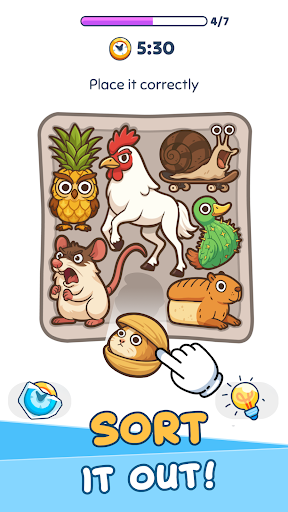
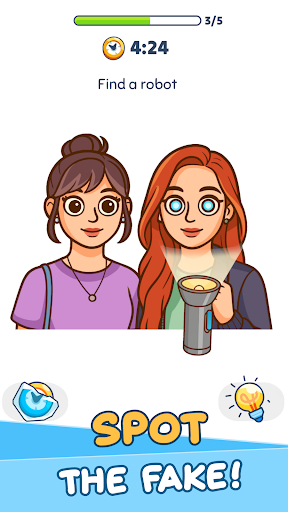
TEST YOUR BRAIN
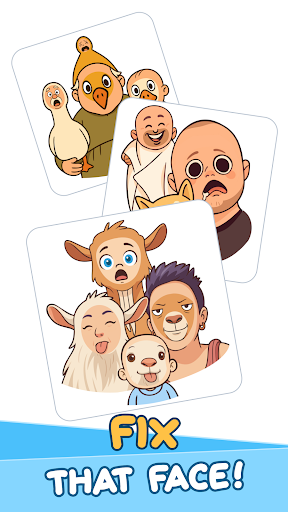
Let’s face it, there are tons of brain games out there that claim to help improve your memory or concentration, but they’re nothing more than simple logic puzzles and brain tests. As the name suggests, I Am Not A Robot takes memory games and logic puzzles to the next level of fun as you have to try and prove that you are indeed human, no matter what crazy puzzle solving game comes your way! A variety of different puzzles and riddles await, ranging from concentration games to logic puzzles, brain teasers to memory games and more.
WHAT’S THE LOGIC?
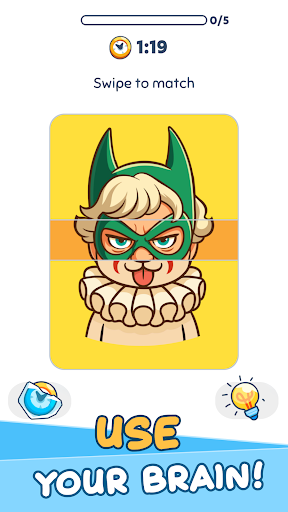
Each level consists of a different type of logic game or brain teaser, and your goal is to win and prove that there are no bots here! Puzzles range from simple pictures where you need to spot the difference to more challenging riddles and brain games where you need to place the tiles correctly in a limited amount of time. With such a huge variety, both you and your brain will never get tired of seeing what test is next.
Type of challenging games and brain puzzle games you can find within our brain test:
Puzzle solving games – place pieces in the correct spot to make the picture whole
Brain training games – find the difference between pictures
Mental games – prove that you’re not a robot
Brain tests and puzzles – create images with the tools given
Fantastic features:
- Variety is the spice of life – Hundreds of levels, and tons of different types of brain training games are all crammed into this one app! While they all focus on helping you keep the old noggin sharp, you’ll always find something new to try, keeping playtime fun, exciting, and most importantly, mentally stimulating. Problem solving games will get you thinking, concentration games will help you focus, puzzle games make you think, and logic games will test your ability to think several steps ahead. And just when you think you’ve got the hang of it, here comes a super challenging game level!
- Simple yet effective – The riddles and puzzle games are specifically designed with straightforward graphics and clear instructions, allowing you to really focus on what you need to do (in this case, solve some brain teasers!) and not on distractions. Even though they’re simple, the variety and pacing of the memory games and brain puzzles will keep you on your toes as you solve one after another.
- Great for on the go – Levels are short and sweet, meaning you can quickly move on to other things… or other levels! These concentration brain games are perfect for when you’re out and about and may only have a few minutes to spare, or for when you want to sit down and have some me-time with a useful game that trains your logic. The choice is yours!
RIDDLE ME THIS
We all know the importance of keeping our minds sharp, but sometimes it can be hard to find the time or motivation. I Am Not A Robot enters the chat, with a whole host of different puzzles, logic games, riddles, and brain teasers. Fly through levels or just play a few a day, either way you’ll be strengthening your logic skills and memory, as well as having fun. These brain games, tests, and puzzles are sure to please everyone and keep the good times rolling.
Privacy Policy: https://say.games/privacy-policy
Terms of Use: https://say.games/terms-of-use
Show more

1. Download MEmu installer and finish the setup

2. Start MEmu then open Google Play on the desktop

3. Search I am Not a Robot - Brain Test in Google Play
Install
4. Download and Install I am Not a Robot - Brain Test
5. On install completion click the icon to start

6. Enjoy playing I am Not a Robot - Brain Test on PC with MEmu
MEmu Play is the best Android emulator and 100 million people already enjoy its superb Android gaming experience. The MEmu virtualization technology empowers you to play thousands of Android games smoothly on your PC, even the most graphic-intensive ones.
Bigger screen with better graphics; Long duration, without limitation of battery or mobile data.
Full Keymapping support for precise control of keyboard and mouse or gamepad.
Multiple game accounts or tasks on single PC at one time with Multi-Instance manager.
Play I am Not a Robot - Brain Test on PC by following steps: