MEGA MAN X DiVE Offline
Updated
Current Version
1.0.2
Offered By

With your passion for MEGA MAN X DiVE Offline, you shouldn’t have to limit yourself to the small screen of a phone. Play like a pro and take full control of the game using a keyboard and mouse. MEmu gives you everything you’re looking for. Download and play MEGA MAN X DiVE Offline on PC. Play as long as you want — no more worries about battery life, mobile data, or unexpected calls. The all-new MEmu 9 is the best way to play MEGA MAN X DiVE Offline on PC. With our expertly designed keymapping system, MEGA MAN X DiVE Offline feels just like a real PC game. The MEmu multi-instance manager lets you run two or more accounts on the same device at the same time. Most importantly, our exclusive emulation engine unlocks your PC’s full potential, delivering smooth and seamless performance.
Show more
Download MEGA MAN X DiVE Offline on PC with MEmu Android Emulator. Enjoy playing on big screen. MEGA MAN X DiVE Offline is available at a discounted price until November 23!
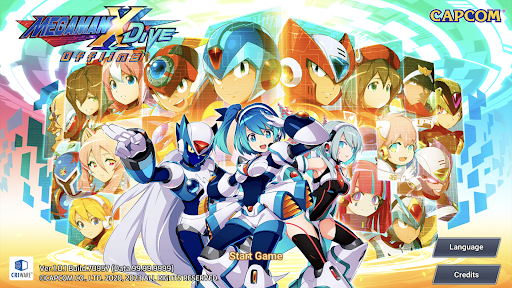
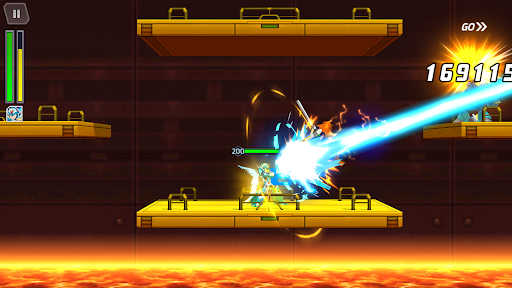
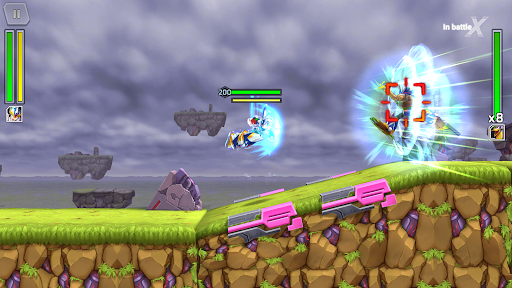
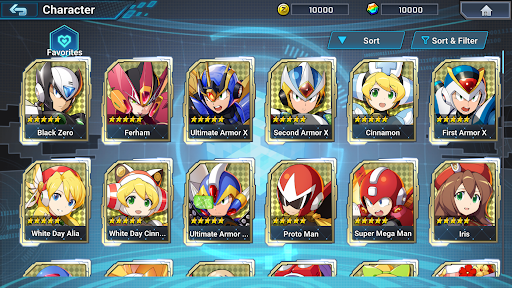
MEGA MAN X DiVE Offline is available at a discounted price until November 23!
■■ Caution ■■
Please check the "Regarding Purchases" and "Supported Devices" notices below before purchasing or using the app.
--- Game Introduction ---
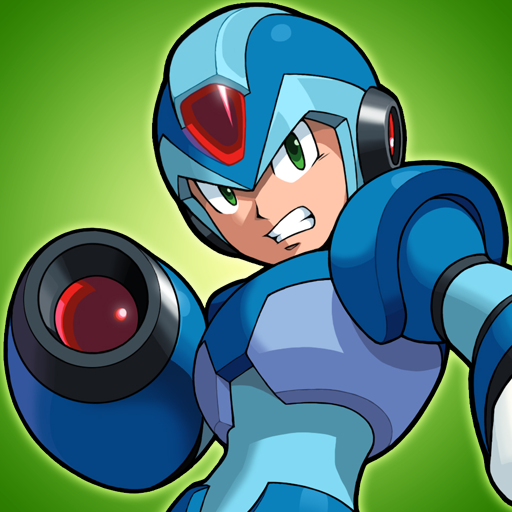
Mega Man X DiVE reimagined the world of the Mega Man X series, and now it's getting an offline version!
Experience the exciting side-scrolling action we've all come to know and love in a whole new light!
Enter Deep Log, a digital world where the game data of the Mega Man X series has been archived. Due to a bug of unknown origins, the game data within Deep Log has become fragmented. With the help of a mysterious navigator, RiCO, the player dives into this digital world to set things straight.
Take control of Hunter Programs, recreations of legendary characters such as X and Zero, defeat various forms of Irregular Data, and restore the fractured game data!
- Classic Mega Man Action
Jump, dash, fire your buster, and swing your saber. All the actions you'd expect from the Mega Man X series are here!
In addition, this game features 360 degree aiming and an auto-lock function!
You can also scale and position the touchscreen controls to match your own unique playstyle.
- Featuring over 100 Characters from the Mega Man Series
Acquire your favorite characters from across the Mega Man universe to add to your collection, and level them up to make them stronger!
With a mix of brand-new original characters and new designs for fan-favorites, there are plenty out there to discover!
- An All-New Original Story with Hundreds of Stages to Enjoy
Immerse yourself in a new Mega Man tale that can only be experienced in Mega Man X DiVE. Blast and cut your way through hundreds of stages spanning multiple difficulty levels!
- Make Your Characters Stronger with Weapons, Chips, and Cards
Characters can equip all types of weapons to become stronger.
Upgrade a weapon's rank to increase its power and unlock new skills.
Cards featuring classic illustrations also provide boosts, making them fun items to collect as you craft your perfect Hunter Program!
【Regarding Purchases】
Regardless of the reason, we cannot offer refunds (or an exchange for another product or service) once the app is purchased.
【Supported Devices】
Please check the following URL for a list of operating environments (devices/OSs) supported by this app.
https://www.capcom-games.com/megaman/xdive-offline/en-us/
Note: Although you can purchase this app using devices and OSs not listed as supported, the app may not function properly.
Please be aware that we can neither guarantee the app's performance nor offer refunds if you use a device or OS not supported by the app.
【Enjoy More Capcom Titles!】
Search for "Capcom" in the App Store, or the name of one of our apps, for more fun games to play!
Show more

1. Download MEmu installer and finish the setup

2. Start MEmu then open Google Play on the desktop

3. Search MEGA MAN X DiVE Offline in Google Play
Install
4. Download and Install MEGA MAN X DiVE Offline
5. On install completion click the icon to start

6. Enjoy playing MEGA MAN X DiVE Offline on PC with MEmu
MEmu Play is the best Android emulator and 100 million people already enjoy its superb Android gaming experience. The MEmu virtualization technology empowers you to play thousands of Android games smoothly on your PC, even the most graphic-intensive ones.
Bigger screen with better graphics; Long duration, without limitation of battery or mobile data.
Full Keymapping support for precise control of keyboard and mouse or gamepad.
Multiple game accounts or tasks on single PC at one time with Multi-Instance manager.
Play MEGA MAN X DiVE Offline on PC by following steps: