Monster Hunter Stories
Updated
Current Version
1.0.5
Offered By

With your passion for Monster Hunter Stories, you shouldn’t have to limit yourself to the small screen of a phone. Play like a pro and take full control of the game using a keyboard and mouse. MEmu gives you everything you’re looking for. Download and play Monster Hunter Stories on PC. Play as long as you want — no more worries about battery life, mobile data, or unexpected calls. The all-new MEmu 9 is the best way to play Monster Hunter Stories on PC. With our expertly designed keymapping system, Monster Hunter Stories feels just like a real PC game. The MEmu multi-instance manager lets you run two or more accounts on the same device at the same time. Most importantly, our exclusive emulation engine unlocks your PC’s full potential, delivering smooth and seamless performance.
Show more
Download Monster Hunter Stories on PC with MEmu Android Emulator. Enjoy playing on big screen. Please read the section "Important Notes" before purchasing or using this app.
Please read the section "Important Notes" before purchasing or using this app. Returns or credit cannot be granted after purchase.
This app has absolutely no in-app purchases!
• Game Features
- Recruit countless Monsties!
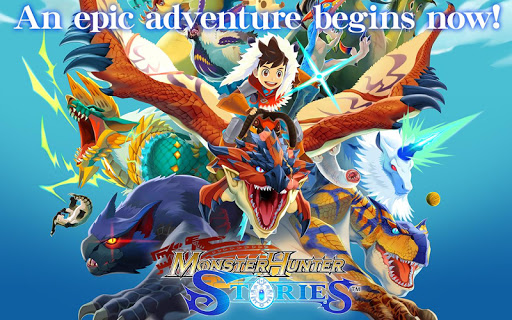
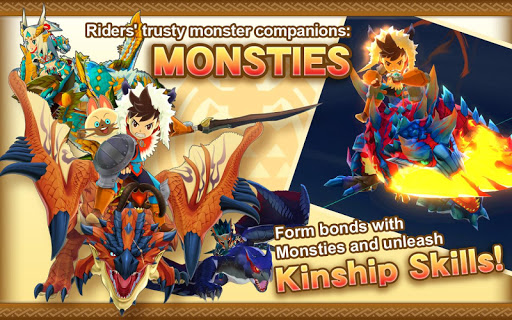
Monsties, and the bonds you form with them, are the backbone of your adventure. Explore vast environments and dungeons to find monster dens, and bring back the eggs you find to hatch new Monsties!
- New features for the smartphone version!
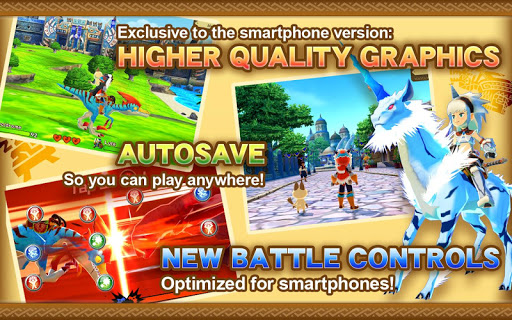
New improvements include beautiful high-resolution graphics, improved user interface, and a new auto-save feature!
• Story
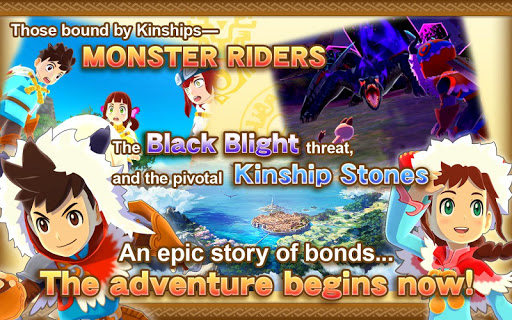
The story begins in a forest near the village of Riders. Three young friends—the hero, Lilia, and Cheval—stumble upon a shining egg.
The trio perform a playful imitation of the Rite of Kinship, only to be shocked when it actually succeeds!
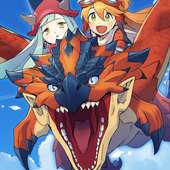
The egg hatches, revealing a baby Rathalos, a flying wyvern also known as "the King of the Skies." The trio affectionately name him "Ratha," and take him back to the village.
Days later, without warning, the village is beset upon by a monster infected by "the Black Blight." They manage to drive it away, but not before it devastates the town—and leaves indelible scars in the hearts of Cheval and Lilia.
A year passes...
The hero receives a Kinship Stone from the Village Chief and officially becomes a Rider. Cheval and Lilia both leave the village, each on their own path. The hero, though separated now from childhood friends, partners up with the cheerful Navirou, and embarks upon a new adventure into the world of hunters.
A story of friendship and triumph await you—ride on into the world of Monster Hunter Stories!
[Important Notes]
• For information about compatible devices and the free space required to download the latest version, please refer to the following link.
https://www.capcom-games.com/product/en-us/monsterhunterstories-app/?t=openv
Note: The amount of free space required may change depending on the update.
• Important Notice Regarding the Network Battle Function
Due to a change in Google Play Games, the Network Battle function is no longer available as of March 31, 2020. However, after updating to Ver.1.0.2, you will be able to access all of the Titles obtained from Battle Ranks. Furthermore, as there is a reward in the game that players can get only through Network Battle, we have created a method so that players will still be able to claim it. For details, please update to the latest version and go to "Network Battle" in the app.
Note: The Network Battle menu becomes available after progressing through some of the story.
• Additional Notes
- To use this app, you must agree to the "Monster Hunter Stories End User License Agreement" (link below) when booting the app for the first time.
https://game.capcom.com/manual/MHST_mobile/global/en/rule.php
- This app features the same story as the handheld console version.
- Several handheld console features, such as certain collaboration contents, amiibo features, local Network Battles, and StreetPass, are NOT available in this version.
- Deleting this app will also erase any stored save data.
- This app can only be downloaded with a Wi-Fi connection.
- Battle Party QR codes from the Japanese version will not work in this version.
Show more

1. Download MEmu installer and finish the setup

2. Start MEmu then open Google Play on the desktop

3. Search Monster Hunter Stories in Google Play
Install
4. Download and Install Monster Hunter Stories
5. On install completion click the icon to start

6. Enjoy playing Monster Hunter Stories on PC with MEmu
MEmu Play is the best Android emulator and 100 million people already enjoy its superb Android gaming experience. The MEmu virtualization technology empowers you to play thousands of Android games smoothly on your PC, even the most graphic-intensive ones.
Bigger screen with better graphics; Long duration, without limitation of battery or mobile data.
Full Keymapping support for precise control of keyboard and mouse or gamepad.
Multiple game accounts or tasks on single PC at one time with Multi-Instance manager.
Play Monster Hunter Stories on PC by following steps: