Papa's Scooperia HD
Updated
Current Version
1.1.4
Offered By

With your passion for Papa's Scooperia HD, you shouldn’t have to limit yourself to the small screen of a phone. Play like a pro and take full control of the game using a keyboard and mouse. MEmu gives you everything you’re looking for. Download and play Papa's Scooperia HD on PC. Play as long as you want — no more worries about battery life, mobile data, or unexpected calls. The all-new MEmu 9 is the best way to play Papa's Scooperia HD on PC. With our expertly designed keymapping system, Papa's Scooperia HD feels just like a real PC game. The MEmu multi-instance manager lets you run two or more accounts on the same device at the same time. Most importantly, our exclusive emulation engine unlocks your PC’s full potential, delivering smooth and seamless performance.
Show more
Download Papa's Scooperia HD on PC with MEmu Android Emulator. Enjoy playing on big screen. -- ABOUT THE GAME --.
-- ABOUT THE GAME --
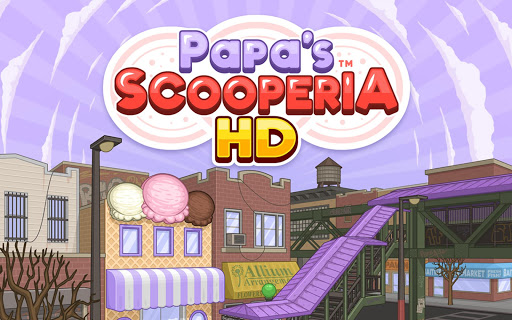
While visiting the big city, you've just lost your luggage and all of your money. Papa Louie comes up with solution to help you get back on your feet: He wants you to stay and run his new ice cream shop in Oniontown! You'll be baking fresh cookies, topping them with scoops of decadent ice cream, and adding delicious toppings and syrups before serving the sundaes to your hungry customers.
-- GAME FEATURES --
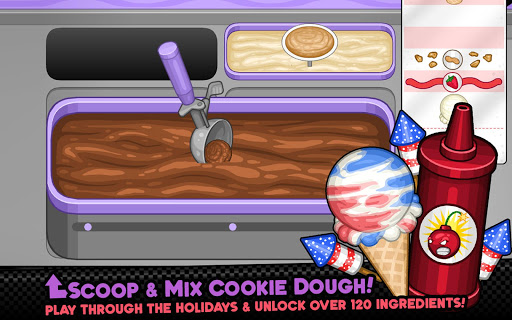
SCOOPING SUNDAES - Use gestures to scoop dough for cookies and scoop ice cream for sundaes! Slide your finger across a bin of cookie dough to make the perfect dough ball, and tap to dip your dough into delicious cookie mixables. After baking, drag your finger in a circle to make scoops of ice cream to add on top of your cookie sundaes.
ORDER EVOLUTION - When customers like your sundaes and level up, they'll start ordering larger sundaes with two cookies and scoops! Keep impressing your customers until they order giant three-scoop sundaes. Some customers like picky Closers will even start out ordering larger sundaes.
CELEBRATE HOLIDAYS - As you reach new ranks, the seasons and holidays change in Oniontown, and your customers will order sundaes with new seasonal ingredients. You'll unlock new mixables, ice cream, syrups, and toppings for each holiday of the year, and your customers will love trying new flavors!
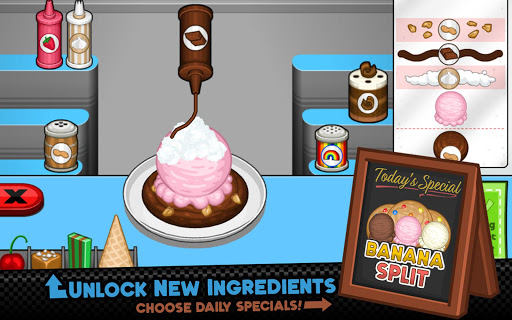
SERVE SPECIAL RECIPES - Earn Special Recipes from your customers, and serve them as the Daily Special in the Scooperia! Each Special has a bonus you can earn for serving a prime example of that recipe. Master each special to earn a special prize!
CUSTOMIZE YOUR WORKERS - Play as Carlo Romano or Koilee, or create your own custom character to run the shop! You can also show off your holiday spirit with a massive variety of holiday outfits and clothing for your workers. Choose unique color combinations for each item of clothing, and create your own style with millions of combinations!
DINING ROOM - When the dining room opens, customers can eat their sundaes at the restaurant, and you'll hire a Server to help you take and deliver orders to their tables!
COLLECT STICKERS - Complete a variety of tasks and achievements while playing to earn colorful Stickers for your collection. Each customer has a set of three favorite Stickers: Earn all three and you'll be rewarded with a brand-new outfit to give to that customer!
DECORATE THE SHOP - Customize the Scooperia lobby with themed furniture and decorations for each holiday of the year! Mix and match your favorite styles, or add items that match the current holiday so customers won't mind waiting longer for their food.
CLIPPING COUPONS - Missing your favorite customer? Send them a coupon with the help of your friendly mailman, Vincent! Customers love a good deal, and will promptly arrive to order another sundae. Coupons are great for completing quests for Stickers and for strategically leveling up customers!
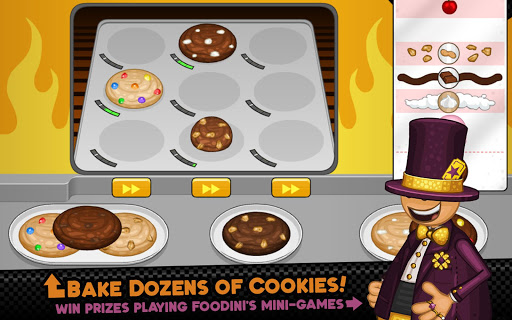
DAILY MINI-GAMES - Play Foodini's famous Mini-Games after each workday to earn new furniture for your lobby and new clothing for your workers. You can also visit the Shop after each workday to find an extensive wardrobe of clothing, tons of furniture for your lobby, and a variety of helpful restaurant upgrades you can buy with your hard-earned tips.
-- MORE FEATURES --
Hands-on sundae shop in the Papa Louie universe
Multi-task between making cookies, baking, scooping ice cream, and adding toppings
12 separate holidays to unlock, each with more ingredients
90 colorful Stickers to earn for completing tasks
Tons of furniture and clothing to decorate your shop and workers
116 customers to serve with unique orders
Use Stickers to unlock new outfits for your customers
Over 120 ingredients to unlock
** NOTE FOR PHONE USERS **
Papa's Scooperia HD is designed especially for tablets, look for Papa's Scooperia To Go for smaller screens!
Show more

1. Download MEmu installer and finish the setup

2. Start MEmu then open Google Play on the desktop

3. Search Papa's Scooperia HD in Google Play
Install
4. Download and Install Papa's Scooperia HD
5. On install completion click the icon to start

6. Enjoy playing Papa's Scooperia HD on PC with MEmu
MEmu Play is the best Android emulator and 100 million people already enjoy its superb Android gaming experience. The MEmu virtualization technology empowers you to play thousands of Android games smoothly on your PC, even the most graphic-intensive ones.
Bigger screen with better graphics; Long duration, without limitation of battery or mobile data.
Full Keymapping support for precise control of keyboard and mouse or gamepad.
Multiple game accounts or tasks on single PC at one time with Multi-Instance manager.
Play Papa's Scooperia HD on PC by following steps: