
RyzaChat:AI
Updated
Current Version
1.1.1
Offered By

With your passion for RyzaChat:AI, you shouldn’t have to limit yourself to the small screen of a phone. Play like a pro and take full control of the game using a keyboard and mouse. MEmu gives you everything you’re looking for. Download and play RyzaChat:AI on PC. Play as long as you want — no more worries about battery life, mobile data, or unexpected calls. The all-new MEmu 9 is the best way to play RyzaChat:AI on PC. With our expertly designed keymapping system, RyzaChat:AI feels just like a real PC game. The MEmu multi-instance manager lets you run two or more accounts on the same device at the same time. Most importantly, our exclusive emulation engine unlocks your PC’s full potential, delivering smooth and seamless performance.
Show more
Download RyzaChat:AI on PC with MEmu Android Emulator. Enjoy playing on big screen. This is Ryza’s dream world.
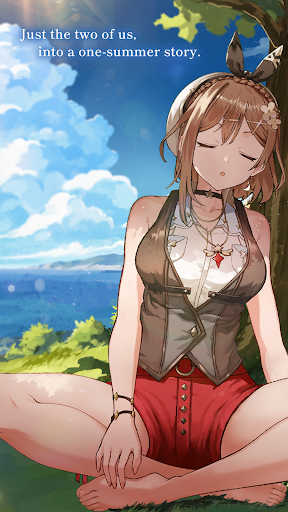
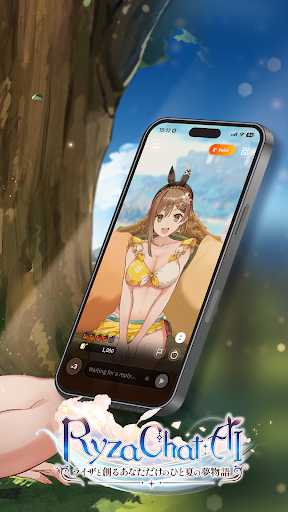
This is Ryza’s dream world.
A summer story created together with you, the protagonist of this world.
There’s no predetermined path. No predetermined story.
Where you go and what you do are entirely up to you. Just start a conversation.
With your own words, create a one-of-a-kind “dream story” together with Ryza.
◆ Just Talk, and the Story Unfolds ◆
“Let’s go gather materials in the forest!”
“A monster! Attack with a Bomb!”
“Let’s open a shop and strike it rich!”
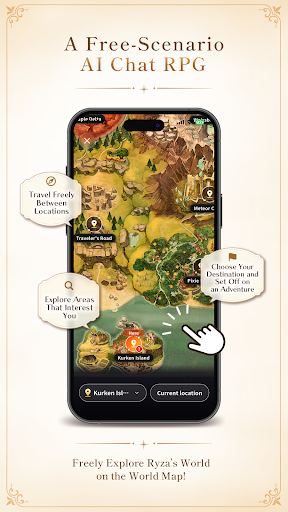
Explore, gather, synthesize, battle, trade, and build your own base.
Tell Ryza what you want to do, and the story begins to move.
What you aim for and what kind of story you create are up to you.
Use your imagination and your own words to adventure through the world of Atelier Ryza.
◆ Adventure or Chat. Spend Your Time Your Way ◆
Want to move the story forward? Choose RPG Mode.
Just want to chat with Ryza? Choose Chat Mode.
Switch between them anytime to match your mood!
And Ryza isn’t the only familiar face. More than 30 characters from the Atelier Ryza series appear, including Klaudia!
Who will you meet? What will you do together?
Enjoy an adventure that’s uniquely yours.
◆ Recommended for you if... ◆
- You love Atelier Ryza, alchemy worlds, or anime RPG games
- You want an AI companion to talk with in your spare time
- You enjoy TRPG-style roleplay where your own words drive the story
- You want a storycrafting RPG with no fixed scenario
- You prefer "talking to create" over reading a visual novel
- You want to roleplay as the protagonist in an anime world
- You love anime chat and character roleplay experiences
- You want casual small talk with a friendly AI companion
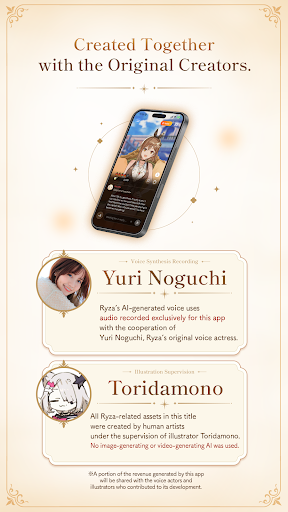
- You want to hear Ryza speak with an AI voice based on her official voice actress
- You like ASMR-style soft voice moments
- You are an anime fan or otaku who enjoys oshi culture
- You want to meet Klaudia and other beloved Atelier characters
- You loved gathering, synthesis and battles in the Atelier series
- You are curious what stories AI chat can create beyond your imagination
◆ About RyzaChat:AI ◆
RyzaChat:AI is an officially licensed AI chat RPG based on the Atelier Ryza series. Ryza becomes your companion, and your conversations weave the story — not a visual novel you read, but a story you create by talking. With her character voice built from the official voice actress, enjoy everything from casual anime chat to full roleplay adventure.
――――――――――――――――――――
◆ Official Website: https://ryzachat-ai.go-spiral.ai/
◆ Privacy Policy: https://ryzachat-ai.go-spiral.ai/privacy
“RyzaChat:AI – Your One-of-a-Kind Summer Dream Story with Ryza” respects user privacy and is committed to protecting personal information. Please see our Privacy Policy for details.
Show more

1. Download MEmu installer and finish the setup

2. Start MEmu then open Google Play on the desktop

3. Search RyzaChat:AI in Google Play
Install
4. Download and Install RyzaChat:AI
5. On install completion click the icon to start

6. Enjoy playing RyzaChat:AI on PC with MEmu
MEmu Play is the best Android emulator and 100 million people already enjoy its superb Android gaming experience. The MEmu virtualization technology empowers you to play thousands of Android games smoothly on your PC, even the most graphic-intensive ones.
Bigger screen with better graphics; Long duration, without limitation of battery or mobile data.
Full Keymapping support for precise control of keyboard and mouse or gamepad.
Multiple game accounts or tasks on single PC at one time with Multi-Instance manager.
Play RyzaChat:AI on PC by following steps:














































