Spirit Wars
Updated
Current Version
1756288256
Offered By

With your passion for Spirit Wars, you shouldn’t have to limit yourself to the small screen of a phone. Play like a pro and take full control of the game using a keyboard and mouse. MEmu gives you everything you’re looking for. Download and play Spirit Wars on PC. Play as long as you want — no more worries about battery life, mobile data, or unexpected calls. The all-new MEmu 9 is the best way to play Spirit Wars on PC. With our expertly designed keymapping system, Spirit Wars feels just like a real PC game. The MEmu multi-instance manager lets you run two or more accounts on the same device at the same time. Most importantly, our exclusive emulation engine unlocks your PC’s full potential, delivering smooth and seamless performance.
Show more
Download Spirit Wars on PC with MEmu Android Emulator. Enjoy playing on big screen. Spirit Wars is a free-to-play mobile fantasy idle RPG set in the vast, darkness-corrupted World Tree of Aeria.
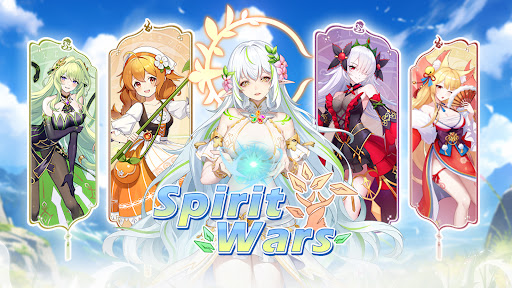
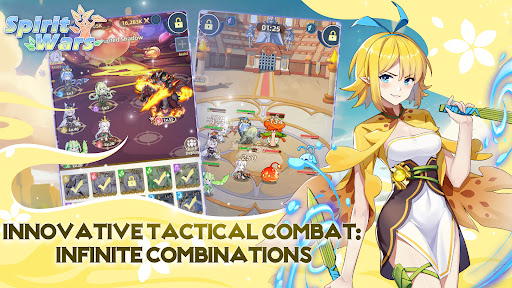
Spirit Wars is a free-to-play mobile fantasy idle RPG set in the vast, darkness-corrupted World Tree of Aeria. As a "Savior" summoned from another world, you'll encounter and lead a legion of unique Guardians—each with distinct personalities and abilities - fighting nightmarish enemies and eliminating the roots of evil. Enjoy idle progression—your team grows offline, gathering resources and unlocking skills—paired with strategic depth via an innovative skill sequence system. With massive welfare rewards, including free summons, daily login bonuses, and easy access to full-collection achievements, the journey to save Aeria is both relaxing and rewarding. Spirit Wars blends casual idle gameplay with rich fantasy storytelling—no grind, just pure adventure. Are you ready to answer Aeria's call?
[Game Features]
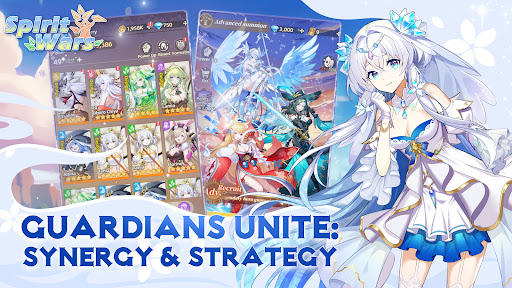
●Guardians Unite: Synergy & Strategy
Forge bonds with Guardians across six realms, gather guardians with unique styles from all sectors, unlock powerful class-faction collaboration, Dominate Corruption-ridden battlefields through tactical positioning and strategic alliances!
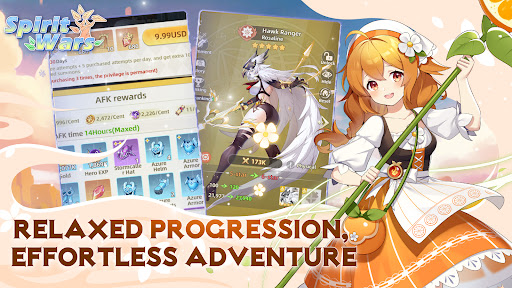
●Relaxed Progression: Effortless Adventure
Level up your heroes with automated AFK battles—just set it and forget it! Earn massive Mythic rewards while you rest, making every adventure a breeze.
●Innovative Tactical Combat: Infinite Combinations
Master our innovative skill sequencing system and customize your battle formations. With limited skills but endless strategic possibilities, craft a unique combat style that’s all your own.
●Effortless Summons: Overflowing Rewards, Grand Haul
Start with 100 free summons and dive into mini-games packed with prizes. From bountiful draw resources to unlocking every Guardian, collect all Guardians faster than light! Your collection goals are within reach.
●Dimensional Quest: Boundless Adventures, Endless Fun
Experience unique dimensional journeys through Aelia's six realms! An unparalleled dimensional adventure experience, paired with various generous rewards will keep your hands full, and enjoy an unprecedented level of fun!
Site:https://swm.gamehollywood.com
Facebook: https://www.facebook.com/spiritwarscommunity
Discord: https://discord.gg/6NeKgbrXP8
Youtube: https://www.youtube.com/@SpiritWars
Show more

1. Download MEmu installer and finish the setup

2. Start MEmu then open Google Play on the desktop

3. Search Spirit Wars in Google Play
Install
4. Download and Install Spirit Wars
5. On install completion click the icon to start

6. Enjoy playing Spirit Wars on PC with MEmu
MEmu Play is the best Android emulator and 100 million people already enjoy its superb Android gaming experience. The MEmu virtualization technology empowers you to play thousands of Android games smoothly on your PC, even the most graphic-intensive ones.
Bigger screen with better graphics; Long duration, without limitation of battery or mobile data.
Full Keymapping support for precise control of keyboard and mouse or gamepad.
Multiple game accounts or tasks on single PC at one time with Multi-Instance manager.
Play Spirit Wars on PC by following steps: