Traffic 3D Parking: Escape Jam
Updated
Current Version
1.4.9
Offered By

With your passion for Traffic 3D Parking: Escape Jam, you shouldn’t have to limit yourself to the small screen of a phone. Play like a pro and take full control of the game using a keyboard and mouse. MEmu gives you everything you’re looking for. Download and play Traffic 3D Parking: Escape Jam on PC. Play as long as you want — no more worries about battery life, mobile data, or unexpected calls. The all-new MEmu 9 is the best way to play Traffic 3D Parking: Escape Jam on PC. With our expertly designed keymapping system, Traffic 3D Parking: Escape Jam feels just like a real PC game. The MEmu multi-instance manager lets you run two or more accounts on the same device at the same time. Most importantly, our exclusive emulation engine unlocks your PC’s full potential, delivering smooth and seamless performance.
Show more
Download Traffic 3D Parking: Escape Jam on PC with MEmu Android Emulator. Enjoy playing on big screen. Traffic 3D Parking: Car Jam – The ultimate car parking challenge where you must escape every traffic jam and get every car out!
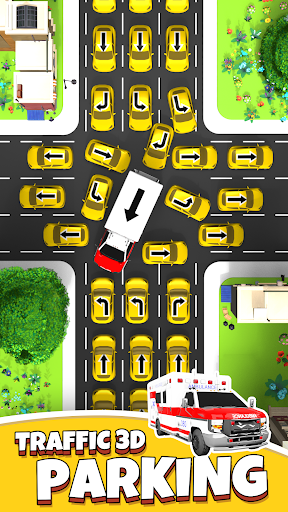
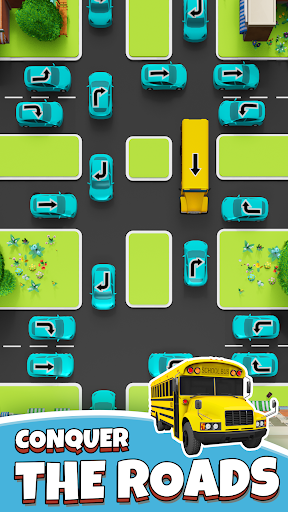
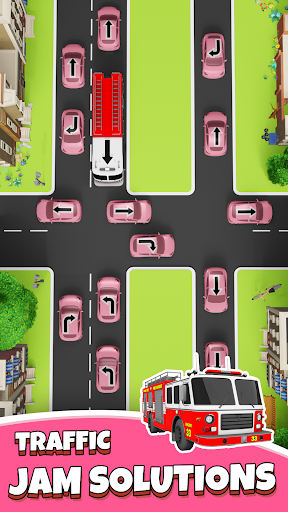
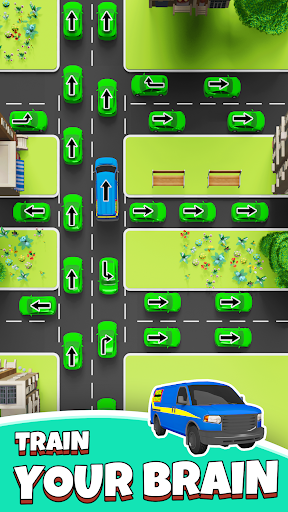
Traffic 3D Parking: Car Jam – The ultimate car parking challenge where you must escape every traffic jam and get every car out! Master the art of parking strategy in this thrilling match-3 style puzzle adventure!
Navigate Through Traffic Chaos
Dive into challenging car jam scenarios where smart parking moves help vehicles escape. Can you get every car out of the traffic gridlock? Match your wits against increasingly complex jam puzzles!
How to Play:
Analyze the Traffic Jam Check each car and its escape route. Plan how to get out of the parking chaos!
Tap Cars to Move Touch any car to make it escape the jam. Match the right sequence to clear traffic!
Strategic Car Parking Choose which car to move first. Get them out without creating more traffic problems!
Master Every Escape Use logic to match the perfect order. Get all cars out of each parking jam puzzle!
Features That Make You Love This Car Game:
• 3D Parking Challenges: Realistic car graphics in every traffic jam
• Match Your Strategy: Like match-3 games but with car parking logic
• Escape Missions: Get out of impossible traffic situations
• Parking Puzzles: Each level tests your ability to escape jam scenarios
• Car Collection: Various vehicles to get out of parking spots
• Traffic Management: Learn to control car flow and escape gridlock
Why This Car Parking Game Stands Out:
In this car jam adventure, every parking puzzle requires you to match the right moves to escape. Whether it's a simple traffic blockage or complex car gridlock, you must get every vehicle out safely!
Challenging Parking Scenarios:
• Rush Hour Jam: Escape when traffic peaks and cars block each parking exit
• Color Match Parking: Match car colors to create escape routes
• Multi-Level Traffic: Get out through complex jam formations
• Parking Lot Escape: Navigate tight spaces to get each car out
• Traffic Flow Puzzles: Match the right sequence to clear the jam
Perfect Your Parking Skills:
Every car needs your help to escape! In this traffic jam game, you'll:
• Match movement patterns to clear parking spaces
• Get vehicles out in the correct order
• Escape from challenging car jam situations
• Master traffic flow to prevent new jam formations
• Use parking strategy to get out efficiently
Game Modes to Escape:
• Classic Car Jam: Standard parking puzzles to escape
• Time Attack Traffic: Get out before time runs out
• Match & Escape: Match car types to clear traffic
• Parking Master: Complex jam scenarios to escape
• Daily Traffic Challenge: New car puzzles to get out of every day
Tips to Get Every Car Out:
• Study the traffic jam before making moves
• Match your strategy to each parking layout
• Escape routes often require moving multiple cars
• Get the blocking car out first
• Some jam puzzles need reverse parking thinking
• Traffic patterns help predict escape paths
Why Players Love Car Parking Escape:
This isn't just another parking game – it's a traffic puzzle where you match logic with action to escape every jam. Get ready to out-think every challenge as you guide each car to freedom!
Download Traffic 3D Parking: Car Jam now! Experience the thrill of helping every car escape from challenging traffic jam puzzles. Can you get out of every parking predicament and match your way to victory?
LIKE US: https://www.facebook.com/profile.php?id=100086018538690
Terms of Service: https://orangeonelimited.com/useragreement.html
Privacy Policy: https://orangeonelimited.com/privacy.html
Show more

1. Download MEmu installer and finish the setup

2. Start MEmu then open Google Play on the desktop

3. Search Traffic 3D Parking: Escape Jam in Google Play
Install
4. Download and Install Traffic 3D Parking: Escape Jam
5. On install completion click the icon to start

6. Enjoy playing Traffic 3D Parking: Escape Jam on PC with MEmu
MEmu Play is the best Android emulator and 100 million people already enjoy its superb Android gaming experience. The MEmu virtualization technology empowers you to play thousands of Android games smoothly on your PC, even the most graphic-intensive ones.
Bigger screen with better graphics; Long duration, without limitation of battery or mobile data.
Full Keymapping support for precise control of keyboard and mouse or gamepad.
Multiple game accounts or tasks on single PC at one time with Multi-Instance manager.
Play Traffic 3D Parking: Escape Jam on PC by following steps: