Tsundere Girl
Updated
Current Version
4.00.7
Offered By

With your passion for Tsundere Girl, you shouldn’t have to limit yourself to the small screen of a phone. Play like a pro and take full control of the game using a keyboard and mouse. MEmu gives you everything you’re looking for. Download and play Tsundere Girl on PC. Play as long as you want — no more worries about battery life, mobile data, or unexpected calls. The all-new MEmu 9 is the best way to play Tsundere Girl on PC. With our expertly designed keymapping system, Tsundere Girl feels just like a real PC game. The MEmu multi-instance manager lets you run two or more accounts on the same device at the same time. Most importantly, our exclusive emulation engine unlocks your PC’s full potential, delivering smooth and seamless performance.
Show more
Download Tsundere Girl on PC with MEmu Android Emulator. Enjoy playing on big screen. A new school year brings a familiar face: Jinhee, a friend from your childhood.
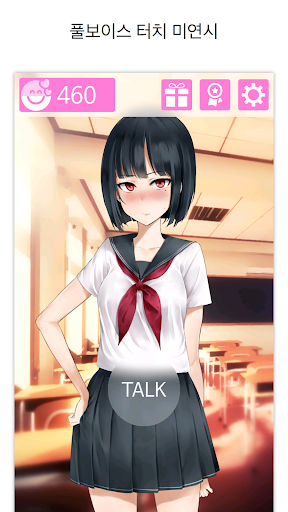
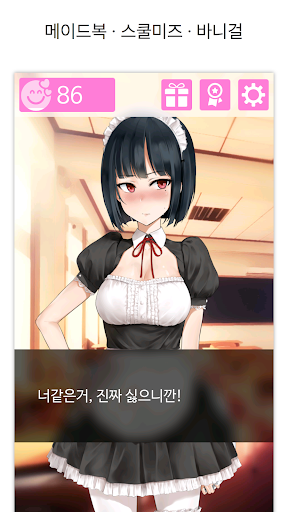
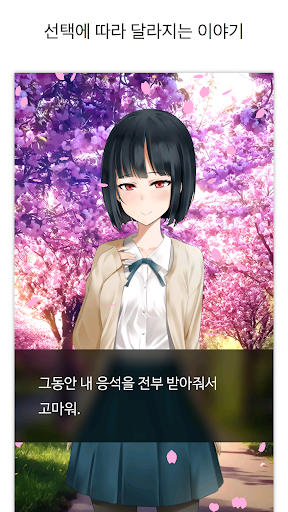
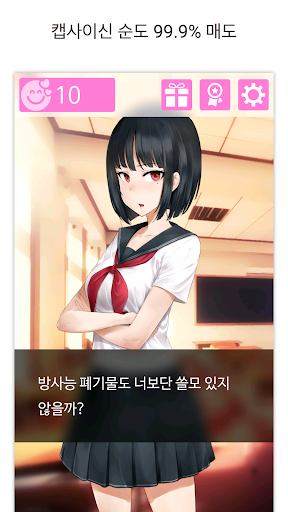
A new school year brings a familiar face: Jinhee, a friend from your childhood. Her sharp words keep you at a distance, but is there something she still wants to tell you?
In Tsundere Girl, get to know Jinhee through conversations and choices. From everyday moments in class to time together after school, your responses help shape where this reunion leads.
- Four endings to discover
- Korean character voices
- Dialogue and menus in English, Korean, and Japanese
- Additional outfits and a summer vacation side story
Some outfits and additional content are available through in-app purchases. You can change your advertising privacy choices in Settings.
Produced by: 애플민트
Director and programmer: I_Jemin
Scenario: 유하나. 사장님
Character design: 정열폭발
Voice performance: 집백수
Voice direction: 월랑아
Main theme: Cofofo
Special thanks: 렘닛, GodofKim
Show more

1. Download MEmu installer and finish the setup

2. Start MEmu then open Google Play on the desktop

3. Search Tsundere Girl in Google Play
Install
4. Download and Install Tsundere Girl
5. On install completion click the icon to start

6. Enjoy playing Tsundere Girl on PC with MEmu
MEmu Play is the best Android emulator and 100 million people already enjoy its superb Android gaming experience. The MEmu virtualization technology empowers you to play thousands of Android games smoothly on your PC, even the most graphic-intensive ones.
Bigger screen with better graphics; Long duration, without limitation of battery or mobile data.
Full Keymapping support for precise control of keyboard and mouse or gamepad.
Multiple game accounts or tasks on single PC at one time with Multi-Instance manager.
Play Tsundere Girl on PC by following steps: