Unscrew Frenzy 3D: Bolt Master
Updated
Current Version
1.8.2
Offered By

With your passion for Unscrew Frenzy 3D: Bolt Master, you shouldn’t have to limit yourself to the small screen of a phone. Play like a pro and take full control of the game using a keyboard and mouse. MEmu gives you everything you’re looking for. Download and play Unscrew Frenzy 3D: Bolt Master on PC. Play as long as you want — no more worries about battery life, mobile data, or unexpected calls. The all-new MEmu 9 is the best way to play Unscrew Frenzy 3D: Bolt Master on PC. With our expertly designed keymapping system, Unscrew Frenzy 3D: Bolt Master feels just like a real PC game. The MEmu multi-instance manager lets you run two or more accounts on the same device at the same time. Most importantly, our exclusive emulation engine unlocks your PC’s full potential, delivering smooth and seamless performance.
Show more
Download Unscrew Frenzy 3D: Bolt Master on PC with MEmu Android Emulator. Enjoy playing on big screen. Unscrew Frenzy 3D: Bolt Master – Relax, Train Your Brain & Master Screws!
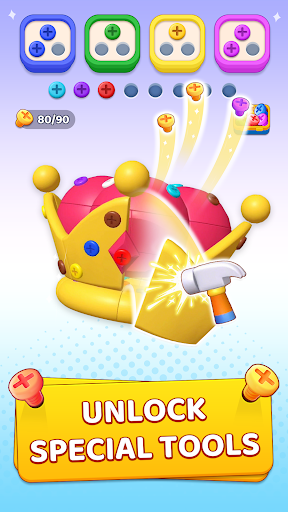
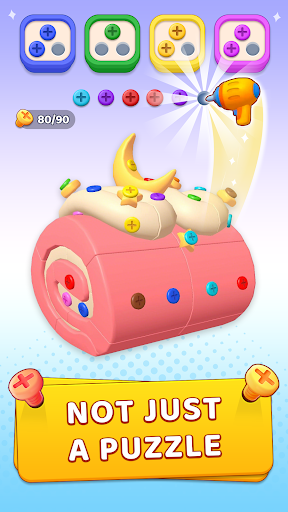
Unscrew Frenzy 3D: Bolt Master – Relax, Train Your Brain & Master Screws!
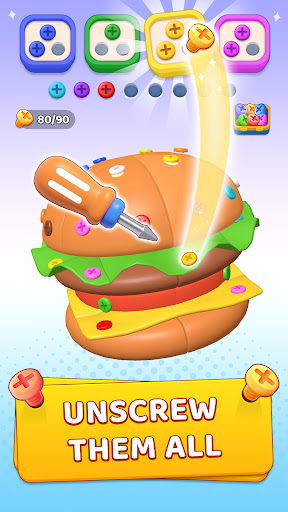
Unscrew Frenzy 3D: Bolt Master is a relaxing, stress-free 3D puzzle game designed to sharpen your problem-solving skills and enhance logical thinking. Twist, sort, and dismantle intricate models while enjoying soothing ASMR clicks of every screw, nut, and bolt. No timers, no pressure – just pure brain-teasing fun and satisfying screw puzzle solving! Turn chaotic pin jams into organized calm, giving your brain a gentle, stress-free workout.
Why You'll Love:
⭐ Calming ASMR Clicks – Every twist produces crisp, soothing sounds to melt away stress.
⭐ Stress-Free Puzzle Play – Play anytime, even offline, with no timers or countdowns. Focus on unscrewing, sorting screws, nuts, bolts, and tricky pin jams at your own pace.
⭐ Endless 3D Models – From airplanes and cozy homes to quirky wooden gadgets, every model offers a tactile, hands-on experience.
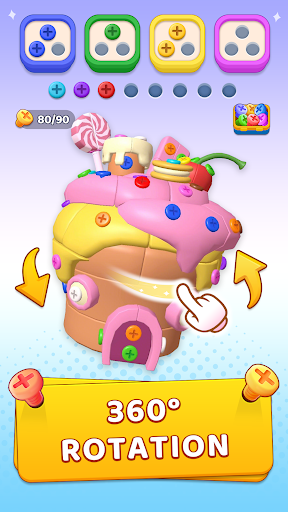
⭐ Full Control & Freedom – Rotate, zoom, and inspect each model to find the smartest order for unscrewing and sorting.
⭐ Satisfying Progress – Watch messy models transform into neat, organized order as you dismantle and sort with precision.
How to Play:
Rotate 360° to examine screws, nuts, bolts, and pin jams.
Unscrew & sort by color into matching boxes
Show more

1. Download MEmu installer and finish the setup

2. Start MEmu then open Google Play on the desktop

3. Search Unscrew Frenzy 3D: Bolt Master in Google Play
Install
4. Download and Install Unscrew Frenzy 3D: Bolt Master
5. On install completion click the icon to start

6. Enjoy playing Unscrew Frenzy 3D: Bolt Master on PC with MEmu
MEmu Play is the best Android emulator and 100 million people already enjoy its superb Android gaming experience. The MEmu virtualization technology empowers you to play thousands of Android games smoothly on your PC, even the most graphic-intensive ones.
Bigger screen with better graphics; Long duration, without limitation of battery or mobile data.
Full Keymapping support for precise control of keyboard and mouse or gamepad.
Multiple game accounts or tasks on single PC at one time with Multi-Instance manager.
Play Unscrew Frenzy 3D: Bolt Master on PC by following steps: