Warung Life Simulator
Updated
Current Version
1.2
Offered By

With your passion for Warung Life Simulator, you shouldn’t have to limit yourself to the small screen of a phone. Play like a pro and take full control of the game using a keyboard and mouse. MEmu gives you everything you’re looking for. Download and play Warung Life Simulator on PC. Play as long as you want — no more worries about battery life, mobile data, or unexpected calls. The all-new MEmu 9 is the best way to play Warung Life Simulator on PC. With our expertly designed keymapping system, Warung Life Simulator feels just like a real PC game. The MEmu multi-instance manager lets you run two or more accounts on the same device at the same time. Most importantly, our exclusive emulation engine unlocks your PC’s full potential, delivering smooth and seamless performance.
Show more
Download Warung Life Simulator on PC with MEmu Android Emulator. Enjoy playing on big screen. A small shop, a warm village, and a father's big dream.
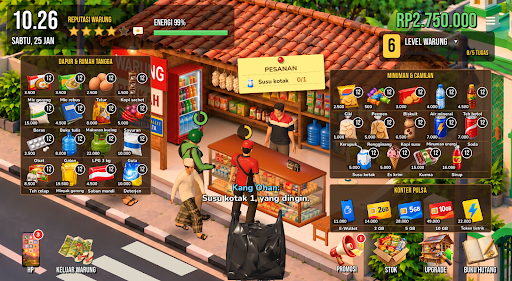
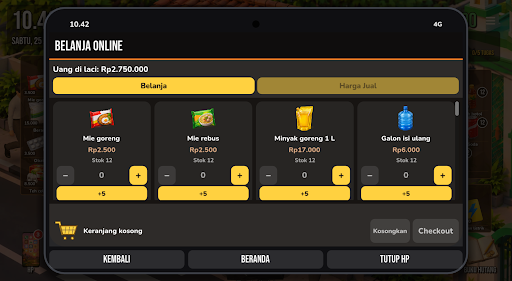
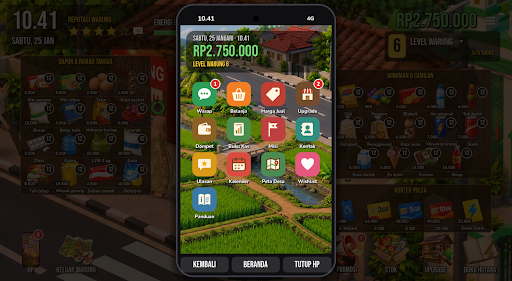
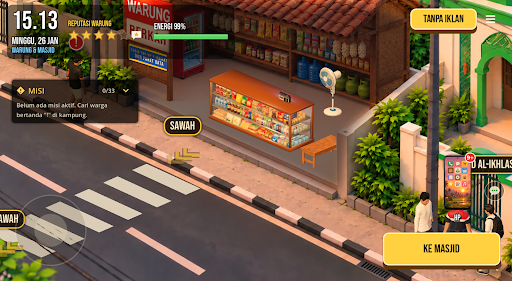
A small shop, a warm village, and a father's big dream.
Warung Life Simulator is a simulation game running a shop in a village in Cianjur. You play as Mr. Misran, a small shop owner struggling to pay for his son Agus's college education while slowly expanding his shop until he has his own kiosk.
MANAGE YOUR STORE
Shop for stock via your phone, wait for the courier to arrive, then open the shop. Listen to customers' orders and put the items into plastic bags before their patience runs out. Set selling prices, maintain a safe stock, and collect positive reviews from residents.
GROW YOUR BUSINESS
Complete tasks across 10 Warung Levels. Add merchandise and install upgrades like display cases, fans, radios, QRIS, CCTV, and even Wi-Fi. Each stage makes your shop look and feel different.
EXPLORE THE VILLAGE
When the shop is closed, explore the village: rice fields, mosques, schools, Islamic boarding schools, and residents' homes. Chat with residents, become closer to them, and take on side jobs to supplement your income.
FOLLOW THE STORY
Follow the journey of Mr. Misran and Agus through the main story, plus dozens of stories from the villagers. Your help could change their lives and open new products for the shop.
A LIVING VILLAGE
- The constant shift of day and night
- Rain, power outages, and unexpected events
- Friday prayers, religious studies, and community service
- Ramadan and Eid al-Fitr atmosphere
- In-game phone: chat, online shopping, cash book, wallet, and village map
- A cat named Neo!
This game is free to play, contains ads, and provides optional in-app purchases.
Show more

1. Download MEmu installer and finish the setup

2. Start MEmu then open Google Play on the desktop

3. Search Warung Life Simulator in Google Play
Install
4. Download and Install Warung Life Simulator
5. On install completion click the icon to start

6. Enjoy playing Warung Life Simulator on PC with MEmu
MEmu Play is the best Android emulator and 100 million people already enjoy its superb Android gaming experience. The MEmu virtualization technology empowers you to play thousands of Android games smoothly on your PC, even the most graphic-intensive ones.
Bigger screen with better graphics; Long duration, without limitation of battery or mobile data.
Full Keymapping support for precise control of keyboard and mouse or gamepad.
Multiple game accounts or tasks on single PC at one time with Multi-Instance manager.
Play Warung Life Simulator on PC by following steps: