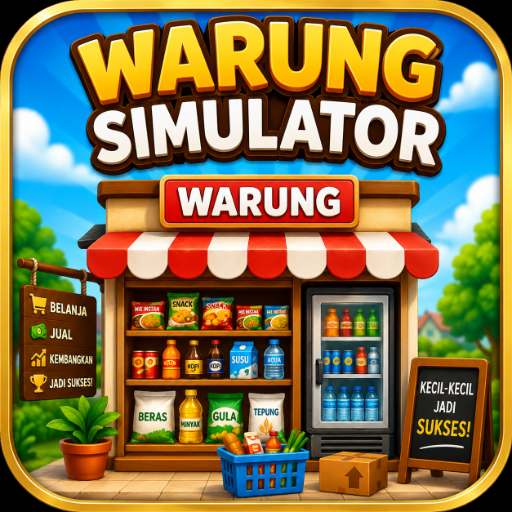
Warung Simulator
Updated
Current Version
1.1
Offered By

With your passion for Warung Simulator, you shouldn’t have to limit yourself to the small screen of a phone. Play like a pro and take full control of the game using a keyboard and mouse. MEmu gives you everything you’re looking for. Download and play Warung Simulator on PC. Play as long as you want — no more worries about battery life, mobile data, or unexpected calls. The all-new MEmu 9 is the best way to play Warung Simulator on PC. With our expertly designed keymapping system, Warung Simulator feels just like a real PC game. The MEmu multi-instance manager lets you run two or more accounts on the same device at the same time. Most importantly, our exclusive emulation engine unlocks your PC’s full potential, delivering smooth and seamless performance.
Show more
Download Warung Simulator on PC with MEmu Android Emulator. Enjoy playing on big screen. WARUNG SIMULATOR – BECOME A WARUNG BOSS!
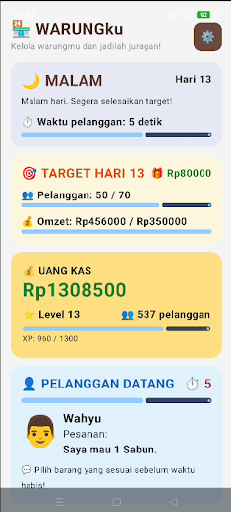
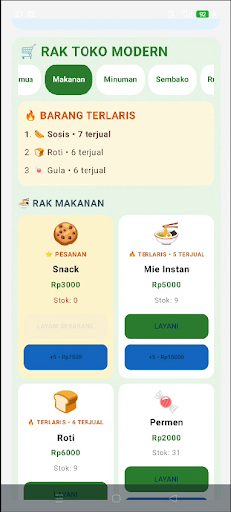
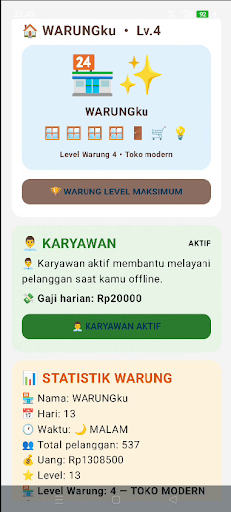
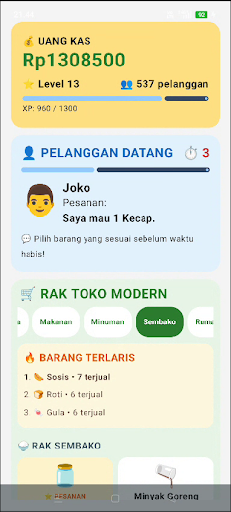
WARUNG SIMULATOR – BECOME A WARUNG BOSS!
Have you ever imagined what it would be like to own and manage your own warung?
In Warung Simulator, you'll start your journey from a simple warung and grow it into a modern, bustling shop. Serve orders quickly, manage stock, collect money, hire employees, and upgrade your warung!
MANAGE YOUR WARUNG
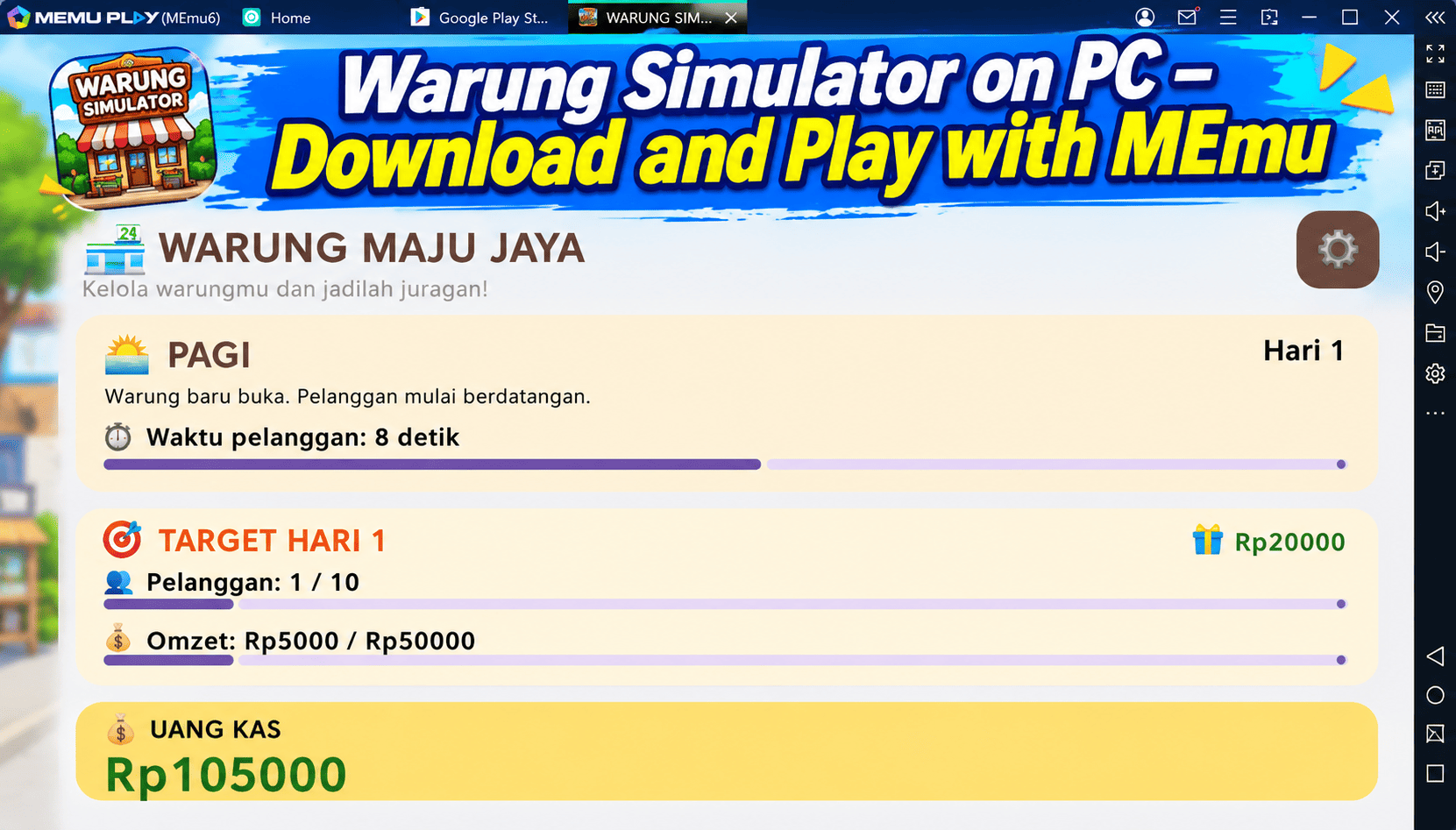
Customers will come in with various orders. Pay attention to what they want and serve them before time runs out.
The faster and more accurately you serve customers, the greater your chances of growing your warung.
MANAGE ITEM STOCK
Make sure you always have a variety of items available. When stock starts to run low, use cash to replenish inventory.
You'll need to smartly manage your money between purchasing stock, paying employee salaries, and making upgrades.
COLLECT REVENUE
Every customer you successfully serve will generate income for your warung.
Use the proceeds to grow your shop and reach higher levels.
RECRUIT EMPLOYEES
Your shop is growing and needs help.
Hire employees to help serve customers. Employees can also help generate income while you're offline.
Don't forget to pay attention to your shop's salary costs and financial situation!
UPGRADE YOUR STORE
Start with a simple shop and work your way up to a modern store.
Upgrade to increase your shop's level and unlock new opportunities.
KEEP CUSTOMERS COMING
Every customer has a different order and serving time.
Pay attention to orders, choose the right items, and serve them as quickly as possible!
GOALS AND PROGRESS
Achieve daily targets, serve customers, collect income, level up, and continue to grow your business.
The more your shop grows, the greater the challenges you'll face.
REWARDED ADS
If you need additional help, you can voluntarily watch rewarded ads to earn virtual rewards in the game.
Rewards are used only as part of the gameplay and have no real monetary value.
SOUND EFFECTS
Enjoy sound effects while performing various in-game activities to make the experience of managing a stall more immersive.
KEY FEATURES
• Manage your own stall
• Serve customers within a time limit
• 24 types of goods to manage
• Inventory system
• Money and income system
• Daily targets
• Player level system
• Stall upgrades
• Recruit employees
• Employee salary system
• Offline income
• Virtual rewards
• Game sound effects
• Simple and easy-to-play gameplay
BECOME A BOSS!
Starting from a small stall, serve customers, manage inventory, collect money, hire employees, and continuously upgrade.
Can you transform your small stall into a bustling and successful modern store?
Download Warung Simulator now and begin your journey to becoming a warung tycoon!
Note: Warung Simulator is a simulation game. All money, income, rewards, and transactions in the game are part of the gameplay mechanics and have no real monetary value.
Show more

1. Download MEmu installer and finish the setup

2. Start MEmu then open Google Play on the desktop

3. Search Warung Simulator in Google Play
Install
4. Download and Install Warung Simulator
5. On install completion click the icon to start

6. Enjoy playing Warung Simulator on PC with MEmu
MEmu Play is the best Android emulator and 100 million people already enjoy its superb Android gaming experience. The MEmu virtualization technology empowers you to play thousands of Android games smoothly on your PC, even the most graphic-intensive ones.
Bigger screen with better graphics; Long duration, without limitation of battery or mobile data.
Full Keymapping support for precise control of keyboard and mouse or gamepad.
Multiple game accounts or tasks on single PC at one time with Multi-Instance manager.
Play Warung Simulator on PC by following steps: