Water Go
Updated
Current Version
1.0.2
Offered By

With your passion for Water Go, you shouldn’t have to limit yourself to the small screen of a phone. Play like a pro and take full control of the game using a keyboard and mouse. MEmu gives you everything you’re looking for. Download and play Water Go on PC. Play as long as you want — no more worries about battery life, mobile data, or unexpected calls. The all-new MEmu 9 is the best way to play Water Go on PC. With our expertly designed keymapping system, Water Go feels just like a real PC game. The MEmu multi-instance manager lets you run two or more accounts on the same device at the same time. Most importantly, our exclusive emulation engine unlocks your PC’s full potential, delivering smooth and seamless performance.
Show more
Download Water Go on PC with MEmu Android Emulator. Enjoy playing on big screen. Water Go: Draw Lines to Fill the Glass!

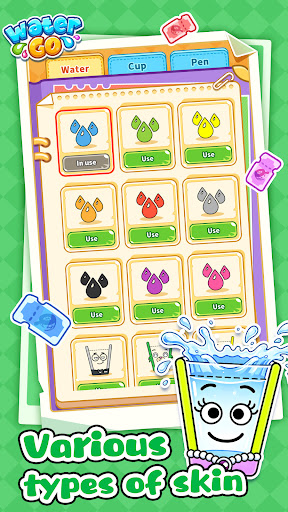
Water Go: Draw Lines to Fill the Glass!
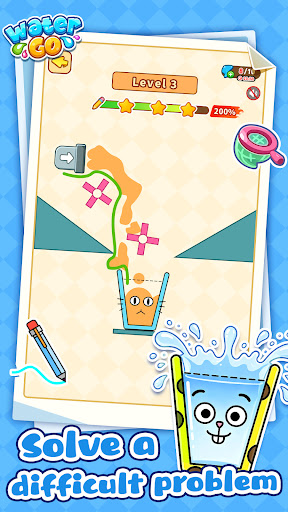
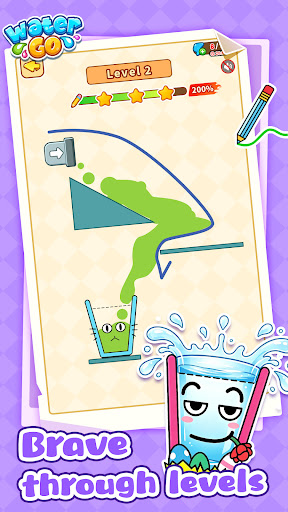
The water is about to drop, and the empty glass is waiting! In Water Go, use your finger to draw the perfect path and safely guide the flowing water into the glass. Fill it up to clear the level; spill it, and you'll have to start over. Use your wits to plan the route and make every drop count!
Game Features
Dynamic Terrains & Mechanisms: The placement of pipes and glasses in each level is full of hidden tricks. Navigate narrow gaps, tricky corners, and moving platforms. With ever-changing terrains, your drawing strategy must adapt on the fly!
Rich Item Strategies: It's not just about drawing lines! Speed boosters, water splitters, and bouncy bumpers unlock as you progress. Cleverly use these items to redirect the water flow—that is the true key to victory.
Limited Drawing Ink: Each level provides a fixed allowance for your line length. Guiding the water with the shortest line and smartest path is the mark of a true puzzle master. Test your spatial imagination and logical planning with a simple finger swipe.
⏱ Play Anytime, Anywhere: No complex setups or long loading times. Perfect for your daily commute or a quick lunch break. Pick it up and put it down instantly, turning your spare moments into relaxing, stress-free fun.
Earn Rewards & Surprises: Claim level-clear bonuses, finish active quests, and complete daily challenges to accumulate coins and water drop points. Save up enough to redeem surprise rewards and unlock exclusive in-game grand prizes!
Show more

1. Download MEmu installer and finish the setup

2. Start MEmu then open Google Play on the desktop

3. Search Water Go in Google Play
Install
4. Download and Install Water Go
5. On install completion click the icon to start

6. Enjoy playing Water Go on PC with MEmu
MEmu Play is the best Android emulator and 100 million people already enjoy its superb Android gaming experience. The MEmu virtualization technology empowers you to play thousands of Android games smoothly on your PC, even the most graphic-intensive ones.
Bigger screen with better graphics; Long duration, without limitation of battery or mobile data.
Full Keymapping support for precise control of keyboard and mouse or gamepad.
Multiple game accounts or tasks on single PC at one time with Multi-Instance manager.
Play Water Go on PC by following steps: