
Akbank
Updated
Current Version
1733322833
Offered By

Stop worrying about high battery drain when using Akbank on your phone. Free yourself from the tiny screen and enjoy the app on a much larger display. From now on, get a full-screen experience of your app with the convenience of a keyboard and mouse. MEmu offers you all the surprising features you’d expect: quick installation and easy setup, intuitive controls, and no more worries about battery life, mobile data, or unexpected calls. The all-new MEmu 9 is the choice for using Akbank on your computer. With the MEmu multi-instance manager, you can run two or more accounts at the same time. Most importantly, our exclusive emulation engine unlocks your PC’s full potential, delivering smooth and enjoyable performance.
Show more
Enjoy superb experience of using Akbank on PC with MEMU App Player. It's a powerful free Android emulator which provides you with thousands of android apps for their desktop version. Enjoy connecting with friends and polishing your work with higher efficiency! Akbank Mobil ile bankacılık işlemleriniz için cep telefonunuz size yeter.
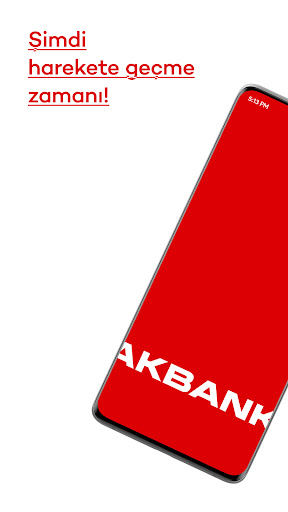
Akbank Mobil ile bankacılık işlemleriniz için cep telefonunuz size yeter.
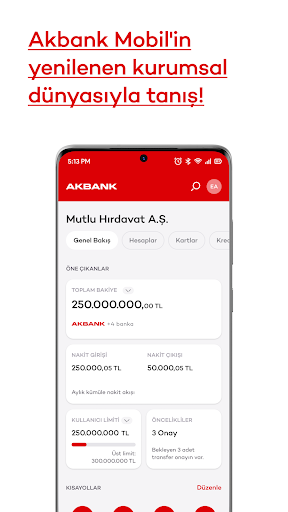
Akbank Mobil sizin için yenilendi. Modern tasarımı ve sadeleştirilmiş işlem akışları ile Akbank Mobil bankacılığı kolaylaştırıyor.
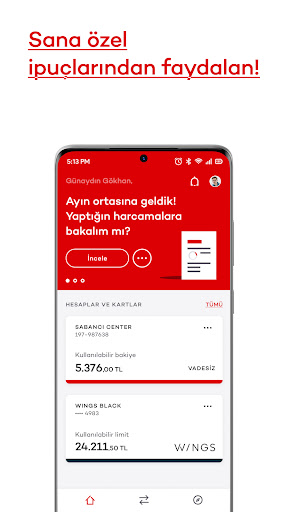
Üstelik ana sayfada size özel yeni bir alanınız var. Bu alanda finansal hayatınızı kolaylaştıracak size özel akıllı ipuçlarına ve Axess kampanyalarına ulaşabilirsiniz.
Sizin için düşünen yapay zeka altyapısı ile zaman kazanacaksınız.
Bireysel ve kurumsal müşterilerimize hizmet verdiğimiz Akbank Mobil’e TC kimlik numaranız, müşteri numaranız veya kredi kartı bilgileriniz ile giriş yapabilir, bankacılık işlemlerinizi gerçekleştirebilirsiniz.
Euromoney tarafından Dünyanın En İyi Dijital Bankası seçilen Akbank’ın uygulamasını akıllı telefonunuza indirerek kullanabilirsiniz.
Akbank uygulaması ve Wear OS işletim sistemine sahip akıllı saatin ile temassız ödeme yapmak artık çok kolay!
Her türlü soru ve sorununuz için Twitter sayfamızı ziyaret edebilirsiniz: www.twitter.com/AkbankDestek
----
Your smart phone is all you need for your banking transactions with Akbank Mobile.
We renewed Akbank Mobile for you. You will enjoy an easier banking experience with its modern design and simplified processes.
You now have a personalised area on the main page. You can view smart insights that will ease your financial life and Axess campaigns in this area.
You will save time with artifical intelligence that thinks in your stead.
Our consumer and corporate customers can login to Akbank Mobile with TC identity number, customer number or credit card information.
Awarded World’s Best Digital Bank by Euromoney, Akbank offers Akbank Mobile on smartphones.
Please visit our Twitter page for any queries and problems. www.twitter.com/Akbankdestek
Show more

1. Download MEmu installer and finish the setup

2. Start MEmu then open Google Play on the desktop

3. Search Akbank in Google Play
Install
4. Download and Install Akbank
5. On install completion click the icon to start

6. Enjoy using Akbank on PC with MEmu
MEmu Play is the best Android emulator, and 100 million users already enjoy its superb Android app experience. Powered by advanced virtualization technology, it lets you enjoy thousands of Android apps smoothly on your PC—including the most graphics-intensive ones.
Bigger screen with better graphics; Long duration, without limitation of battery or mobile data.
Full Keymapping support for precise control of keyboard and mouse or gamepad.
Multiple game accounts or tasks on single PC at one time with Multi-Instance manager.
Use Akbank on PC by following steps:
































