
BIDV SmartBanking
Updated
Current Version
J
Offered By

Stop worrying about high battery drain when using BIDV SmartBanking on your phone. Free yourself from the tiny screen and enjoy the app on a much larger display. From now on, get a full-screen experience of your app with the convenience of a keyboard and mouse. MEmu offers you all the surprising features you’d expect: quick installation and easy setup, intuitive controls, and no more worries about battery life, mobile data, or unexpected calls. The all-new MEmu 9 is the choice for using BIDV SmartBanking on your computer. With the MEmu multi-instance manager, you can run two or more accounts at the same time. Most importantly, our exclusive emulation engine unlocks your PC’s full potential, delivering smooth and enjoyable performance.
Show more
Enjoy superb experience of using BIDV SmartBanking on PC with MEMU App Player. It's a powerful free Android emulator which provides you with thousands of android apps for their desktop version. Enjoy connecting with friends and polishing your work with higher efficiency! *** OPEN A BIDV SMARTBANKING ACCOUNT - THOUSANDS OF UTILITIES AT YOUR HANDS*.
*** OPEN A BIDV SMARTBANKING ACCOUNT - THOUSANDS OF UTILITIES AT YOUR HANDS*
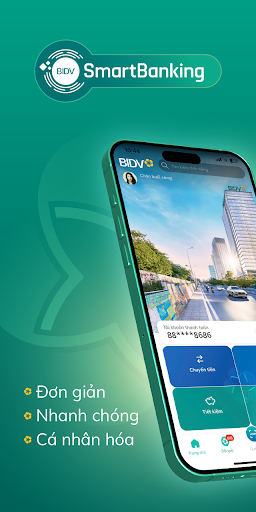
BIDV SmartBanking is an "Omni Chanel" digital banking service, multi-channel, multi-utility for individual customers. The new optimized and smart version seamlessly meets all customers' financial and non-financial transaction needs.
#ONE APP FOR EVERY DAILY TRANSACTION:
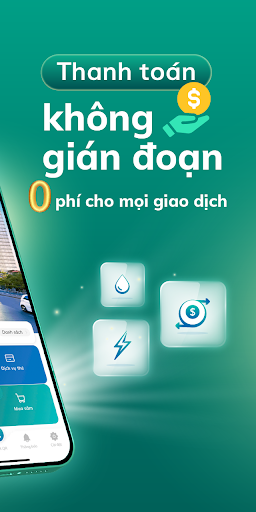
- Transfer money, pay electricity, water, internet, recharge phone/VETC/stock...
- Online shopping, buying train and plane tickets
, order flowers, delivery, book movie tickets, book hotel rooms...
- 1-touch payment with Applepay and Samsungpay
- Choose the desired account, beautiful feng shui number
- Online mortgage loans, savings,...
# SHOPPING REFUNDS, ACCUMULATE POINTS AND DROP OUT
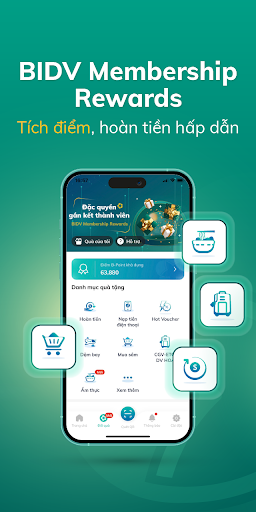
- Smooth shopping experience, great cashback, earn B-points to redeem countless attractive vouchers
- Diverse incentives from famous brands: Shopee, Lazada, Tiki, GoldenGate, PhucLong, CGV...
# WIDE NETWORK ACROSS THE COUNTRY
- More than 50,000 payment acceptance points, 7,000 transaction points, ATMs and payment network nationwide
- Ready to be everywhere when you need it, including depositing and withdrawing cash. -
# PIONEER TECHNOLOGY - SAFETY AND SECURITY
- Use only 01 login name (Service registration phone number) and 01 password on different platforms and devices: web, mobile, watch and smart keyboard.
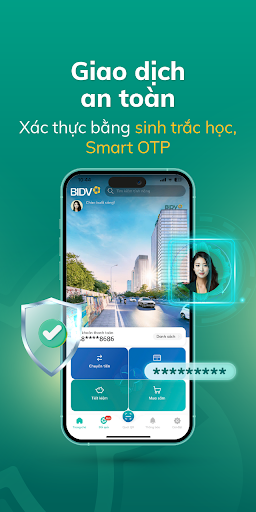
- Security with modern authentication methods (Smart OTP, biometrics,....)
- Friendly and more personal interface with the ability to customize background images and avatars on the application - Choose to arrange priority functions according to your preferences.
# FEE POLICY:
- From January 1, 2022, BIDV does not collect the following fees: all money transfer transaction fees within and outside the system, service maintenance fees, default account management fees, OTT message fees, fees Issue and lifetime annual fee for Non-physical cards issued on SmartBanking.
*You can register for SmartBanking service directly at BIDV transaction points nationwide or register online on the website https://www.bidv.com.vn/ and right on the new generation SmartBanking application.
Manage accounts at BIDV safely and effectively with BIDV SmartBanking!
Detailed information at: https://www.bidv.com.vn Head office: BIDV Tower, 194 Tran Quang Khai, Hoan Kiem, Hanoi
Show more

1. Download MEmu installer and finish the setup

2. Start MEmu then open Google Play on the desktop

3. Search BIDV SmartBanking in Google Play
Install
4. Download and Install BIDV SmartBanking
5. On install completion click the icon to start

6. Enjoy using BIDV SmartBanking on PC with MEmu
MEmu Play is the best Android emulator, and 100 million users already enjoy its superb Android app experience. Powered by advanced virtualization technology, it lets you enjoy thousands of Android apps smoothly on your PC—including the most graphics-intensive ones.
Bigger screen with better graphics; Long duration, without limitation of battery or mobile data.
Full Keymapping support for precise control of keyboard and mouse or gamepad.
Multiple game accounts or tasks on single PC at one time with Multi-Instance manager.
Use BIDV SmartBanking on PC by following steps:
































