PagBank Banco, Cartão e Conta
Updated
Current Version
5.10.14
Offered By

Stop worrying about high battery drain when using PagBank Banco, Cartão e Conta on your phone. Free yourself from the tiny screen and enjoy the app on a much larger display. From now on, get a full-screen experience of your app with the convenience of a keyboard and mouse. MEmu offers you all the surprising features you’d expect: quick installation and easy setup, intuitive controls, and no more worries about battery life, mobile data, or unexpected calls. The all-new MEmu 9 is the choice for using PagBank Banco, Cartão e Conta on your computer. With the MEmu multi-instance manager, you can run two or more accounts at the same time. Most importantly, our exclusive emulation engine unlocks your PC’s full potential, delivering smooth and enjoyable performance.
Show more
Enjoy superb experience of using PagBank Banco, Cartão e Conta on PC with MEMU App Player. It's a powerful free Android emulator which provides you with thousands of android apps for their desktop version. Enjoy connecting with friends and polishing your work with higher efficiency! PagBank is the complete bank, where your money goes further!
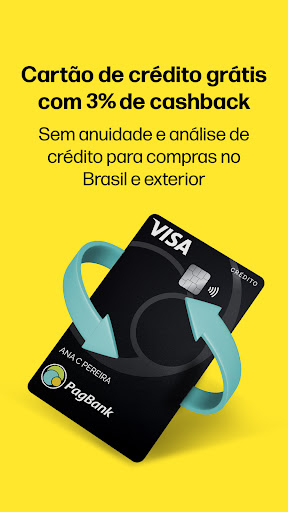


PagBank is the complete bank, where your money goes further! Free digital account, credit card without analysis for individuals and companies with cashback, free business account and much more.
credit card
A card with no annual fee, no credit analysis, international and with a limit released instantly with 1% cashback, including for negative customers. Each real reserved in the account becomes a limit on the card
1% Cashback
When you use your credit card, you earn cashback when paying your invoice! Invoices with a value above R$3 thousand, the cashback value is 1% and invoices up to R$3 thousand are 0.5%.
Example: Paying the invoice of R$10 thousand you receive R$100 back.
Free digital account
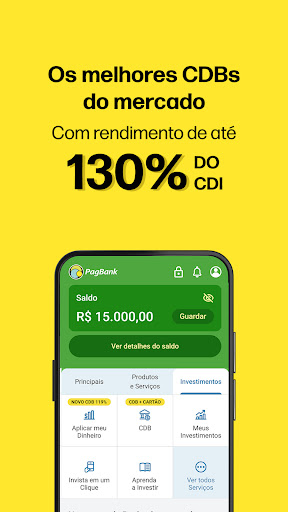
Make bill payments, invoices with installments, Pix, FGTS birthday withdrawal in advance, loans, cell phone top-up and many more. Your money sitting in the account yields 100% of the CDI.
Investments
The best investments for you to make your emergency fund or to save money for your goals, to buy a house, a car, go on a trip or whatever you want.
CDBs that yield more than double your savings, with redemption whenever you want and with investment from R$1.00, direct Treasury, investment funds, shares and much more investments in the app available to individuals and companies.
Get access to suggested portfolios, portfolios by investor profile and content related to the topic of financial education to help you make a decision about the best investment for your goals.
Corporate account
A 100% digital account with all the 100% digital services your company needs.
Ideal for entrepreneurs looking for ease in their daily lives with unlimited Pix, Bill and tax payments, Business management, Investments, Free credit and debit cards and much more.
Machines with zero fees and instant cash, QR Code Pix, Online sales, Loyalty program and everything for you to sell and make your money go further.
Card Machine:
The best machines for your business with zero fees, no rental or membership fees, 5 years warranty, free shipping and different ways of receiving payments: Pix, QR Code, All debit, credit and meal brands and you still receive the money from your sales instantly.
You thought little machine, you thought PagBank.
*Check availability and offer information at: https://pagbank.com.br/.
PagSeguro - Internet Institution of Payments S.A. CNPJ: 08.561.701/0001-01
Av. Brigadeiro Faria Lima, 1384, Jardim Paulistano, São Paulo- SP, 01451-001
Show more

1. Download MEmu installer and finish the setup

2. Start MEmu then open Google Play on the desktop

3. Search PagBank Banco, Cartão e Conta in Google Play
Install
4. Download and Install PagBank Banco, Cartão e Conta
5. On install completion click the icon to start

6. Enjoy using PagBank Banco, Cartão e Conta on PC with MEmu
MEmu Play is the best Android emulator, and 100 million users already enjoy its superb Android app experience. Powered by advanced virtualization technology, it lets you enjoy thousands of Android apps smoothly on your PC—including the most graphics-intensive ones.
Bigger screen with better graphics; Long duration, without limitation of battery or mobile data.
Full Keymapping support for precise control of keyboard and mouse or gamepad.
Multiple game accounts or tasks on single PC at one time with Multi-Instance manager.
Use PagBank Banco, Cartão e Conta on PC by following steps:
































