
Photomath
Updated
Current Version
8.41.0
Offered By

Stop worrying about high battery drain when using Photomath on your phone. Free yourself from the tiny screen and enjoy the app on a much larger display. From now on, get a full-screen experience of your app with the convenience of a keyboard and mouse. MEmu offers you all the surprising features you’d expect: quick installation and easy setup, intuitive controls, and no more worries about battery life, mobile data, or unexpected calls. The all-new MEmu 9 is the choice for using Photomath on your computer. With the MEmu multi-instance manager, you can run two or more accounts at the same time. Most importantly, our exclusive emulation engine unlocks your PC’s full potential, delivering smooth and enjoyable performance.
Show more
Enjoy superb experience of using Photomath on PC with MEMU App Player. It's a powerful free Android emulator which provides you with thousands of android apps for their desktop version. Enjoy connecting with friends and polishing your work with higher efficiency! Photomath is known worldwide for helping millions of learners to learn, practice, and understand math – one step at a time.
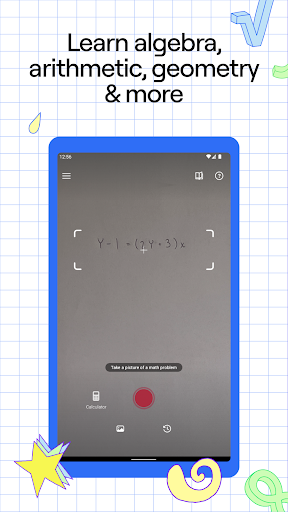
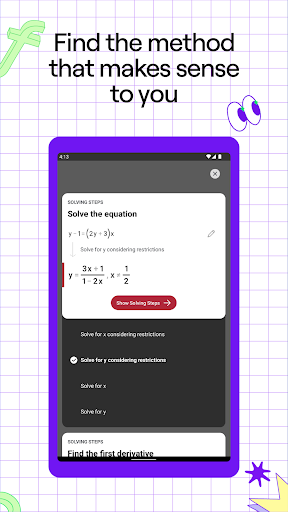
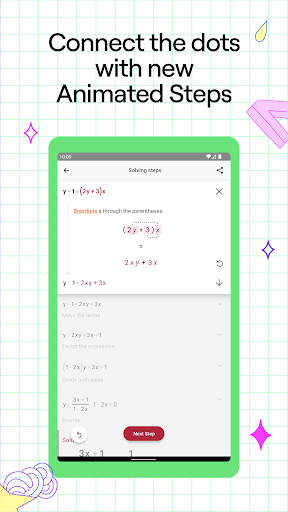
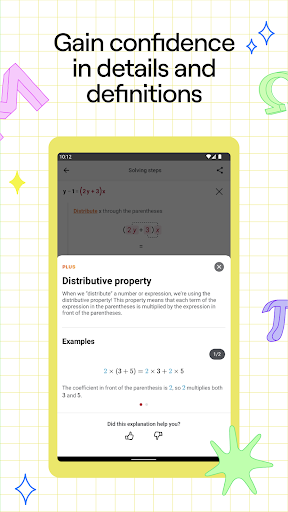
Photomath is known worldwide for helping millions of learners to learn, practice, and understand math – one step at a time.
Scan any math problem with the Photomath app to get step-by-step explanations with accurate solutions and a variety of teacher-approved methods. Math is about the process, so Photomath breaks your problem into bite-sized steps to help you understand the “what” and “why” along with the “how.” Whether you’re learning basic arithmetic or advanced geometry, we’ll tackle it together, step by step.
Why Photomath?
Billions of math problems: From elementary arithmetic to advanced calculus and everything in between, Photomath can solve billions of math problems—including word problems! Whether handwritten, in a textbook, or on a screen, Photomath is here to help you untangle your trickiest problem.
Step-by-step explanations: Math isn’t just about an answer. It’s about every step along the way. That’s why Photomath breaks down each step, so you can *really* learn. Less guesswork = less stress, especially with our new Animated Steps, which show you the exact progression of a particular step. Get basic step-by-step explanations at no charge when you download Photomath.
Expert-developed methods: Photomath’s educational content is centered around the learner’s experience, driven by the expertise of our own team of mathematicians and former math teachers.
Self-paced learning: Photomath’s instant support is like having a 24/7 virtual tutor. Checking your homework before dinner? Stuck on a problem at 2am? We can help. Follow our detailed steps, taking whatever time you need to review definitions, rationale, and more – all within the explanation.
Want to dive deeper and explore more ways to learn? Photomath Plus can get you there with custom Animated Tutorials, detailed Textbook Solutions, and more!
KEY FEATURES
• Step-by-step explanations included in our basic version (free of charge)
• Word problem instructions
• Interactive graphs
• Video learning
• Multiple solution methods
• Advanced scientific calculator
Photomath is for learners of all levels, including those studying:
Numbers & Quantity
Algebra
Functions
Trigonometry & Angles
Sequences
Geometry
Calculus
“The step-by-step guide is beneficial to students that do not have access to a tutor and struggle with solving math problems.” — Forbes
“A viral video about a new app looks like a dream come true for anyone who struggles with math.” — Time
___________________________________________
• Payment will be charged to your Google account at the confirmation of purchase.
• A subscription automatically renews unless it’s canceled at least 24 hours before the end of the current billing period.
• Your account will be charged for renewal within 24 hours prior to the end of the current period.
• Manage or cancel your subscription in your account settings on the Google Play after purchase.
• Offers and pricing are subject to change without notice.
Suggestions or questions? Email us at support@photomath.com
Website: www.photomath.com
TikTok: @photomath
Instagram: @photomath
Facebook: @Photomathapp
Twitter: @Photomath
Terms of Use: https://photomath.app/en/termsofuse
Privacy Policy: https://photomath.app/en/privacypolicy
Show more

1. Download MEmu installer and finish the setup

2. Start MEmu then open Google Play on the desktop

3. Search Photomath in Google Play
Install
4. Download and Install Photomath
5. On install completion click the icon to start

6. Enjoy using Photomath on PC with MEmu
MEmu Play is the best Android emulator, and 100 million users already enjoy its superb Android app experience. Powered by advanced virtualization technology, it lets you enjoy thousands of Android apps smoothly on your PC—including the most graphics-intensive ones.
Bigger screen with better graphics; Long duration, without limitation of battery or mobile data.
Full Keymapping support for precise control of keyboard and mouse or gamepad.
Multiple game accounts or tasks on single PC at one time with Multi-Instance manager.
Use Photomath on PC by following steps:






























![[3D Platformer] Super Bear Adventure PC](https://dl.memuplay.com/new_market/img/com.Earthkwak.Platformer.icon.2024-09-08-15-16-43.png)









