
PayPal Mobile Cash: Send and Request Money Fast
Updated
Current Version
10.13.0
Offered By

Stop worrying about high battery drain when using PayPal Mobile Cash: Send and Request Money Fast on your phone. Free yourself from the tiny screen and enjoy the app on a much larger display. From now on, get a full-screen experience of your app with the convenience of a keyboard and mouse. MEmu offers you all the surprising features you’d expect: quick installation and easy setup, intuitive controls, and no more worries about battery life, mobile data, or unexpected calls. The all-new MEmu 9 is the choice for using PayPal Mobile Cash: Send and Request Money Fast on your computer. With the MEmu multi-instance manager, you can run two or more accounts at the same time. Most importantly, our exclusive emulation engine unlocks your PC’s full potential, delivering smooth and enjoyable performance.
Show more
Enjoy superb experience of using PayPal Mobile Cash: Send and Request Money Fast on PC with MEMU App Player. It's a powerful free Android emulator which provides you with thousands of android apps for their desktop version. Enjoy connecting with friends and polishing your work with higher efficiency! PayPal is a smart and secure way to shop in-store and online, earn cash back on brands you love, send money to friends and much more.

PayPal is a smart and secure way to shop in-store and online, earn cash back on brands you love, send money to friends and much more. Get started in the app.
SAVE OFFERS IN THE APP
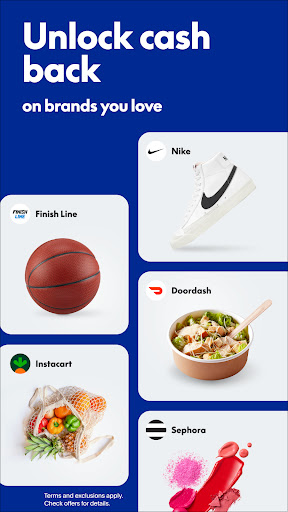
Get cash back offers* from brands you love. We’ll automatically apply them at checkout.
*Eligible items only. Redeem points for cash or other options. Terms and exclusions apply: PayPal.com/rewards-terms
SEND AND REQUEST MONEY FOR FREE
Securely send and receive money with just about anyone in 120+ countries
It’s free to send and receive with friends & family in the US when funded by a bank account or PayPal balance
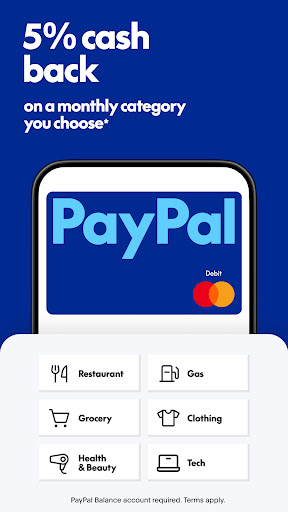
GET THE PAYPAL DEBIT CARD AND EARN CASH BACK
Request your card right in the app. No credit check required.
Shop with your PayPal balance everywhere Mastercard® is accepted.
Earn 5% cash back on a category you choose each month*
*5% cash back earned as points you redeem for cash & other options on up to $1000 spend/month. Terms apply: http://paypal.com/rewardspal.
A PayPal balance account is required to get the card.
The PayPal Debit Mastercard® is issued by The Bancorp Bank N.A. (“Bancorp”), pursuant to a license by Mastercard International Incorporated and may be used everywhere Mastercard is accepted. Mastercard and the circles design are registered trademarks of Mastercard International Incorporated. Bancorp is issuer of the Card only and not responsible for the associated accounts or other products, services, or offers from PayPal. PayPal is a financial technology company, not a bank. The Card is linked to your PayPal Balance account. See PayPal Balance Terms and Conditions: https://www.paypal.com/us/legalhub/pp-balance-tnc#holding
GROW YOUR MONEY WITH HIGH-YIELD PAYPAL SAVINGS
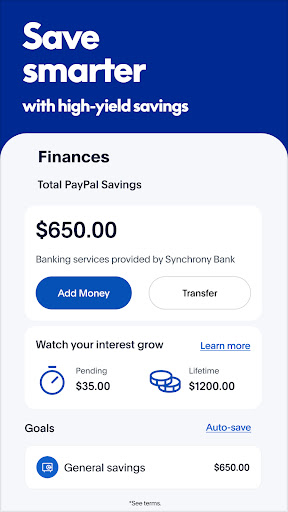
Roll your money into PayPal Savings and earn a current 4.30% APY–that’s 9x the national average*
Easily manage your account right from the app. Transfer money in and out, set individual goals, and track your progress as your savings grows.
*As of June 07, 2023, the annual percentage yield (APY) for PayPal Savings is 4.30%. This is a variable rate and can change at any time, including after the account is opened. National average source: FDIC National Rates and Rate Caps as of August 19, 2024: https://www.fdic.gov/resources/bankers/national-rates/#one PayPal is a financial technology company, not a bank. Banking service provided by Synchrony Bank, Member FDIC. PayPal Balance account is required to use PayPal Savings.
TRACK YOUR PACKAGES
View your orders and their delivery status right from the PayPal app–even if you didn’t pay with PayPal. Simply link your Gmail to get started.
Get live updates each step of the way until they arrive safely at your door.
Not all sellers are participants.
PAY IN 4 WITH NO LATE FEES
Split everyday purchases into 4 interest-free payments at millions of online stores.
No late fees. No impact to your credit score.
Manage payments right in the app.
*Pay in 4 is available upon approval for purchases of $30 - $1500 and is currently not available to residents of MO or NV. 18 years old or older to apply. PayPal, Inc.: Loans to CA residents are made or arranged pursuant to a CA Financing Law License. GA Installment Lender Licensee, NMLS #910457. RI Small Loan Lender Licensee. NM residents: Go to paypal.com/us/webapps/mpp/campaigns/newmexicodisclosure. Learn more at paypal.com/payin4
TRUST & SECURITY
Transactions are encrypted and we don’t share your full financial info.
Availability of features varies by market.
PayPal
2211 N 1st St San Jose, CA 95131
Show more

1. Download MEmu installer and finish the setup

2. Start MEmu then open Google Play on the desktop

3. Search PayPal Mobile Cash: Send and Request Money Fast in Google Play
Install
4. Download and Install PayPal Mobile Cash: Send and Request Money Fast
5. On install completion click the icon to start

6. Enjoy using PayPal Mobile Cash: Send and Request Money Fast on PC with MEmu
MEmu Play is the best Android emulator, and 100 million users already enjoy its superb Android app experience. Powered by advanced virtualization technology, it lets you enjoy thousands of Android apps smoothly on your PC—including the most graphics-intensive ones.
Bigger screen with better graphics; Long duration, without limitation of battery or mobile data.
Full Keymapping support for precise control of keyboard and mouse or gamepad.
Multiple game accounts or tasks on single PC at one time with Multi-Instance manager.
Use PayPal Mobile Cash: Send and Request Money Fast on PC by following steps: