Krungthai NEXT
Updated
Current Version
D
Offered By

Stop worrying about high battery drain when using Krungthai NEXT on your phone. Free yourself from the tiny screen and enjoy the app on a much larger display. From now on, get a full-screen experience of your app with the convenience of a keyboard and mouse. MEmu offers you all the surprising features you’d expect: quick installation and easy setup, intuitive controls, and no more worries about battery life, mobile data, or unexpected calls. The all-new MEmu 9 is the choice for using Krungthai NEXT on your computer. With the MEmu multi-instance manager, you can run two or more accounts at the same time. Most importantly, our exclusive emulation engine unlocks your PC’s full potential, delivering smooth and enjoyable performance.
Show more
Enjoy superb experience of using Krungthai NEXT on PC with MEMU App Player. It's a powerful free Android emulator which provides you with thousands of android apps for their desktop version. Enjoy connecting with friends and polishing your work with higher efficiency! Krungthai NEXT is a mobile application that keeps you on top of your finances.
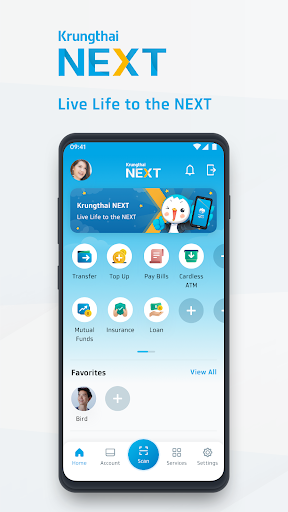
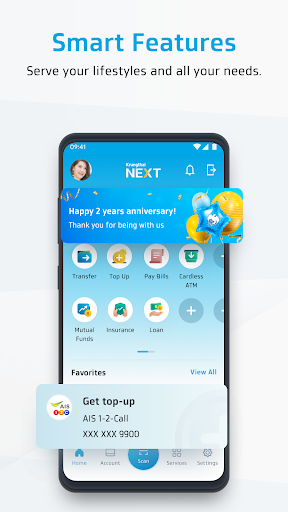
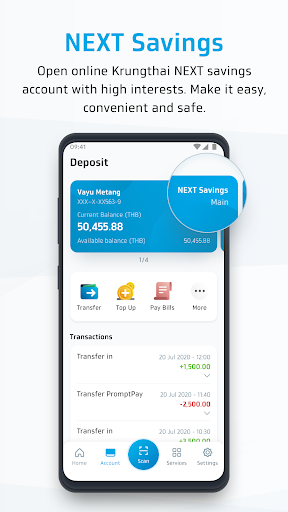
Krungthai NEXT is a mobile application that keeps you on top of your finances. Enjoy a smart lifestyle with our new app!
Simpler, faster and more secured:
• Register with face verification. No need to worry about forgetting your username or password!
• Transfer, top up, pay bills, withdraw money and apply for a loan with no hassle.
• Schedule your transactions up to 24 months in advance.
• Personalize your home screen on Quick Menu, Favorite and Profile Picture to match your preference.
Smart lifestyle:
• Use Smart Banner to receive your payment reminders and news. This helps you avoid late fees, save time and stay ahead of the game.
• Enable Smart Transaction to get suggested transactions, completing them faster than ever.
• Enjoy your privileged campaigns on Smart Promotion, catering to your taste.
And many more:
• Open NEXT savings accounts with a high-interest rate.
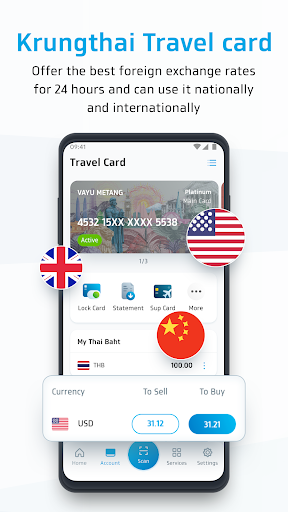
• Spend your Krungthai Travel Cards with the best foreign exchange rates.
• Buy insurance and check your insurance policy anywhere and anytime.
• Credit limit personal loan up to 1,000,000 THB
• Interest rate 11 - 24 % annually for valued customers who always pay on the due date (No additional fee to be charged)
• Installment plan from 12-60 months
Example of installment payment
When customers has been approved personal loan 50,000 THB
with 12 months installment plan at 11% of interest rate
Customer required to pay 4,500 TH per month (both initial amount and
monthly interest fee) and in total customer needs to pay 52,979 THB
(50,000 THB for initial amount and 2,979 THB for interest)
• Track your KTC card usage, available balance and reward points.
About Krungthai NEXT:
• Website : www.krungthai.com
• Facebook : https://www.facebook.com/krungthaibank
• Contact Center : 02-111-1111
• Address : 35 Nana Nua Building Sukhumvit Road, Khlong Toei Nua, Watthana , Bangkok ,Thailand 10110
Krungthai NEXT - Live Life to the NEXT
Download now!
Show more

1. Download MEmu installer and finish the setup

2. Start MEmu then open Google Play on the desktop

3. Search Krungthai NEXT in Google Play
Install
4. Download and Install Krungthai NEXT
5. On install completion click the icon to start

6. Enjoy using Krungthai NEXT on PC with MEmu
MEmu Play is the best Android emulator, and 100 million users already enjoy its superb Android app experience. Powered by advanced virtualization technology, it lets you enjoy thousands of Android apps smoothly on your PC—including the most graphics-intensive ones.
Bigger screen with better graphics; Long duration, without limitation of battery or mobile data.
Full Keymapping support for precise control of keyboard and mouse or gamepad.
Multiple game accounts or tasks on single PC at one time with Multi-Instance manager.
Use Krungthai NEXT on PC by following steps: