Navi: UPI, Payments, Insurance
Updated
Current Version
7.21.10
Offered By

Stop worrying about high battery drain when using Navi: UPI, Payments, Insurance on your phone. Free yourself from the tiny screen and enjoy the app on a much larger display. From now on, get a full-screen experience of your app with the convenience of a keyboard and mouse. MEmu offers you all the surprising features you’d expect: quick installation and easy setup, intuitive controls, and no more worries about battery life, mobile data, or unexpected calls. The all-new MEmu 9 is the choice for using Navi: UPI, Payments, Insurance on your computer. With the MEmu multi-instance manager, you can run two or more accounts at the same time. Most importantly, our exclusive emulation engine unlocks your PC’s full potential, delivering smooth and enjoyable performance.
Show more
Enjoy superb experience of using Navi: UPI, Payments, Insurance on PC with MEMU App Player. It's a powerful free Android emulator which provides you with thousands of android apps for their desktop version. Enjoy connecting with friends and polishing your work with higher efficiency! Navi, your all-in-one financial superapp designed for your diverse financial needs, offers a range of services for your daily convenience.
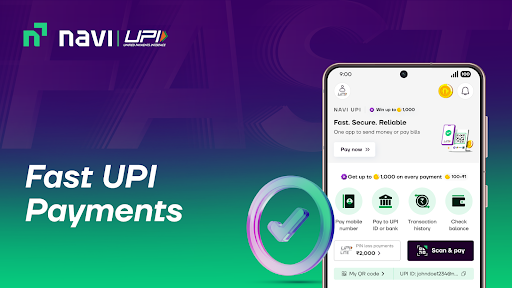
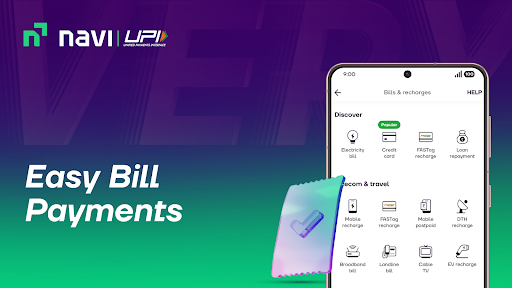
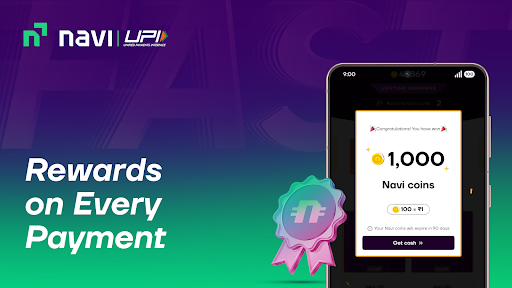
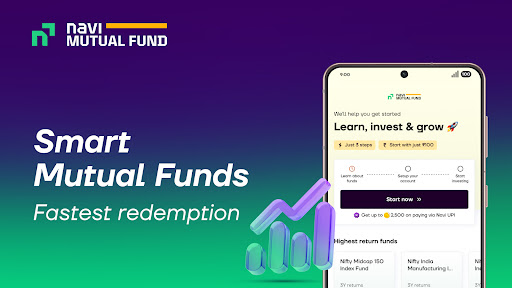
Navi, your all-in-one financial superapp designed for your diverse financial needs, offers a range of services for your daily convenience. Whether it is lightning-fast UPI payments, investments in mutual funds and gold, or dependable health and motor insurance coverage, Navi has you covered. Download the Navi app and unlock a world of possibilities for your financial well-being.
1. Navi UPI
Simplify money transfers with Navi UPI (NPCI Approved).
Navi UPI Features
Instantly transfer money to anyone, anytime
Pay bills and recharge online
Conveniently scan and pay at any store
Seamlessly make online payments on various apps
Enjoy hassle-free payments with Navi UPI Lite, no PIN required
2. Navi Health Insurance
Safeguard yourself and your family's financial future with Navi Health Insurance.
Navi Health Insurance Features
Coverage up to ₹3 crore
Health insurance premiums starting at just ₹350* per month
Experience quality healthcare at over 12,000+ network hospitals*
Cashless claim settlement within 20 minutes*
Benefit from 100% coverage* of hospital bills through a paperless process
3. Investments
Discover diverse investment opportunities with mutual funds and digital gold.
Navi Mutual Fund Features
Diversify with Direct Index Funds for better growth
Flexible SIP options: daily, weekly, or monthly
Zero commission & one of lowest expense ratios for cost-effective investing
Fastest redemption order payout in the industry
Invest till 3 PM and get the same-day NAV for better returns
Investment starts with just ₹100
Remember, mutual fund investments are subject to market risks; read all scheme related documents carefully.
Navi Gold Features
24K Digital Gold
99.9% purity
Investment starts with just ₹50
4. Referral Program
Discover endless rewards with Navi's referral program! Share the Navi app with friends and family, and unlock exclusive rewards for every successful referral.
About Navi
- Navi app is developed & owned by Navi Limited (formerly known as Navi Technologies Limited), founded by Sachin Bansal and Ankit Agarwal, in December 2018.
- Health Insurance is offered by Navi General Insurance Limited, registered with the IRDAI as a general insurer.
- Navi Mutual Fund, registered with the SEBI, offers multiple mutual fund schemes to investors.
- Navi UPI is NPCI approved.
Show more

1. Download MEmu installer and finish the setup

2. Start MEmu then open Google Play on the desktop

3. Search Navi: UPI, Payments, Insurance in Google Play
Install
4. Download and Install Navi: UPI, Payments, Insurance
5. On install completion click the icon to start

6. Enjoy using Navi: UPI, Payments, Insurance on PC with MEmu
MEmu Play is the best Android emulator, and 100 million users already enjoy its superb Android app experience. Powered by advanced virtualization technology, it lets you enjoy thousands of Android apps smoothly on your PC—including the most graphics-intensive ones.
Bigger screen with better graphics; Long duration, without limitation of battery or mobile data.
Full Keymapping support for precise control of keyboard and mouse or gamepad.
Multiple game accounts or tasks on single PC at one time with Multi-Instance manager.
Use Navi: UPI, Payments, Insurance on PC by following steps: