
Paytm: Secure UPI Payments
Updated
Current Version
10.83.10
Offered By

Stop worrying about high battery drain when using Paytm: Secure UPI Payments on your phone. Free yourself from the tiny screen and enjoy the app on a much larger display. From now on, get a full-screen experience of your app with the convenience of a keyboard and mouse. MEmu offers you all the surprising features you’d expect: quick installation and easy setup, intuitive controls, and no more worries about battery life, mobile data, or unexpected calls. The all-new MEmu 9 is the choice for using Paytm: Secure UPI Payments on your computer. With the MEmu multi-instance manager, you can run two or more accounts at the same time. Most importantly, our exclusive emulation engine unlocks your PC’s full potential, delivering smooth and enjoyable performance.
Show more
Enjoy superb experience of using Paytm: Secure UPI Payments on PC with MEMU App Player. It's a powerful free Android emulator which provides you with thousands of android apps for their desktop version. Enjoy connecting with friends and polishing your work with higher efficiency! Paytm (पेटीएम) - Built for India.
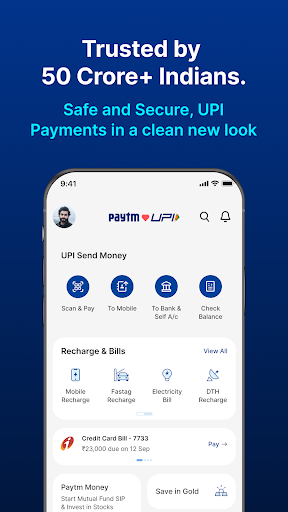
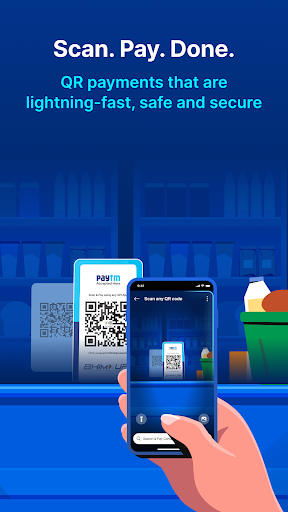

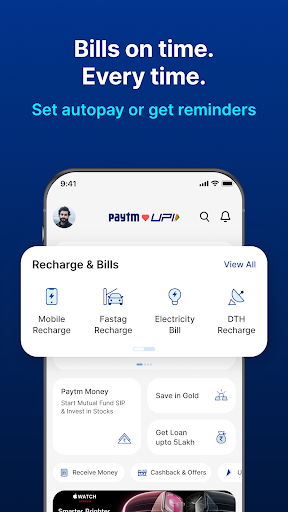
Paytm (पेटीएम) - Built for India. Trusted by 50 Crore+ Indians.
We pioneered mobile payments, QR codes, Soundbox, and in-store devices in India - and we continue to lead with innovation. In the BHIM UPI ecosystem, Paytm is the only UPI app that builds features based on real user needs. From personalised UPI IDs and privacy-first controls to widgets, bank balance visibility, and Excel UPI statements, we innovate to make digital payments smarter, safer, and more private - only on Paytm.
Paytm UPI now works internationally in UAE, Singapore, France, Mauritius, Bhutan, Sri Lanka, and Nepal - making it easy for Indian travellers to send money or pay abroad instantly.
Why Paytm?
● India’s safest, most secure UPI money transfer app
● Powered by top Indian banks
● Built-in privacy: hide/unhide payments, personalised UPI ID, QR scan without sharing number, no OTP card swipes
Innovations Only on Paytm UPI
1. Hide & Unhide Payments - Only you control your transaction visibility.
2. Personalised UPI ID - Choose name@ptyes or name@ptaxis instead of revealing your number.
3. Download UPI Statements in Excel + PDF - Great for tracking, accounting, or tax filing.
4. Spend Analytics - Categorised spend insights, month-on-month tracking.
5. Total UPI Bank Balance - View balances across all linked accounts instantly (only for Paytm users).
6. Receive Money Widget - Coin sound & notification every time you receive a payment.
7. Scan & Pay Widget - Scan QR right from your home screen.
8. Smart Bank Transfer Autofill - Copy-paste account info from WhatsApp, Paytm fills it correctly.
9. Auto Top-Up for UPI Lite - Never run out of Lite balance with automated top-ups.
10. Self Transfers - Move money between your own bank accounts instantly.
Payment Methods – UPI Your Way
● Paytm UPI - Send and receive money using just a mobile number. Scan any QR code, pay at shops, and more.
● Paytm UPI Lite - PIN-less payments up to ₹4,000/day. Works even when banks are down. Auto top-up and clutter-free bank statements.
● RuPay Credit Card on UPI - Link your RuPay card and pay via UPI. No OTP, no CVV. Earn rewards at shops and online.
● UPI AutoPay - Enable recurring payments for subscriptions, SIPs, rent, and more.
Recharges, Utility Bill Payments & More
● Recharge mobile (prepaid/postpaid) with Jio, Airtel, VI, MTNL, BSNL
● DTH (TataPlay, Sun Direct, Airtel Digital TV, etc.)
● Electricity, water, gas, broadband, insurance, FASTag, challans, EMIs & more
Pay at Online Stores
● 100+ apps supported - food delivery, grocery, shopping & OTT
Set UPI PIN
● Secure every transaction. 4 or 6-digit UPI PIN setup required.
Rent Payments Made Easy
● Pay your rent directly via UPI or using your RuPay credit card on Paytm. Earn rewards, get reminders, and download monthly payment receipts - all in one tap.
Paytm Card Machines (Soundbox + Swipe)
Merchants across India now accept Paytm card machines. You can:
● Scan QR and pay
● Swipe credit/debit cards securely
All with real-time payment confirmation via iconic Paytm sound.
Personal Loans on Paytm
● Loan: ₹50,000 to ₹25,00,000
● Loan Tenure: 6–60 months
● Loan Interest Rate: 10.99%–35% p.a.
● Loan Processing Fee: 0–6%
Example: ₹1,00,000 @23% for 18 months, 4.25% fee. EMI = ₹6,621. Total Payable = ₹1,19,186
Lending Partners: Hero Fincorp, Aditya Birla Finance, InCred, EarlySalary (Fibe), Poonawalla Fincorp
Check Credit Score for Free to Get Instant Cash Loan
Travel Made Easy
● Trains: IRCTC-authorised e-ticket partner - booking, PNR, cancellations, live train status
● Buses: Instant ticketing with major operators
● Flights: Compare fares, book and manage trips easily
Contact Us
One97 Communications Ltd.
One Skymark, Tower-D, Plot No. H-10B, Sector-98, Noida, UP 201304
Paytm Money Ltd. is a wholly owned subsidiary of One97 Communications Ltd., registered with SEBI & PFRDA.
Show more

1. Download MEmu installer and finish the setup

2. Start MEmu then open Google Play on the desktop

3. Search Paytm: Secure UPI Payments in Google Play
Install
4. Download and Install Paytm: Secure UPI Payments
5. On install completion click the icon to start

6. Enjoy using Paytm: Secure UPI Payments on PC with MEmu
MEmu Play is the best Android emulator, and 100 million users already enjoy its superb Android app experience. Powered by advanced virtualization technology, it lets you enjoy thousands of Android apps smoothly on your PC—including the most graphics-intensive ones.
Bigger screen with better graphics; Long duration, without limitation of battery or mobile data.
Full Keymapping support for precise control of keyboard and mouse or gamepad.
Multiple game accounts or tasks on single PC at one time with Multi-Instance manager.
Use Paytm: Secure UPI Payments on PC by following steps: