
Trump Accounts: Official App
Updated
Current Version
2026.27.2
Offered By

Stop worrying about high battery drain when using Trump Accounts: Official App on your phone. Free yourself from the tiny screen and enjoy the app on a much larger display. From now on, get a full-screen experience of your app with the convenience of a keyboard and mouse. MEmu offers you all the surprising features you’d expect: quick installation and easy setup, intuitive controls, and no more worries about battery life, mobile data, or unexpected calls. The all-new MEmu 9 is the choice for using Trump Accounts: Official App on your computer. With the MEmu multi-instance manager, you can run two or more accounts at the same time. Most importantly, our exclusive emulation engine unlocks your PC’s full potential, delivering smooth and enjoyable performance.
Show more
Enjoy superb experience of using Trump Accounts: Official App on PC with MEMU App Player. It's a powerful free Android emulator which provides you with thousands of android apps for their desktop version. Enjoy connecting with friends and polishing your work with higher efficiency! Build a stronger financial future for your child.
Build a stronger financial future for your child.
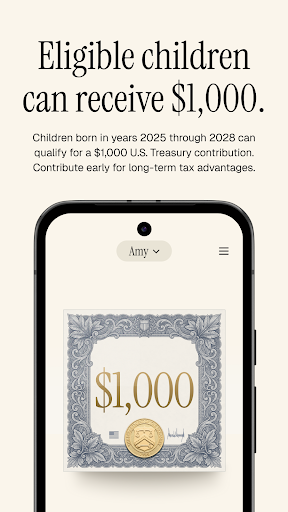
Trump Accounts help eligible American children begin building long-term financial growth from an early age. Eligible children born between 2025–2028 can qualify for an initial $1,000 U.S. Treasury contribution beginning July 4, 2026.
GET STARTED
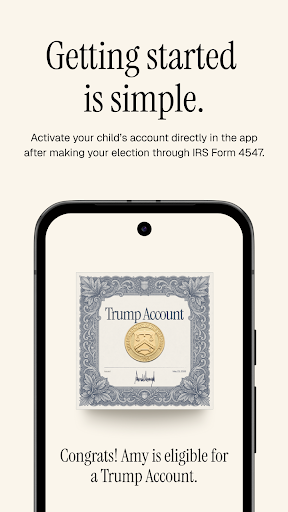
- Complete IRS Form 4547 to elect to open a Trump Account for an eligible child under 18.
- Once your election is processed, you’ll receive an invitation to activate and manage the account through the app.
- Family, friends, and employers collectively may contribute up to $5,000 annually to provide long-term growth potential.
BUILT FOR LONG-TERM GROWTH
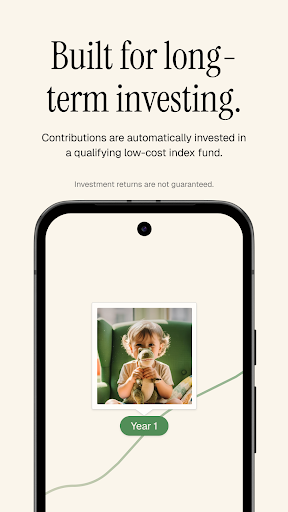
- Accounts are automatically invested in qualifying long-term investment funds designed to grow over time.
- Track contributions, monitor account activity, and follow investment performance directly in the app.
SUPPORT FROM FAMILY AND COMMUNITY
- Families, friends, and employers may all contribute toward a child’s future.
- Certain children may also qualify to receive additional contributions from nonprofit organizations or state and local governments.
AT ADULTHOOD
- A Trump Account is a traditional IRA with special rules before the beneficiary turns 18.
- At age 18, the beneficiary will take control of the account and can choose to use or continue investing the funds, subject to the rules that generally apply to traditional IRAs.
All investing involves risk.
Trump Accounts are individual retirement accounts established under federal law and administered under the authority of the U.S. Department of the Treasury. Robinhood Securities, LLC, on behalf of the U.S. Treasury and through its designated financial agent, serves as trustee for Trump Accounts and holds and administers account assets in a fiduciary capacity for account beneficiaries.
All U.S. children under 18 with a valid Social Security Number are eligible to establish a Trump Account. Parents, legal guardians, or other trusted adults can open and manage accounts on behalf of their children.
*This chart assumes bi-weekly contributions of $50 over a 13-year timeline with a 7% hypothetical annual rate of return.
**This chart assumes an initial $1,000 U.S. Treasury contribution, monthly contributions of $50 for the first 5 years, followed by annual contributions of $5,000 for the next 13 years, all growing at a hypothetical 7% annual return.
The hypothetical compound growth examples are for illustrative purposes only. They are not a guarantee of future results and do not account for real-world factors like inflation, taxes, fees, or market changes.
When the child turns 18, the account becomes a Traditional IRA. Funds can be used for any purpose, but withdrawals are taxed as ordinary income. For specific goals like higher education or a first-home purchase, withdrawals may also be penalty-free under IRS rules.
Brokerage and clearing services are provided through Robinhood Financial LLC and Robinhood Securities, LLC, each a registered broker-dealer and member of SIPC, respectively.
The Trump Accounts digital experience was developed in collaboration with the National Design Studio, an entity within the White House Office of the Executive Office of the President.
Show more

1. Download MEmu installer and finish the setup

2. Start MEmu then open Google Play on the desktop

3. Search Trump Accounts: Official App in Google Play
Install
4. Download and Install Trump Accounts: Official App
5. On install completion click the icon to start

6. Enjoy using Trump Accounts: Official App on PC with MEmu
MEmu Play is the best Android emulator, and 100 million users already enjoy its superb Android app experience. Powered by advanced virtualization technology, it lets you enjoy thousands of Android apps smoothly on your PC—including the most graphics-intensive ones.
Bigger screen with better graphics; Long duration, without limitation of battery or mobile data.
Full Keymapping support for precise control of keyboard and mouse or gamepad.
Multiple game accounts or tasks on single PC at one time with Multi-Instance manager.
Use Trump Accounts: Official App on PC by following steps:
































