Archer Castle : AFK Idle RPG
Aggiornata
Versione corrente
1.13.68
Offerta da

Vista tutta la passione dimostrata nel giocare a Archer Castle : AFK Idle RPG, le tue mani non dovrebbero essere limitate al minuscolo schermo di un telefono. Gioca come un professionista e ottieni il pieno controllo del gioco con tastiera e mouse. MEmu ti offre tutto ciò che ti aspetti. Scarica e gioca a Archer Castle : AFK Idle RPG su PC. Gioca quanto vuoi, niente più limitazioni di batteria, dati mobili e chiamate inquietanti. Il nuovissimo MEmu 9 è la scelta migliore per giocare a Archer Castle : AFK Idle RPG su PC. Realizzato sulla base della nostra esperienza, lo squisito sistema di mappatura dei tasti preimpostati rende Archer Castle : AFK Idle RPG un vero e proprio gioco per PC. MEmu è un gestore multi-instanza che permette di giocare con 2 o più account sullo stesso dispositivo. E la cosa più importante, il nostro esclusivo motore di emulazione può liberare tutto il potenziale del tuo PC, rendendo tutto fluido.
Mostra altro
Scarica Archer Castle : AFK Idle RPG su PC con MEmu Android Emulator. Divertiti giocando sul grande schermo. Official Community Now Open!
Official Community Now Open!
https://discord.gg/vKqA4vcJyu
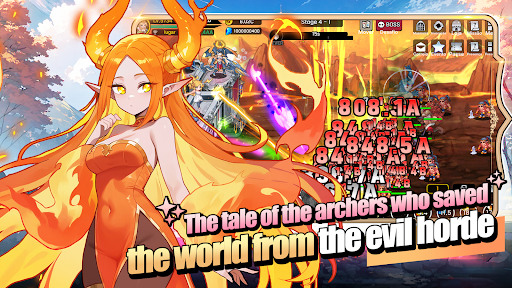
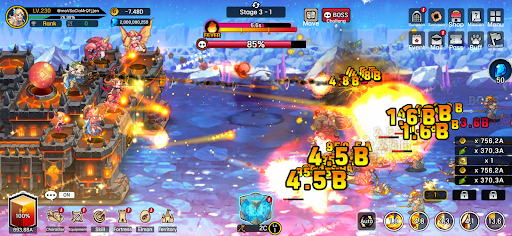
● An RPG that combines defense battles with construction and management!
Sometimes defensive, sometimes aggressive.
Manage your mobile fortress and enjoy a rich adventure!
● Fast-paced and spectacular battles!
The thrill of a powerful hack-and-slash strike, now on mobile!
Wipe out hordes of enemies with one powerful skill!
Gold and items pouring out are a bonus!
● Enjoy diverse strategies and detailed deck building!
Strategic focus fire with manual targeting!
High-quality battles using incapacitation and part destruction!
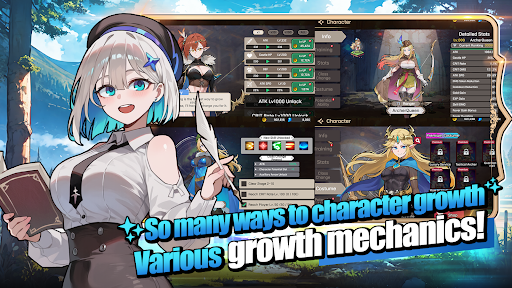
Create endless combinations with a total of 115 skills, including active, passive, command, and weapon skills!
● The fun of growth in an idle game!
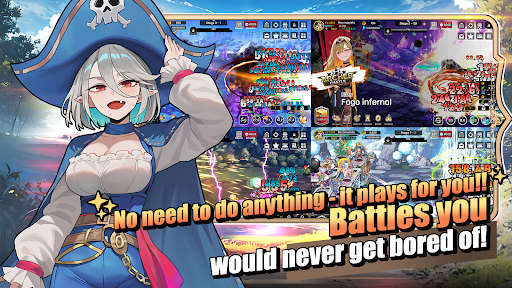
Your character grows stronger even while you sleep!
Your territory develops even while you work!
Just leave it alone and watch everything grow!
● Stylish characters and monsters
No more awkwardly animated games!
Meet stylish characters with smooth and natural animations!
● Content that actually changes appearance
These are not just icons!
Equip 168 types of gear that actually change your appearance!
Collect 180 types of pets, Elmonsters, that grow, evolve, and change their appearance!
─────────────────────
■ Recommended Device Specifications ■
- Android 9.0 or higher recommended
- RAM: 3GB or more recommended
- Storage: At least 300MB of free space recommended
[ App Permission Information ]
Archer Castle does not use sensitive app permissions that require separate notification.
[ How to Manage App Permissions ]
* Android 6.0 or higher
- Revoke by permission: Device Settings > Security & Privacy or Privacy > Permission Manager > Select permission category > Select the app > Allow or deny permission
- Revoke by app: Device Settings > Apps > Select Archer Castle > Permissions > Allow or deny permission
- Notification settings: Device Settings > Notifications > App notifications > Select Archer Castle > Allow or disable notifications
※ Menu names may vary depending on the device manufacturer and OS version.
* Below Android 6.0
Due to the nature of the operating system, individual app permissions cannot be revoked separately. Permissions can be revoked by deleting the app.
For stable service use, we recommend upgrading to Android 6.0 or higher.
Mostra altro

1. Scarica il programma di installazione di MEmu e completa l'installazione

2. Avvia il Memu e apri il Google Play sulla homepage

3. Cerca Archer Castle : AFK Idle RPG in Google Play
Install
4. Scarica e installa Archer Castle : AFK Idle RPG
5. Al termine dell'installazione, fai clic sull'icona per avviar

6. Divertiti giocando a Archer Castle : AFK Idle RPG su PC con MEmu
MEmu App Player è il miglior emulatore Android gratuito, utilizzato da 50 milioni di persone per ottenere un'esperienza di gioco Android superba. La tecnilogia di virtualizzazione MEmu ti permette di giocare a migliaia di giochi Android con semplicità sul tuo computer, anche i giochi con la grafica più esigente.
Schermo più grande con una grafica migliore; Lunga durata, senza limitazione di batteria o dati mobili.
Supporto completo per mappa di tastiera per un controllo preciso di tastiera e mouse o gamepad.
Multipli account di gioco o attività su un singolo PC contemporaneamente con il gestore di multi istanza.
Play Archer Castle : AFK Idle RPG on PC by following steps: