
Archer Castle : AFK Idle RPG
更新日
現在のバージョン
1.13.68
提供元

スマホ不要!プロ選手のようにキーボードとマウスで操作しよう。MEmuエミュはあなたにすべての期待を与える。電池が切れてしまうとか画面が小さいとかの問題を心配する必要がなくて、存分Archer Castle : AFK Idle RPGを楽しんでください。新しいMEmuエミュ7はPCでArcher Castle : AFK Idle RPGをプレイするのに最適!完璧なキーマッピングシステムにより、まるでパソコンゲームみたい。マルチインスタンスで複数のゲームやアプリを同時に実行!唯一無二な仮想化エンジンがパソコンの可能性を最大限になる。遊べるだけでなく、より楽しめる!
もっと見る
Archer Castle : AFK Idle RPGをPCでダウンロード!大画面でより楽しむ。電源が落ちてしまうとか通信料が足りないとかの問題を心配する必要がなく、PCの大画面でより快適にゲームを楽しましょう! 公式Discord運営中!

公式Discord運営中!
https://discord.gg/vKqA4vcJyu
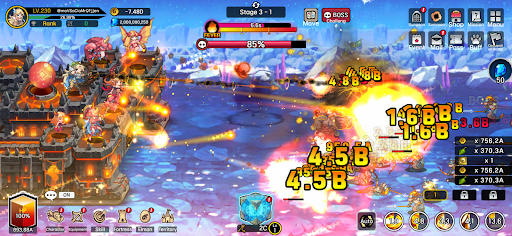
● ディフェンスバトルと建設・経営がひとつになったRPG!
時には守り、時には攻めながら、
移動要塞を管理して壮大な冒険を楽しもう!
● 爽快でド派手なバトル!
ハック&スラッシュならではの爽快な一撃をモバイルで実現!
群れをなして押し寄せる敵を、強力なスキルで一掃しよう!
大量に手に入るゴールドやアイテムも見逃せない!
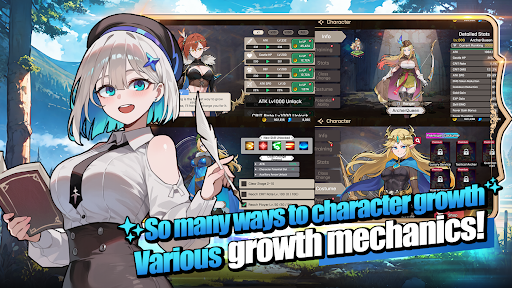
● 多彩な戦略と奥深いデッキビルド!
手動ターゲティングを駆使した戦略的な集中攻撃!
無力化や部位破壊を活用したハイクオリティなバトル!
アクティブ、パッシブ、指揮スキル、武器スキルなど、合計115種類のスキルを自由自在に組み合わせよう!
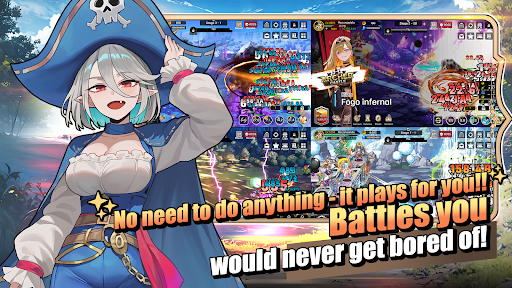
● 放置ゲームならではの成長する楽しさ!
眠っている間も強くなる自分のキャラクター!
仕事をしている間も発展していく自分の領地!
放置しているだけでどんどん成長!
● 洗練されたデザインのキャラクターとモンスター
ぎこちない動きのゲームはもう終わり!
自然なモーションで動く、洗練されたキャラクターたち!
● 実際に見た目が変化するコンテンツ
ただのアイコンではない!装着すると実際の外見が変化する168種類の装備!
成長・進化することで姿が変化する180種類のペット「エルモンスター」!
─────────────────────
■ 対応端末・推奨環境 ■
* Android 9.0以上推奨
* RAM:3GB以上推奨
* ストレージ:300MB以上の空き容量推奨
【アクセス権限について】
アーチャーキャッスルでは、個別の明示が必要となる機密性の高いアプリ権限を使用していません。
【アクセス権限の設定方法】
* Android 6.0以上
- 権限ごとの解除:端末の設定 > セキュリティとプライバシー、またはプライバシー > 権限マネージャー > 権限項目を選択 > 該当アプリを選択 > 権限を許可または許可しない
- アプリごとの解除:端末の設定 > アプリ > アーチャーキャッスルを選択 > 権限 > アクセス権限を許可または許可しない
- 通知設定:端末の設定 > 通知 > アプリの通知 > アーチャーキャッスルを選択 > 通知を許可または解除
※ 端末メーカーおよびOSのバージョンによって、メニュー名が異なる場合があります。
* Android 6.0未満
OSの仕様上、アクセス権限を個別に解除することが難しいため、アプリを削除することで権限を解除できます。
安定したサービスをご利用いただくため、Android 6.0以上へのアップデートを推奨します。
もっと見る

1. MEmuインストーラーをダウンロードしてセットアップを完了する

2. MEmuを起動し、デスクトップでのPlayストアを開く

3. PlayストアでArcher Castle : AFK Idle RPGを検索する
Install
4. Archer Castle : AFK Idle RPGをダウンロードしてインストールする
5. インストールが完了したら、アイコンをクリックしてスタート

6. MEmuを使用してPCでArcher Castle : AFK Idle RPGを楽しむ
MEmu App Playerは最高の無料で提供されるAndroidエミュレータで、5,000万人がすでに優れたAndroidゲーム体験を楽しんでいます。 MEmuの仮想化技術は、あなたのPCで何千ものAndroidゲームを快適にプレイすることを可能にします。
大画面でより精細;無限の待機、電池とドラフィックの極限を超え
キーボード・マウス・コントローラーを全力でサポート、より快適
マルチインスタンスで複数のゲームを同時に実行
Play Archer Castle : AFK Idle RPG on PC by following steps: