
Archer Castle : AFK Idle RPG
Updated
Current Version
1.13.79
Offered By

With your passion for Archer Castle : AFK Idle RPG, you shouldn’t have to limit yourself to the small screen of a phone. Play like a pro and take full control of the game using a keyboard and mouse. MEmu gives you everything you’re looking for. Download and play Archer Castle : AFK Idle RPG on PC. Play as long as you want — no more worries about battery life, mobile data, or unexpected calls. The all-new MEmu 9 is the best way to play Archer Castle : AFK Idle RPG on PC. With our expertly designed keymapping system, Archer Castle : AFK Idle RPG feels just like a real PC game. The MEmu multi-instance manager lets you run two or more accounts on the same device at the same time. Most importantly, our exclusive emulation engine unlocks your PC’s full potential, delivering smooth and seamless performance.
Show more
Download Archer Castle : AFK Idle RPG on PC with MEmu Android Emulator. Enjoy playing on big screen. Official Community Now Open!


Official Community Now Open!
https://discord.gg/vKqA4vcJyu
● An RPG that combines defense battles with construction and management!
Sometimes defensive, sometimes aggressive.
Manage your mobile fortress and enjoy a rich adventure!
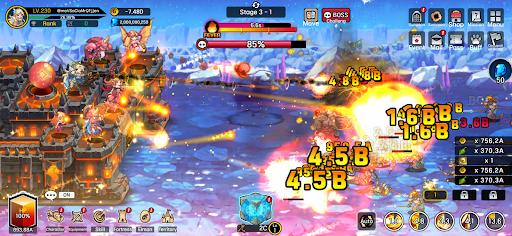
● Fast-paced and spectacular battles!
The thrill of a powerful hack-and-slash strike, now on mobile!
Wipe out hordes of enemies with one powerful skill!
Gold and items pouring out are a bonus!
● Enjoy diverse strategies and detailed deck building!
Strategic focus fire with manual targeting!
High-quality battles using incapacitation and part destruction!
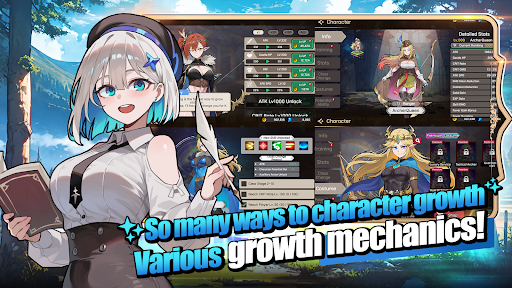
Create endless combinations with a total of 115 skills, including active, passive, command, and weapon skills!
● The fun of growth in an idle game!
Your character grows stronger even while you sleep!
Your territory develops even while you work!
Just leave it alone and watch everything grow!
● Stylish characters and monsters
No more awkwardly animated games!
Meet stylish characters with smooth and natural animations!
● Content that actually changes appearance
These are not just icons!
Equip 168 types of gear that actually change your appearance!
Collect 180 types of pets, Elmonsters, that grow, evolve, and change their appearance!
─────────────────────
■ Recommended Device Specifications ■
- Android 9.0 or higher recommended
- RAM: 3GB or more recommended
- Storage: At least 300MB of free space recommended
[ App Permission Information ]
Archer Castle does not use sensitive app permissions that require separate notification.
[ How to Manage App Permissions ]
* Android 6.0 or higher
- Revoke by permission: Device Settings > Security & Privacy or Privacy > Permission Manager > Select permission category > Select the app > Allow or deny permission
- Revoke by app: Device Settings > Apps > Select Archer Castle > Permissions > Allow or deny permission
- Notification settings: Device Settings > Notifications > App notifications > Select Archer Castle > Allow or disable notifications
※ Menu names may vary depending on the device manufacturer and OS version.
* Below Android 6.0
Due to the nature of the operating system, individual app permissions cannot be revoked separately. Permissions can be revoked by deleting the app.
For stable service use, we recommend upgrading to Android 6.0 or higher.
Show more

1. Download MEmu installer and finish the setup

2. Start MEmu then open Google Play on the desktop

3. Search Archer Castle : AFK Idle RPG in Google Play
Install
4. Download and Install Archer Castle : AFK Idle RPG
5. On install completion click the icon to start

6. Enjoy playing Archer Castle : AFK Idle RPG on PC with MEmu
MEmu Play is the best Android emulator and 100 million people already enjoy its superb Android gaming experience. The MEmu virtualization technology empowers you to play thousands of Android games smoothly on your PC, even the most graphic-intensive ones.
Bigger screen with better graphics; Long duration, without limitation of battery or mobile data.
Full Keymapping support for precise control of keyboard and mouse or gamepad.
Multiple game accounts or tasks on single PC at one time with Multi-Instance manager.
Play Archer Castle : AFK Idle RPG on PC by following steps: