Archer Castle : AFK Idle RPG
Đã cập nhật
Phiên bản hiện tại
1.13.68
Cung cấp bởi

Với tất cả niềm đam mê chơi Archer Castle : AFK Idle RPG, đôi tay của bạn sẽ không còn bị giới hạn trên một màn hình nhỏ của điện thoại. Trải nghiệm chơi như một người chuyên nghiệp và kiểm soát hoàn toàn trò chơi của bạn bằng bàn phím và chuột. MEmu cung cấp cho bạn tất cả những điều mà bạn đang mong đợi. Tải xuống và chơi Archer Castle : AFK Idle RPG trên PC. Miễn là bạn muốn chơi, bởi nó không còn giới hạn về pin, dữ liệu di động và các cuộc gọi làm phiền. MEmu 9 hoàn toàn là sự lựa chọn tốt nhất để chơi Archer Castle : AFK Idle RPG trên PC. Với sự chuẩn bị về chuyên môn của chúng tôi, hệ thống sơ đồ bàn phím tinh tế làm cho Archer Castle : AFK Idle RPG trở thành một trò chơi thực sự trên PC. Trình Quản lý đa năng, đã được chăm chút bởi sự tiếp thu của chúng tôi, có thể phát 2 hoặc nhiều tài khoản trên cùng một thiết bị. Và điều quan trọng nhất, công cụ mô phỏng độc quyền của chúng tôi có thể phát huy toàn bộ tiềm năng PC của bạn, giúp mọi thứ hoạt động trơn tru nhất có thể. Chúng tôi biết rằng quá trình tận hưởng hạnh phúc ở mỗi trò chơi cũng là mong muốn của mỗi game thủ, vì vậy các bạn chỉ cần chơi thôi hãy để chúng tôi quan tâm đến tất cả trải nghiệm đó.
Nhiều hơn
Tải Archer Castle : AFK Idle RPG trên PC với Trình giả lập Android MEmu. Tận hưởng trải nghiệm chơi game trên màn hình lớn Official Community Now Open!

Official Community Now Open!
https://discord.gg/vKqA4vcJyu
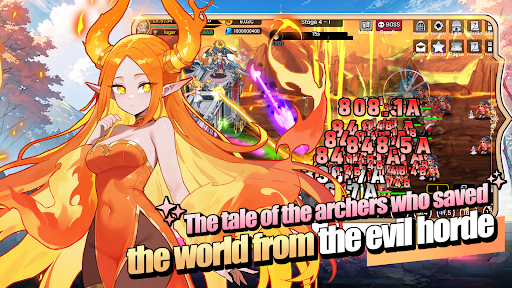
● An RPG that combines defense battles with construction and management!
Sometimes defensive, sometimes aggressive.
Manage your mobile fortress and enjoy a rich adventure!
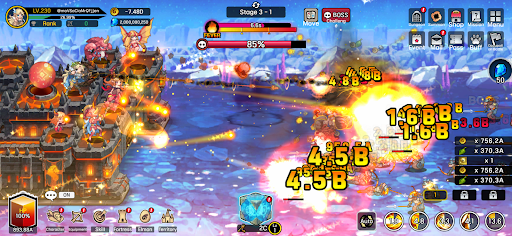
● Fast-paced and spectacular battles!
The thrill of a powerful hack-and-slash strike, now on mobile!
Wipe out hordes of enemies with one powerful skill!
Gold and items pouring out are a bonus!
● Enjoy diverse strategies and detailed deck building!
Strategic focus fire with manual targeting!
High-quality battles using incapacitation and part destruction!
Create endless combinations with a total of 115 skills, including active, passive, command, and weapon skills!
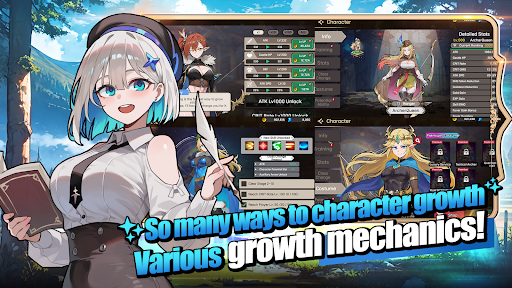
● The fun of growth in an idle game!
Your character grows stronger even while you sleep!
Your territory develops even while you work!
Just leave it alone and watch everything grow!
● Stylish characters and monsters
No more awkwardly animated games!
Meet stylish characters with smooth and natural animations!
● Content that actually changes appearance
These are not just icons!
Equip 168 types of gear that actually change your appearance!
Collect 180 types of pets, Elmonsters, that grow, evolve, and change their appearance!
─────────────────────
■ Recommended Device Specifications ■
- Android 9.0 or higher recommended
- RAM: 3GB or more recommended
- Storage: At least 300MB of free space recommended
[ App Permission Information ]
Archer Castle does not use sensitive app permissions that require separate notification.
[ How to Manage App Permissions ]
* Android 6.0 or higher
- Revoke by permission: Device Settings > Security & Privacy or Privacy > Permission Manager > Select permission category > Select the app > Allow or deny permission
- Revoke by app: Device Settings > Apps > Select Archer Castle > Permissions > Allow or deny permission
- Notification settings: Device Settings > Notifications > App notifications > Select Archer Castle > Allow or disable notifications
※ Menu names may vary depending on the device manufacturer and OS version.
* Below Android 6.0
Due to the nature of the operating system, individual app permissions cannot be revoked separately. Permissions can be revoked by deleting the app.
For stable service use, we recommend upgrading to Android 6.0 or higher.
Nhiều hơn

1. Tải trình cài đặt MEmu và hoàn tất cài đặt

2. Khởi động MEmu, sau đó mở Google Play trên trang chủ

3. Tìm kiếm Archer Castle : AFK Idle RPG trong Google Play
Install
4. Tải và Cài Đặt Archer Castle : AFK Idle RPG
5. Khi cài đặt hoàn tất, nhấp vào biểu tượng để bắt đầu

6. Tận hưởng chơi Archer Castle : AFK Idle RPG trên PC với MEmu
MEmu App Player là trình mô phỏng Android miễn phí tốt nhất và 50 triệu người đã tận hưởng trải nghiệm chơi trò chơi tuyệt vời trên Android của mình. Công nghệ ảo hóa MEmu trao quyền cho bạn để chơi hàng ngàn trò chơi Android mượt mà trên PC của bạn, ngay cả những trò chơi chuyên sâu nhất.
Màn hình lớn hơn cùng với đồ hoạ tốt hơn; thời lượng dài, không giới hạn về pin hoặc dữ liệu di động
Hỗ trợ đầy đủ Keymapping cho việc kiểm soát chính xác bàn phím và chuột hoặc gamepad
Nhiều tài khoản trò chơi hoặc tác vụ cùng lúc trên một PC với Quản lý Đa năng
Play Archer Castle : AFK Idle RPG on PC by following steps: