GTA 5 Mobile
Zaktualizowano
Aktualna wersja
3.0.9
Sprzedawca

Przy całej swojej pasji do grania w GTA 5 Mobile, twoje ręce nie powinny być ograniczone na małym ekranie telefonu. Graj jak zawodowiec i uzyskaj pełną kontrolę nad grą za pomocą klawiatury i myszy. MEmu oferuje ci wszystko, czego oczekujesz. Pobierz i graj GTA 5 Mobile na PC. Graj tak długo, jak chcesz, bez ograniczeń baterii, danych komórkowych i niepokojących połączeń. Zupełnie nowy MEmu 9 to najlepszy wybór do grania w GTA 5 Mobile na PC. Przygotowany dzięki naszej wiedzy, znakomity, wstępnie ustawiony system mapowania klawiszy sprawia, że GTA 5 Mobile jest prawdziwą grą na PC. Zakodowany naszą absorpcją, menedżer wielu instancji umożliwia granie na 2 lub więcej kontach na tym samym urządzeniu. A co najważniejsze, nasz emulator może uwolnić pełny potencjał twojego komputera, sprawić, że wszystko będzie płynne. Dbamy nie tylko o to, jak grasz, ale także o cały proces czerpania radości z grania.
Pokaż więcej
Ciesz się wspaniałym doświadczeniem podczas grania w GTA 5 Mobile na komputerze z aplikacją MEMU App Player. Jest to potężny darmowy emulator Androida pozwalający grać w tysiące gier na Androida. Grand Theft Auto V (GTA 5) is an open-world action-adventure game developed by Rockstar Games.

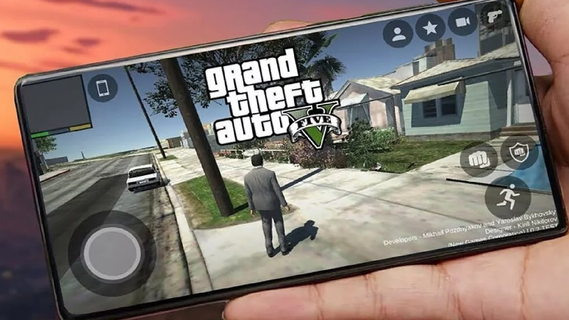
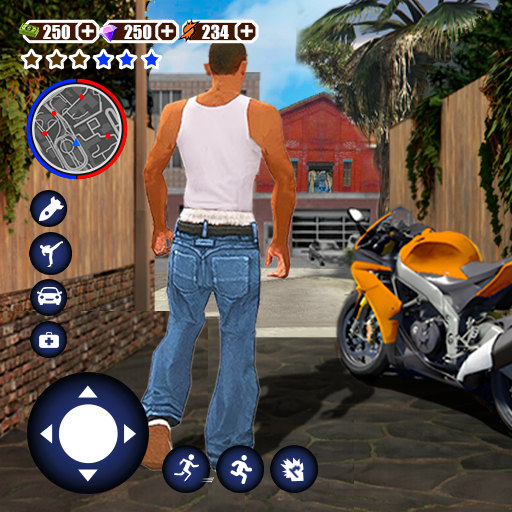
Grand Theft Auto V (GTA 5) is an open-world action-adventure game developed by Rockstar Games. Initially released for consoles and PC, it has become a cultural phenomenon. With the increasing power of mobile devices, there's growing interest in experiencing GTA 5 on mobile. This guide explores the features that make GTA 5 an engaging mobile experience, covering gameplay mechanics, graphics, controls, and additional enhancements.Gameplay MechanicsStory ModeGTA 5's story mode features three protagonists: Michael, Trevor, and Franklin. Each character has a unique storyline that interweaves with the others, providing a rich, narrative-driven experience. The mobile version retains all the cinematic cutscenes, engaging dialogues, and varied missions that made the original game popular.Open World ExplorationThe open-world environment of Los Santos and Blaine County is fully accessible on mobile. Players can explore a vast landscape, from bustling city streets to serene countryside. The mobile version includes dynamic weather, day-night cycles, and a living world filled with NPCs and wildlife.Missions and ActivitiesGTA 5 on mobile offers a wide range of missions and side activities. Players can engage in heists, car chases, and various side quests such as racing, flying, and sports activities. These missions are designed to be immersive and challenging, akin to the console and PC versions.Graphics and PerformanceVisual QualityThe mobile version aims to deliver high-quality visuals comparable to older console versions. This includes detailed character models, realistic environments, and impressive lighting effects. Advanced graphics settings allow players to customize their visual experience based on their device's capabilities.Performance OptimizationGTA 5 on mobile is optimized for a range of devices to ensure smooth gameplay. This includes frame rate adjustments, resolution scaling, and efficient use of mobile hardware. Players can expect a balanced performance that provides an enjoyable gaming experience without excessive battery drain or overheating.Controls and User InterfaceTouchscreen ControlsThe mobile version features intuitive touchscreen controls designed for ease of use. This includes virtual joysticks, customizable button layouts, and gesture-based controls. The interface is streamlined to ensure that players can easily navigate the game's menus and interact with the environment.Controller SupportFor those who prefer a traditional gaming experience, GTA 5 on mobile supports Bluetooth controllers. This includes popular options like Xbox and PlayStation controllers. Controller support enhances gameplay precision and comfort, particularly during complex missions or intense combat scenarios.
Pokaż więcej

1. Pobierz instalator MEmu i zakończ instalację

2. Uruchom MEmu, a następnie otwórz Google Play na pulpicie

3. Wyszukaj GTA 5 Mobile w Google Play
Install
4. Pobierz i zainstaluj GTA 5 Mobile
5. Po zakończeniu instalacji kliknij ikonę, aby rozpocząć

6. Ciesz się grą GTA 5 Mobile na PC z MEmu
MEmu Play to najlepszy emulator Androida, a 100 milionów ludzi już korzysta z jego i dosta doskonałe wrażenia z gier na Androida. Technologia wirtualizacji MEmu umożliwia płynne granie w tysiące gier Androida na komputerze, nawet tych najbardziej wymagających grafiki.
Większy ekran z lepszą grafiką; Długi czas, bez ograniczeń baterii lub danych mobilnych.
Pełna obsługa mapowania klawiszy dla precyzyjnego sterowania klawiaturą i myszą lub gamepadem.
Wiele kont gier lub zadań na jednym komputerze jednocześnie z menedżerem wielu instancji.
Play GTA 5 Mobile on PC by following steps: