Gauth: AI Study Companion
Обновлено
Текущая версия
7
Продавец

Перестаньте беспокоиться о быстром разряде батареи при использовании Gauth: AI Study Companion на вашем телефоне. Освободитесь от крошечного экрана и наслаждайтесь приложением на гораздо большем экране. Теперь вы можете работать с приложением в полноэкранном режиме с удобством клавиатуры и мыши. MEmu предлагает вам все ожидаемые удивительные функции: быструю установку и простую настройку, интуитивно понятное управление и больше никаких забот о времени автономной работы, мобильном трафике или неожиданных звонках. Совершенно новый MEmu 9 — идеальный выбор для использования Gauth: AI Study Companion на вашем компьютере. С помощью менеджера нескольких экземпляров MEmu вы можете одновременно использовать два или более аккаунтов. И самое главное, наш эксклюзивный движок эмуляции раскрывает весь потенциал вашего ПК, обеспечивая плавную и приятную работу.
Показать больше
Скачайте Gauth: AI Study Companion на ПК с помощью Андроид эмулятора MEmu. Наслаждайтесь на большом экране. Gauth is the #1 AI study companion empowered by the newest AI model!

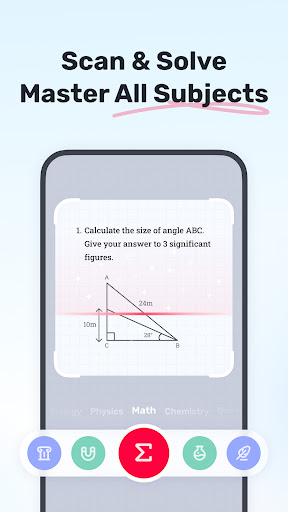
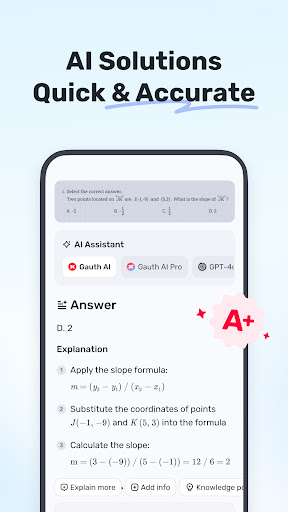
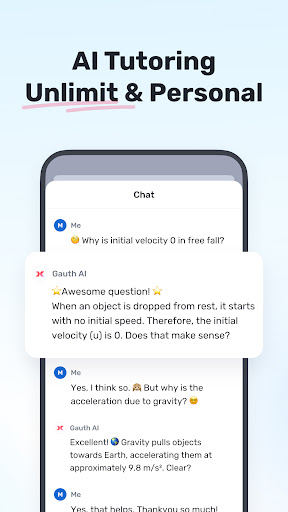
Gauth is the #1 AI study companion empowered by the newest AI model! Trusted by millions of users, Gauth offers unlimited answers for all subjects. Try Gauth for all your learning needs!
Key Features:
► ACCURATE ANSWERS, STEP-BY-STEP
Compared to other homework helpers, Gauth is faster and more accurate at solving homework problems, especially with the support of Gauth AI Pro. Problems could be solved quickly within a few seconds, and all answers are accompanied by animated instructions and detailed explanations.
► MASTER ALL SUBJECTS, ALL GRADES
Not only Math questions, Gauth could now solve all different levels of problems in Physics, Chemistry, Biology and more.
► REAL EXPERTS READY TO HELP 24/7
As a strong and resourceful homework solver, we have professional experts and dedicated experts ready to help you 24/7 with multiple subjects, including Math, Physics, Chemistry, and Biology. All experts are available to solve your problems anytime and anywhere, offering clear step-by-step explanations. With Gauth, you can easily understand and master different subjects.
► EASY TO USE, HOMEWORK IS COOL
Simply take a photo of your problem, and Gauth will recognize it and crop your question automatically. After uploading, our experts will provide solutions in a few seconds with well-formatted answers and explanations. With Gauth, we hope you can find homework is also fun and easy to understand!
► SUBJECTS COVERED
- Math
- Biology
- Physics
- Chemistry
- Others
► MATH TOPICS COVERED
- Math Word problems
- Algebra (Real Number; Arithmetic; Set theory; Expression; Logarithm; Complex Number)
- Function (Linear; Quadratic; Polynomial; Exponential; Rational; Logarithmic; Inverse Function)
- Geometry (Plane & Solid Geometry; Algebra & lines; Lines & Planes in Space; Transformation)
- Trigonometry (Trigonometric Ratios; Law of Sines; Law of Cosines; Reciprocal Properties)
- Calculus (Derivatives; Integrals; Limits; the Tangent/Area Math problem)
- Statistics and Data Analysis (Probability; Data Representation; Poisson/Normal Distribution)
- Matrix (Matrix Algebra; System of Linear Equations & Matrices)
- Logic (Reasoning & Proof)
► Want to level up your learning? With Gauth Plus, you will get:
- Unlimited answers and explanations
- High accuracy in answers
- Access to 20M+ tutorial videos
- A question bank of 100M+
- 24/7 tutor help
Terms of Service https://h5.gauthmath.com/terms
Privacy Policy https://h5.gauthmath.com/policy
Показать больше

1. Скачать инсталлятор MEmu и завершайте установку

2. Запускайте MEmu, затем откройте Google Play на главной странице

3. Ищите Gauth: AI Study Companion в Google Play
Install
4. Скачайте и установите Gauth: AI Study Companion
5. При завершении установки, нажмите на значок для старта

6. Наслаждайтесь Gauth: AI Study Companion на своем компьютере с помощью MEmu.
MEmu Play — лучший бесплатный эмулятор Android, превосходный опыт работы с которым оценили 50 миллионов пользователей. Технология виртуализации MEmu позволяет без проблем запускать тысячи Android-приложений на вашем компьютере, даже самые требовательные.
Большой экран с лучшей графикой; Большая продолжительность, без ограничения батареи или мобильных данных.
Полная поддержка установки клавиш для точного управления клавиатурой и мышью или геймпадом.
Несколько игровых учетных записей или задач на одном компьютере одновременно с менеджером нескольких экземпляров.
Use Gauth: AI Study Companion on PC by following steps: