
Gauth: AI Study Companion
更新日
現在のバージョン
2
提供元

スマートフォンは不要!パソコンと同じようにキーボードとマウスで操作できます。MEmu Playは、あなたが待ち望んでいたすべての楽しみをお届けします。バッテリー残量や小さな画面を気にすることなく、Gauth: AI Study Companionをご利用ください。最新のMEmu 9は、Gauth: AI Study CompanionをPCで体験するのに最適です!完璧なキーマッピングシステムにより、PCのようなスムーズな操作性を実現します。マルチインスタンス機能により、複数のアプリケーションを同時に実行できます。独自の仮想化エンジンがPCのパフォーマンスを最大限に引き出します。アプリを使用するだけでなく、高品質な体験を得ることができます。
もっと見る
Gauth: AI Study CompanionをPCでダウンロード!大画面でより楽しむ。電源が落ちてしまうとか通信料が足りないとかの問題を心配する必要がなく、PCの大画面でより快適にゲームを楽しましょう! Gauth is the #1 AI study companion empowered by the newest AI model!

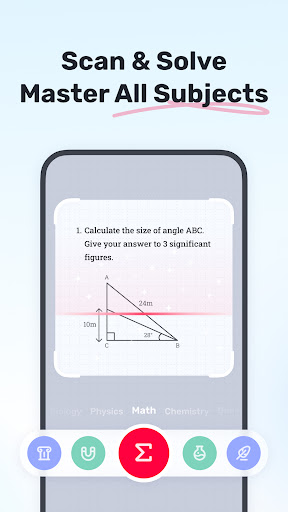
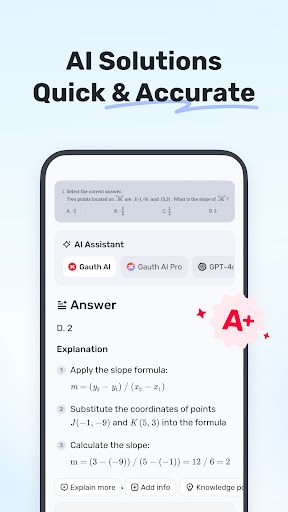
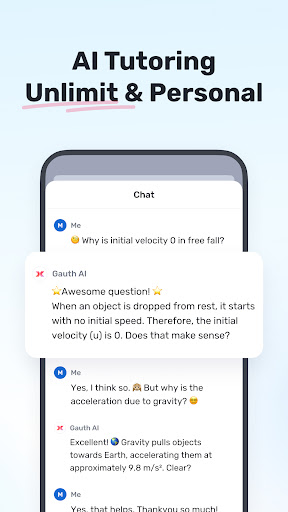
Gauth is the #1 AI study companion empowered by the newest AI model! Trusted by millions of users, Gauth offers unlimited answers for all subjects. Try Gauth for all your learning needs!
Key Features:
► ACCURATE ANSWERS, STEP-BY-STEP
Compared to other homework helpers, Gauth is faster and more accurate at solving homework problems, especially with the support of Gauth AI Pro. Problems could be solved quickly within a few seconds, and all answers are accompanied by animated instructions and detailed explanations.
► MASTER ALL SUBJECTS, ALL GRADES
Not only Math questions, Gauth could now solve all different levels of problems in Physics, Chemistry, Biology and more.
► REAL EXPERTS READY TO HELP 24/7
As a strong and resourceful homework solver, we have professional experts and dedicated experts ready to help you 24/7 with multiple subjects, including Math, Physics, Chemistry, and Biology. All experts are available to solve your problems anytime and anywhere, offering clear step-by-step explanations. With Gauth, you can easily understand and master different subjects.
► EASY TO USE, HOMEWORK IS COOL
Simply take a photo of your problem, and Gauth will recognize it and crop your question automatically. After uploading, our experts will provide solutions in a few seconds with well-formatted answers and explanations. With Gauth, we hope you can find homework is also fun and easy to understand!
► SUBJECTS COVERED
- Math
- Biology
- Physics
- Chemistry
- Others
► MATH TOPICS COVERED
- Math Word problems
- Algebra (Real Number; Arithmetic; Set theory; Expression; Logarithm; Complex Number)
- Function (Linear; Quadratic; Polynomial; Exponential; Rational; Logarithmic; Inverse Function)
- Geometry (Plane & Solid Geometry; Algebra & lines; Lines & Planes in Space; Transformation)
- Trigonometry (Trigonometric Ratios; Law of Sines; Law of Cosines; Reciprocal Properties)
- Calculus (Derivatives; Integrals; Limits; the Tangent/Area Math problem)
- Statistics and Data Analysis (Probability; Data Representation; Poisson/Normal Distribution)
- Matrix (Matrix Algebra; System of Linear Equations & Matrices)
- Logic (Reasoning & Proof)
► Want to level up your learning? With Gauth Plus, you will get:
- Unlimited answers and explanations
- High accuracy in answers
- Access to 20M+ tutorial videos
- A question bank of 100M+
- 24/7 tutor help
Terms of Service https://h5.gauthmath.com/terms
Privacy Policy https://h5.gauthmath.com/policy
もっと見る

1. MEmuインストーラーをダウンロードしてセットアップを完了する

2. MEmuを起動し、デスクトップでのPlayストアを開く

3. PlayストアでGauth: AI Study Companionを検索する
Install
4. Gauth: AI Study Companionをダウンロードしてインストールする
5. インストールが完了したら、アイコンをクリックしてスタート

6. MEmuを使ってパソコンでGauth: AI Study Companionを体験する
MEmu Playは現在、最高の無料Androidエミュレーターであり、5,000万人のユーザーが優れたAndroidアプリ体験を楽しんでいます。MEmuの仮想化テクノロジーにより、数千ものAndroidアプリをコンピューターでスムーズに実行できます。
大画面でより精細;無限の待機、電池とドラフィックの極限を超え
キーボード・マウス・コントローラーを全力でサポート、より快適
マルチインスタンスで複数のゲームを同時に実行
Use Gauth: AI Study Companion on PC by following steps: