
Aviassembly
อัปเดตเมื่อ
เวอร์ชันปัจจุบัน
ให้บริการโดย

เวลาคุณเล่น Aviassembly, คุณอาจรู้สึกว่ามือคุณอาจบังจอแล้วทำให้ไม่ได้เล่นแบบเต็มที่. เล่นแบบไร้ขีดจำกัดด้วยเม้าส์และคีย์บอร์ด. MEmu มีตัวเลือกหลายอย่างให้คุณใช้งานเกมที่คุณเล่นแบบที่คุณต้องการ. ดาวน์โหลดและเล่น Aviassembly บน PC. เล่นนานแค่ไหนก็ได้, ไม่ต้องชาร์จแบตเตอรี่, หรือเจอคนโทรเข้ามาระหว่างเล่น. MEmu 9 เป็นตัวเลือกสำหรับการเล่น Aviassembly บน PC. ทางทีมงานเราได้ปรับแต่งเกม, ปรับให้เล่นเกมบางเกมได้เหมือนเล่น Aviassembly เป็นเกม PC เช่นเล็งด้วยเม้าส์หรือใช้คีย์บอร์ด. ระบบของเรายังทำให้คุณสามารถเปิดเล่นได้มากกว่า 2 เกมพร้อมๆกันในคอมของคุณ. และที่สำคัญที่สุด, ระบบโปรแกรมของเราสามารถทำให้คุณใช้ระบบของ PC ทำให้เกมลื่นเหมือนกับใช้โทรศัพท์รุ่นล่าสุด. เราไม่ได้ดูแลเรื่องการเล่นเกม, แต่เราดูแลถึงความสนุกสนานที่คุณได้จากการเล่นด้วย.
แสดงเพิ่มเติม
ดาวน์โหลด Aviassembly บน PC ด้วย MEmu Android Emulator สนุกกับการเล่นบนหน้าจอขนาดใหญ่ Aviassembly invites players to construct and optimize their own planes while tackling various missions across an expansive open world.
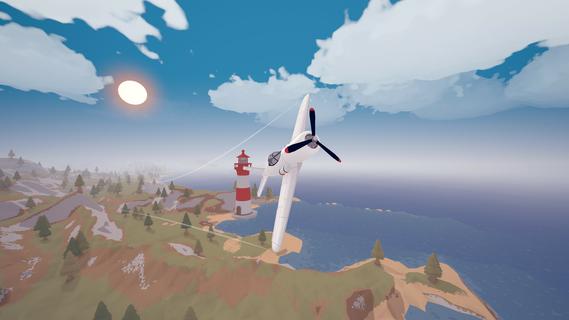
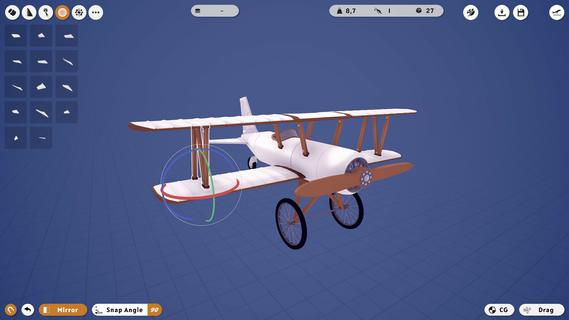
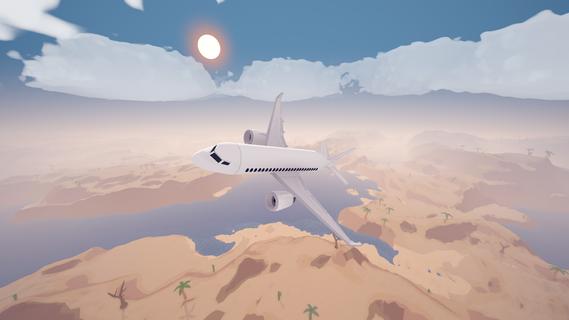
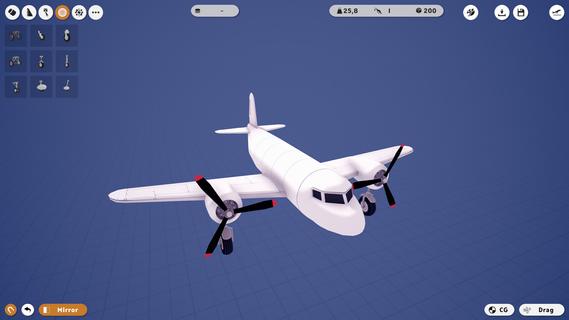
Aviassembly invites players to construct and optimize their own planes while tackling various missions across an expansive open world. Balancing weight, speed, and cargo space, players must meticulously design their aircraft for efficient flight. The game encourages exploration and upgrading of designs as players face unique challenges at different airports and islands. Features of Aviassembly- Custom Plane Building: Create your own airplane and fine-tune its performance by managing factors like fuel capacity, weight, and speed. Make careful choices when selecting parts to achieve the ideal flight characteristics, giving you total control over your aircraft's design. - Realistic Flight Controls: Experience the thrill of flight with physics-based controls that require skillful taking off, flying, and landing. The realistic mechanics add a challenge that enhances the gameplay, making each flight feel authentic and rewarding. - Open World Exploration: Venture into a vast open world filled with new biomes, airports, and islands. Each location offers unique challenges and cargo types, providing endless opportunities for players to push their plane designs to the limit. - Diverse Cargo Missions: Test your designs by transporting various cargo types, each presenting its own set of challenges. Planning and strategy are key as you ensure that you do not run out of fuel or miss your delivery deadlines. - Creative Mode: Unleash your imagination in creative mode where infinite resources allow for limitless building possibilities. Construct anything you envision without the constraints of mission requirements, offering a playful escape that complements the main gameplay.
แสดงเพิ่มเติม

1. ดาวน์โหลดตัวติดตั้ง MEmu และสิ้นสุดการติดตั้ง

2. เริ่ม MEmu จากนั้นเปิด Google Play บนหน้าแรก

3. ค้นหา Aviassembly ใน Google Play
Install
4. ดาวน์โหลดและติดตั้ง Aviassembly
5. เมื่อติดตั้งเสร็จให้คลิกที่ไอคอนเพื่อเริ่มใช้งาน

6. สนุกกับการเล่น Aviassembly บนพีซีด้วย MEmu
MEmu App Player เป็นอีมูเลเตอร์ Android ที่ดีที่สุดและผู้คนกว่า 50 ล้านคนเพลิดเพลินไปกับประสบการณ์การเล่นเกม Android ที่ยอดเยี่ยม เทคโนโลยีการจำลองเสมือนของ MEmu ช่วยให้คุณเล่นเกม Android หลายพันเกมได้อย่างราบรื่นบนพีซีของคุณแม้แต่เกมที่ต้องใช้กราฟิกมากที่สุด
จอใหญ่และกราฟฟิกสวยกว่า; เล่นได้นาน, ไม่ต้องใช้แบตเตอรี่โทรศัพท์หรือเน็ตโทรศัพท์.
ระบบปรับแต่งปุ่มคีย์บอร์ดและเม้าส์ตามที่คุณเลือก
เล่นมากกว่าหนึ่งเกมบน PC ในเวลาเดียวกันด้วยระบบหลายจอหรือ Multi-Instance manager.
Play Aviassembly on PC by following steps: