Racing Master
อัปเดตเมื่อ
เวอร์ชันปัจจุบัน
0.31.0
ให้บริการโดย

เวลาคุณเล่น Racing Master, คุณอาจรู้สึกว่ามือคุณอาจบังจอแล้วทำให้ไม่ได้เล่นแบบเต็มที่. เล่นแบบไร้ขีดจำกัดด้วยเม้าส์และคีย์บอร์ด. MEmu มีตัวเลือกหลายอย่างให้คุณใช้งานเกมที่คุณเล่นแบบที่คุณต้องการ. ดาวน์โหลดและเล่น Racing Master บน PC. เล่นนานแค่ไหนก็ได้, ไม่ต้องชาร์จแบตเตอรี่, หรือเจอคนโทรเข้ามาระหว่างเล่น. MEmu 9 เป็นตัวเลือกสำหรับการเล่น Racing Master บน PC. ทางทีมงานเราได้ปรับแต่งเกม, ปรับให้เล่นเกมบางเกมได้เหมือนเล่น Racing Master เป็นเกม PC เช่นเล็งด้วยเม้าส์หรือใช้คีย์บอร์ด. ระบบของเรายังทำให้คุณสามารถเปิดเล่นได้มากกว่า 2 เกมพร้อมๆกันในคอมของคุณ. และที่สำคัญที่สุด, ระบบโปรแกรมของเราสามารถทำให้คุณใช้ระบบของ PC ทำให้เกมลื่นเหมือนกับใช้โทรศัพท์รุ่นล่าสุด. เราไม่ได้ดูแลเรื่องการเล่นเกม, แต่เราดูแลถึงความสนุกสนานที่คุณได้จากการเล่นด้วย.
แสดงเพิ่มเติม
ดาวน์โหลด Racing Master บน PC ด้วย MEmu Android Emulator สนุกกับการเล่นบนหน้าจอขนาดใหญ่ Racing Master x MF GHOST Collab Confirmed!
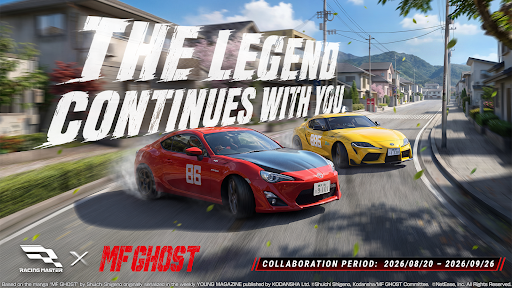
Racing Master x MF GHOST Collab Confirmed!
The next-gen engines are roaring—"The next fastest street legend is defined by your speed!"
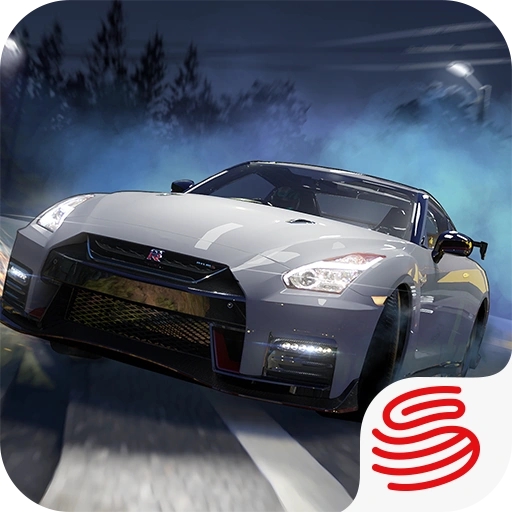
As the final swan song of internal combustion engines echoes, the pride and philosophy of racers reignite in Racing Master. In this blockbuster collab, protagonist Kanata Katagiri's ride—the collab-edition TOYOTA 86 GT—makes its grand debut! Plus, the leading cars of the "God 15"—Shun Aiba's NISSAN GT-R (R35) and Sena Moroboshi's TOYOTA GR Supra—are available for a limited time!
What's more, the heroine's "SR MFG Angels Outfit", collaboration commemorative racing suits featuring Takumi and others, and exclusive voice packs are waiting for you. Join the race now!
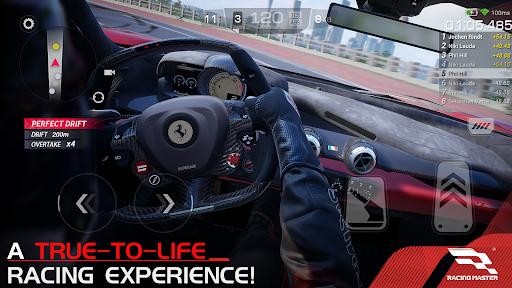
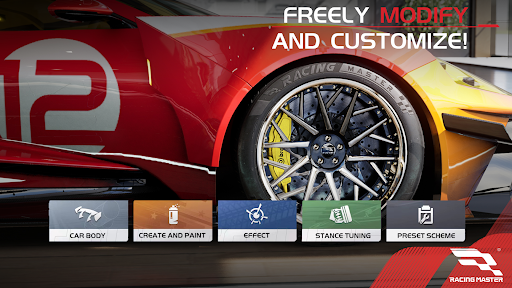
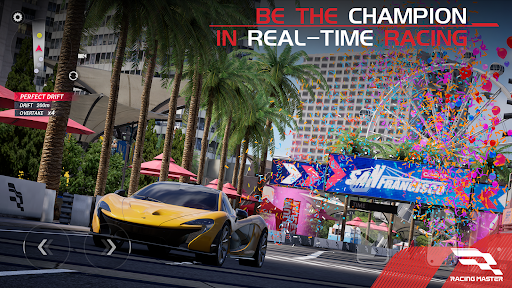
Racing Master is an ultra-realistic AAA racing game developed in in-depth collaboration with Codemasters®. Players can freely collect and customize over 100 officially licensed luxury cars, racing through global streets and professional tracks. Experience the ultimate immersion with stunning graphics and authentic engine roars. Featuring rich competitive game modes, join now to compete in real-time against other players and push the limits of speed!
Official Facebook: https://www.facebook.com/racingmastersea
Official Discord: https://discord.gg/QCF3zYTzxu
แสดงเพิ่มเติม

1. ดาวน์โหลดตัวติดตั้ง MEmu และสิ้นสุดการติดตั้ง

2. เริ่ม MEmu จากนั้นเปิด Google Play บนหน้าแรก

3. ค้นหา Racing Master ใน Google Play
Install
4. ดาวน์โหลดและติดตั้ง Racing Master
5. เมื่อติดตั้งเสร็จให้คลิกที่ไอคอนเพื่อเริ่มใช้งาน

6. สนุกกับการเล่น Racing Master บนพีซีด้วย MEmu
MEmu App Player เป็นอีมูเลเตอร์ Android ที่ดีที่สุดและผู้คนกว่า 50 ล้านคนเพลิดเพลินไปกับประสบการณ์การเล่นเกม Android ที่ยอดเยี่ยม เทคโนโลยีการจำลองเสมือนของ MEmu ช่วยให้คุณเล่นเกม Android หลายพันเกมได้อย่างราบรื่นบนพีซีของคุณแม้แต่เกมที่ต้องใช้กราฟิกมากที่สุด
จอใหญ่และกราฟฟิกสวยกว่า; เล่นได้นาน, ไม่ต้องใช้แบตเตอรี่โทรศัพท์หรือเน็ตโทรศัพท์.
ระบบปรับแต่งปุ่มคีย์บอร์ดและเม้าส์ตามที่คุณเลือก
เล่นมากกว่าหนึ่งเกมบน PC ในเวลาเดียวกันด้วยระบบหลายจอหรือ Multi-Instance manager.
Play Racing Master on PC by following steps: