EDENS ZERO
อัปเดตเมื่อ
เวอร์ชันปัจจุบัน
ให้บริการโดย

เวลาคุณเล่น EDENS ZERO, คุณอาจรู้สึกว่ามือคุณอาจบังจอแล้วทำให้ไม่ได้เล่นแบบเต็มที่. เล่นแบบไร้ขีดจำกัดด้วยเม้าส์และคีย์บอร์ด. MEmu มีตัวเลือกหลายอย่างให้คุณใช้งานเกมที่คุณเล่นแบบที่คุณต้องการ. ดาวน์โหลดและเล่น EDENS ZERO บน PC. เล่นนานแค่ไหนก็ได้, ไม่ต้องชาร์จแบตเตอรี่, หรือเจอคนโทรเข้ามาระหว่างเล่น. MEmu 9 เป็นตัวเลือกสำหรับการเล่น EDENS ZERO บน PC. ทางทีมงานเราได้ปรับแต่งเกม, ปรับให้เล่นเกมบางเกมได้เหมือนเล่น EDENS ZERO เป็นเกม PC เช่นเล็งด้วยเม้าส์หรือใช้คีย์บอร์ด. ระบบของเรายังทำให้คุณสามารถเปิดเล่นได้มากกว่า 2 เกมพร้อมๆกันในคอมของคุณ. และที่สำคัญที่สุด, ระบบโปรแกรมของเราสามารถทำให้คุณใช้ระบบของ PC ทำให้เกมลื่นเหมือนกับใช้โทรศัพท์รุ่นล่าสุด. เราไม่ได้ดูแลเรื่องการเล่นเกม, แต่เราดูแลถึงความสนุกสนานที่คุณได้จากการเล่นด้วย.
แสดงเพิ่มเติม
ดาวน์โหลด EDENS ZERO บน PC ด้วย MEmu Android Emulator สนุกกับการเล่นบนหน้าจอขนาดใหญ่ EDENS ZERO is an immersive 3D action role-playing game set in the vibrant universe of Hiro Mashima's space fantasy comic and anime series.
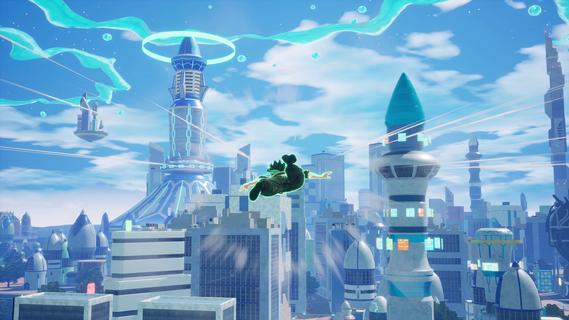
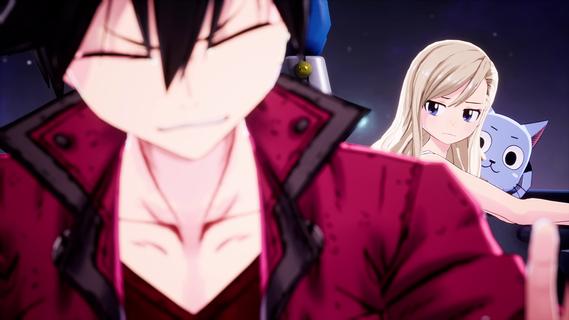
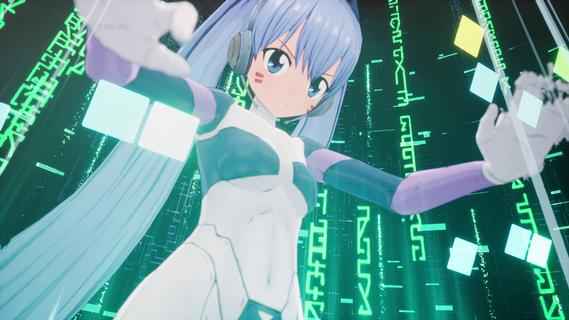
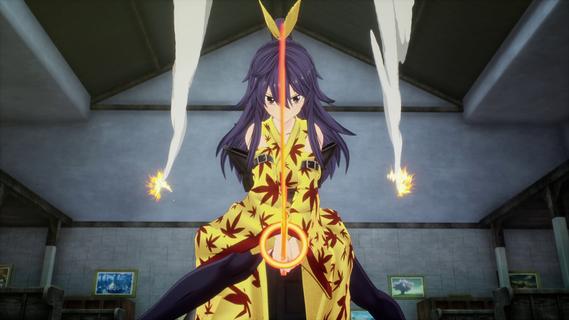
EDENS ZERO is an immersive 3D action role-playing game set in the vibrant universe of Hiro Mashima's space fantasy comic and anime series. This game invites players to join Shiki Granbell and his companions on an epic journey through the cosmos, exploring diverse planets and engaging in thrilling battles against formidable foes. StorylineThe game follows the narrative of Shiki, a young boy with the extraordinary ability to control gravity, known as Ether Gear. Shiki lives on the deserted theme park planet Granbell, where he is raised by his adoptive grandfather, the benevolent robot Ziggy. After Ziggy's passing, Shiki meets Rebecca Bluegarden and Happy, a duo of spacefaring content creators, and together they embark on a quest to find the fabled space goddess, Mother. As they travel through the Sakura Cosmos, they assemble a diverse crew, including Weisz Steiner, a skilled warrior from an alternate timeline, and Homura Kôgetsu, a young swordswoman trained by the legendary Valkyrie Yuna. Their journey is filled with challenges as they confront powerful enemies, including the notorious crime lord Drakken Joe and the malevolent forces controlling the androids. Gameplay MechanicsEDENS ZERO offers a dynamic gameplay experience, combining fast-paced action with strategic combat. Players can master a variety of combat styles, including close-range melee, long-range shooting, and magical attacks. Each character has unique abilities and Ether Gear powers, which can be upgraded and customized to enhance their performance in battle. One of the game's standout features is the Overboost system, which temporarily boosts characters' attack and defense capabilities, allowing them to turn the tide of battle. Additionally, players can activate Special Skills to inflict massive damage on enemies. The Signature Actions of each character provide unique strategic advantages, making each battle a thrilling challenge. Exploration and CustomizationThe game allows players to explore a vast open world, including planets like Blue Garden, where they can engage in quests, battle formidable enemies, and collect valuable rewards. With over 700 types of equippable items, players can customize their characters' appearances and enhance their abilities, ensuring a personalized gaming experience. Crew and QuestsAs players progress through the game, they can recruit new members to their crew, including former enemies who become allies. The Interstellar Warship Edens Zero serves as a mobile base, where players can interact with crew members, upgrade facilities, and participate in minigames. Quests are abundant, ranging from Guild Quests that enhance Adventurer Rank to episodic storylines that unfold across the planet. Exclusive ContentThe game includes new storylines and quests not featured in the manga or anime, offering fans a fresh perspective on the EDENS ZERO universe. Hiro Mashima has contributed exclusive content, expanding the lore and revealing new secrets about the cosmos. ConclusionEDENS ZERO is an action-packed adventure that combines the excitement of exploration with the intensity of combat. With its engaging storyline, diverse cast of characters, and extensive customization options, this game promises to captivate fans of the series and newcomers alike. As players embark on this cosmic journey, they will discover the thrill of battling across the stars and the joy of forming unbreakable bonds with their crewmates. The game is set to release on July 15, 2025, for Windows, PlayStation 5, and Xbox Series X/S, offering an unforgettable experience for all who dare to venture into the unknown.
แสดงเพิ่มเติม

1. ดาวน์โหลดตัวติดตั้ง MEmu และสิ้นสุดการติดตั้ง

2. เริ่ม MEmu จากนั้นเปิด Google Play บนหน้าแรก

3. ค้นหา EDENS ZERO ใน Google Play
Install
4. ดาวน์โหลดและติดตั้ง EDENS ZERO
5. เมื่อติดตั้งเสร็จให้คลิกที่ไอคอนเพื่อเริ่มใช้งาน

6. สนุกกับการเล่น EDENS ZERO บนพีซีด้วย MEmu
MEmu App Player เป็นอีมูเลเตอร์ Android ที่ดีที่สุดและผู้คนกว่า 50 ล้านคนเพลิดเพลินไปกับประสบการณ์การเล่นเกม Android ที่ยอดเยี่ยม เทคโนโลยีการจำลองเสมือนของ MEmu ช่วยให้คุณเล่นเกม Android หลายพันเกมได้อย่างราบรื่นบนพีซีของคุณแม้แต่เกมที่ต้องใช้กราฟิกมากที่สุด
จอใหญ่และกราฟฟิกสวยกว่า; เล่นได้นาน, ไม่ต้องใช้แบตเตอรี่โทรศัพท์หรือเน็ตโทรศัพท์.
ระบบปรับแต่งปุ่มคีย์บอร์ดและเม้าส์ตามที่คุณเลือก
เล่นมากกว่าหนึ่งเกมบน PC ในเวลาเดียวกันด้วยระบบหลายจอหรือ Multi-Instance manager.
Play EDENS ZERO on PC by following steps: