Warcraft III: Reforged
อัปเดตเมื่อ
เวอร์ชันปัจจุบัน
ให้บริการโดย

เวลาคุณเล่น Warcraft III: Reforged, คุณอาจรู้สึกว่ามือคุณอาจบังจอแล้วทำให้ไม่ได้เล่นแบบเต็มที่. เล่นแบบไร้ขีดจำกัดด้วยเม้าส์และคีย์บอร์ด. MEmu มีตัวเลือกหลายอย่างให้คุณใช้งานเกมที่คุณเล่นแบบที่คุณต้องการ. ดาวน์โหลดและเล่น Warcraft III: Reforged บน PC. เล่นนานแค่ไหนก็ได้, ไม่ต้องชาร์จแบตเตอรี่, หรือเจอคนโทรเข้ามาระหว่างเล่น. MEmu 9 เป็นตัวเลือกสำหรับการเล่น Warcraft III: Reforged บน PC. ทางทีมงานเราได้ปรับแต่งเกม, ปรับให้เล่นเกมบางเกมได้เหมือนเล่น Warcraft III: Reforged เป็นเกม PC เช่นเล็งด้วยเม้าส์หรือใช้คีย์บอร์ด. ระบบของเรายังทำให้คุณสามารถเปิดเล่นได้มากกว่า 2 เกมพร้อมๆกันในคอมของคุณ. และที่สำคัญที่สุด, ระบบโปรแกรมของเราสามารถทำให้คุณใช้ระบบของ PC ทำให้เกมลื่นเหมือนกับใช้โทรศัพท์รุ่นล่าสุด. เราไม่ได้ดูแลเรื่องการเล่นเกม, แต่เราดูแลถึงความสนุกสนานที่คุณได้จากการเล่นด้วย.
แสดงเพิ่มเติม
ดาวน์โหลด Warcraft III: Reforged บน PC ด้วย MEmu Android Emulator สนุกกับการเล่นบนหน้าจอขนาดใหญ่ Warcraft® III Reforged: Forsaken Kingdom premieres a brand-new playable campaign set in The Last Days of Lordaeron, where fate is decided by a holy warrior who serves the light beyond death.
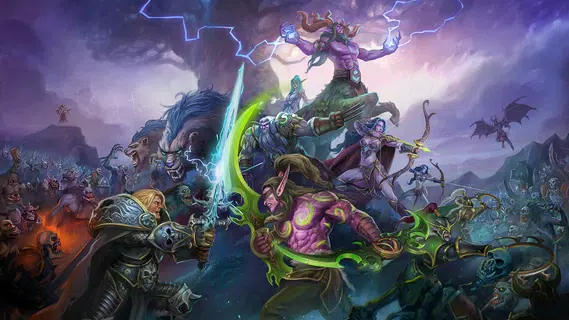
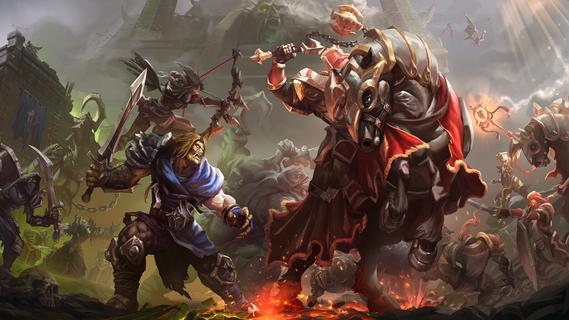
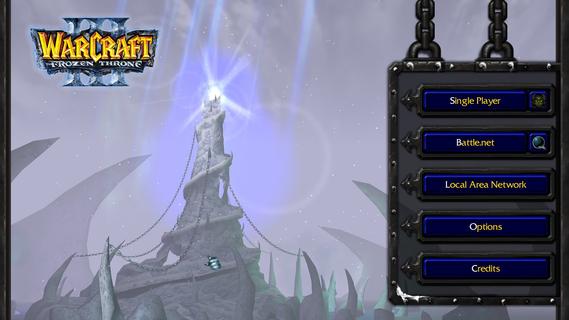
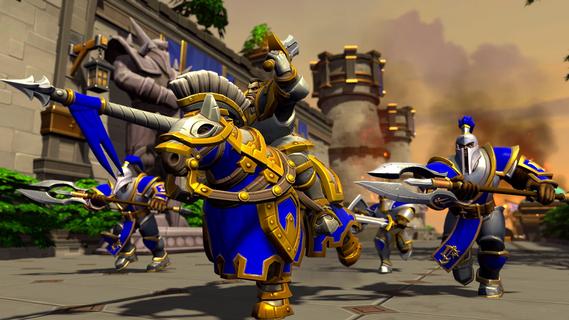
Warcraft® III Reforged: Forsaken Kingdom premieres a brand-new playable campaign set in The Last Days of Lordaeron, where fate is decided by a holy warrior who serves the light beyond death.Game FeaturesWarcraft® III Reforged: Forsaken Kingdom, the first new campaign in over two decades, brings welcome updates to the series.New Forsaken Kingdom CampaignPlay the prologue campaign, meet Azerothâs newest hero, and discover the origins of the iconic Undercity.Definitive Edition Graphic ModesExperience Warcraft IIIâs fan-favorite art style with an optional HD mode.Forsaken Paladin Tavern HeroFor the first time in over 20 years, play as a new hero available in multiplayer across Classic, Definitive Edition, and Reforged.World Editor UpgradesExpand your own stories with a new Cinematic Editor, Lighting Editor, and improved object management.New Game ServersTest your strategic mettle against foes old and new with additional game servers.Classic ClientUnlock a vintage Warcraft III experience, an original version of Warcraft III will be available in the shop.RacesNight ElvesThe night elves of Kalimdor emphasize mobility, ranged firepower, and spellcraft. Though they lack the brute strength of other races, their skills with bow and magic more than compensate.HumansThe Human Alliance is a conglomeration of humans, elves, andâ¨dwarves. A versatile faction, they boast strong ground and air troops, fearsome siege capability, and mighty spellcasters.OrcsA confederation of orcs, trolls, and taurens, the Horde are defined by their brute strength and shamanistic power.UndeadA well-balanced faction with durable ground forces and potentâ¨air units, the undead Scourge fields armies more numerous than any other faction through insidious necromantic magics.Night ElvesThe night elves of Kalimdor emphasize mobility, ranged firepower, and spellcraft. Though they lack the brute strength of other races, their skills with bow and magic more than compensate.HumansThe Human Alliance is a conglomeration of humans, elves, andâ¨dwarves. A versatile faction, they boast strong ground and air troops, fearsome siege capability, and mighty spellcasters.Reignite ChaosReturn to the battlefield that captivated millions with Warcraft III: Reforgedâand its first new campaign in over 20 years, Forsaken Kingdom.
แสดงเพิ่มเติม

1. ดาวน์โหลดตัวติดตั้ง MEmu และสิ้นสุดการติดตั้ง

2. เริ่ม MEmu จากนั้นเปิด Google Play บนหน้าแรก

3. ค้นหา Warcraft III: Reforged ใน Google Play
Install
4. ดาวน์โหลดและติดตั้ง Warcraft III: Reforged
5. เมื่อติดตั้งเสร็จให้คลิกที่ไอคอนเพื่อเริ่มใช้งาน

6. สนุกกับการเล่น Warcraft III: Reforged บนพีซีด้วย MEmu
MEmu App Player เป็นอีมูเลเตอร์ Android ที่ดีที่สุดและผู้คนกว่า 50 ล้านคนเพลิดเพลินไปกับประสบการณ์การเล่นเกม Android ที่ยอดเยี่ยม เทคโนโลยีการจำลองเสมือนของ MEmu ช่วยให้คุณเล่นเกม Android หลายพันเกมได้อย่างราบรื่นบนพีซีของคุณแม้แต่เกมที่ต้องใช้กราฟิกมากที่สุด
จอใหญ่และกราฟฟิกสวยกว่า; เล่นได้นาน, ไม่ต้องใช้แบตเตอรี่โทรศัพท์หรือเน็ตโทรศัพท์.
ระบบปรับแต่งปุ่มคีย์บอร์ดและเม้าส์ตามที่คุณเลือก
เล่นมากกว่าหนึ่งเกมบน PC ในเวลาเดียวกันด้วยระบบหลายจอหรือ Multi-Instance manager.
Play Warcraft III: Reforged on PC by following steps:
























![[ไกด์เกม] CookieRun Classic แนะนำ 5 คุกกี้น่าปั้น น่าลงทุน ที่มือใหม่ห้ามพลาด! (เล่นบน PC ผ่าน MEmu ให้ลื่นสุด ๆ) PC](https://www.memuplay.com/blog/wp-content/uploads/2026/08/579c01ab-a953-45b3-8115-9b6279b7d6f9.png)