
Lily's Diary
Aktualizováno
Aktuální verze
1.0.14
Od vývojáře

With all your passion for playing Lily's Diary, you hands are not supposed to be limited on a tiny screen of your phone. Play like a pro and get full control of your game with keyboard and mouse. MEmu offers you all the things that you are expecting. Download and play Lily's Diary on PC. Play as long as you want, no more limitations of battery, mobile data and disturbing calls. The brand new MEmu 9 is the best choice of playing Lily's Diary on PC. Prepared with our expertise, the exquisite preset keymapping system makes Lily's Diary a real PC game. MEmu multi-instance manager makes playing 2 or more accounts on the same device possible. And the most important, our exclusive emulation engine can release full potential of your PC, make everything smooth.
Show more
Vychutnejte si vynikající zážitek z přehrávání Lily's Diary na PC s MEMU App Player. Je to silný bezplatný emulátor pro Android, který vám umožní hrát tisíce her v systému Android. Hrajte tuto hru ZDARMA s reklamami – nebo si získejte ještě více her s aplikací Gamehouse+!
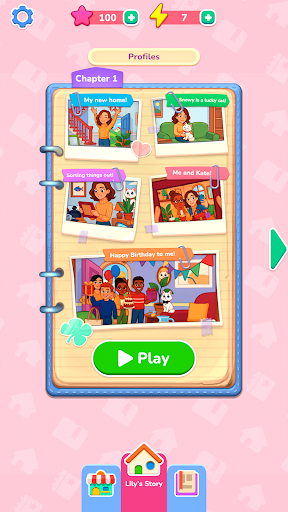

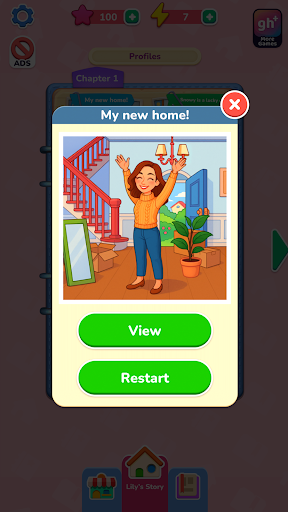
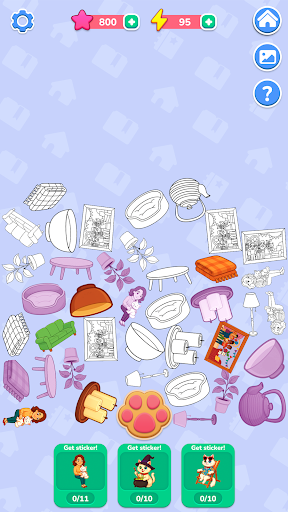
Hrajte tuto hru ZDARMA s reklamami – nebo si získejte ještě více her s aplikací Gamehouse+! Odemkněte více než 100 her s reklamami jako bezplatný člen GH+ nebo se přihlaste k VIP členství v GH+ a užijte si je VŠECHNY bez reklam, hrajte offline, získávejte exkluzivní herní odměny a mnoho dalšího!
Začněte s Lily znovu, když se zabydlí ve svém novém domově a začíná si psát deník svých dobrodružství. Každá vzpomínka ožívá díky scénám ve stylu fotografií, které obnovujete přetahováním a umisťováním očíslovaných samolepek – svěží a kreativní pojetí klasických hádanek s vybarvováním podle čísel. Spojujte tvary, sledujte čísla a používejte boostery, kdykoli potřebujete trochu pomoci. Každá hotová fotografie odhaluje další okamžik z Lilyina každodenního života, od přátelství a koníčků až po svátky a malé radosti, které dávají každému dni smysl.
Při obnovování fotografií získáváte energii k odhalování tajných příběhů o Sněhurce, Lilyině zlomyslné kočce. Klepnutím na tlačítko otisku tlapky sbírejte předměty, slučujte je do samolepek a odemykejte speciální scény v albu Sněhurky. Sesbírejte všechny samolepky a odhalte skrytou stránku Sněhurčiných dobrodružství.
S více než 40 relaxačními úrovněmi, 10 tajnými příběhy a klidnou hratelností typu „drag-and-place“ nabízí Lilyin deník kreativní únik, kde každá samolepka oživí jednu vzpomínku.
VLASTNOSTI:
Obnovení fotografií
Přetahujte a umisťujte očíslované samolepky a obnovte Lilyiny vzpomínky.
Snadné párování
Sledujte čísla a tvary pro hladké a uspokojivé umístění.
Užitečné bonusy
Použijte nápovědy k rychlému nalezení správného místa, když se zaseknete.
Sněhurčiné tajné příběhy
Sbírejte a slučujte předměty do samolepek a odemkněte bonusové úrovně.
Energie a odměny
Získejte energii obnovováním fotografií a použijte ji k odhalení Sněhurčiných dobrodružství.
Útulný postup
Užijte si více než 40 relaxačních scén a 10 skrytých příběhů, které můžete dokončit vlastním tempem.
NOVINKA! Najděte si svůj dokonalý způsob hraní s aplikací Gamehouse+! Užijte si více než 100 her zdarma s reklamami jako bezplatný člen GH+ nebo upgradujte na VIP členství GH+ a získejte hraní bez reklam, offline přístup, exkluzivní herní výhody a další. Gamehouse+ není jen další herní aplikace – je to vaše místo pro hraní pro každou náladu a každou chvíli pro sebe. Přihlaste se k odběru ještě dnes!
Show more

1. Stáhněte si instalační program MEmu a dokončete instalaci

2. Spusťte MEmu a poté otevřete Google Play na ploše

3. Vyhledejte Lily's Diary v Google Play
Install
4. Stáhněte a nainstalujte Lily's Diary
5. Po dokončení instalace klikněte na ikonu pro spuštění

6. Užijte si hraní Lily's Diary na PC s MEmu
MEmu je zdarma a ten nejlepší Android emulátor. 50 milionů lidí si užívá jeho nejlepší herní zážitky. Technologie virtualizace MEmu ti dovolí plynule hrát Android hry na PC a to i ty nejnáročnější.
Větší obrazovka s lepší grafikou; Dlouhá výdrž bez omezení baterie nebo mobilních dat.
Plná podpora mapování kláves pro přesné ovládání klávesnice a myši nebo gamepadu.
Více herních účtů nebo úkolů na jednom počítači najednou s Multi-Instance Managerem.
Play Lily's Diary on PC by following steps: